Can you password protect a QR memorial? Privacy, setup and family sharing
A practical family guide to password-protected QR memorials, covering privacy settings, setup, plaques, headstones, sharing, passwords and AU/UK/US differences.
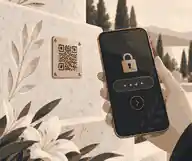
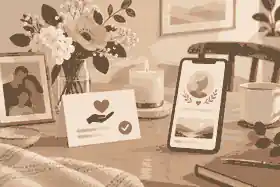
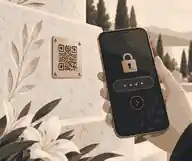
Yes, you can password protect a QR memorial when the memorial platform supports private access, but the visible QR plaque itself should always be treated as public because anyone near the headstone, plaque, urn, bench or keepsake may be able to scan it. The safest setup is to separate the physical code from the digital privacy layer: the code opens a controlled memorial destination, while the family decides whether the visitor sees a public tribute, a password gate, a private family area, or a limited page with selected details.
This matters because families searching for how to password protect a qr memorial are usually trying to solve more than one problem. They want a simple scan for relatives at a gravesite, clear privacy for photographs and stories, sensible setup steps, and a way for family members in Australia, the United Kingdom and the United States to share memories without exposing details that should remain private. It also matters for plaques and headstones because a QR marker can last for years, while family views about privacy, grief and sharing may change over time.
password protect a qr memorial: practical guidance
A QR code is not a vault. Technically, it is a scannable pattern that points a phone to a web destination. DENSO Wave QR Code history explains the code’s development for fast reading, and the current QR Code symbology is governed through the ISO/IEC QR Code standard. In memorial use, that means the code on a plaque is normally a doorway, not the private content itself.
That distinction is the first safeguard. The public part is the square code, the plaque wording, and anything printed or engraved beside it. The private part is the memorial page behind the scan. A family can make the destination private if the platform supports that feature, but it cannot make a visible cemetery plaque invisible. Anyone standing nearby may still see the code, photograph it, scan it, or ask someone else what it opens.
Evaheld Memorials families often find the clearest starting point in private versus public QR memorials, because the question is rarely all-or-nothing. A public QR memorial can be respectful when the goal is open remembrance. A private QR memorial can be gentler when the family wants time to prepare, review, and invite people carefully. A staged memorial can do both: public enough to acknowledge the person, private enough to protect photographs, full stories, guest contributions and family-only material.
Password protection helps most when the audience is known and the family can share the password reliably. It works less well when the expected visitors are broad, elderly, not confident with technology, or likely to scan while standing outdoors with poor mobile reception. In those cases, a link-only memorial, a limited public landing page, or an invite-based private space may be more practical than one shared password passed through several branches of a family.
Choose the privacy model before ordering the plaque
Before thinking about materials, inscription style or placement, decide what should happen when someone scans. There are four common privacy models. A fully public page opens immediately and may be suitable for community remembrance. A link-only page is not promoted widely but can still be forwarded. A private page limits access to invited people or approved viewers. A password-protected page asks for a shared code before fuller content appears.
The right choice depends on what the page will contain. A short tribute with a name, dates, one photograph and a careful life summary may be suitable for a public scan. A fuller page with children’s names, family photographs, voice recordings, funeral livestream links, private stories, health details or sensitive relationships usually needs tighter control. If contributors can add memories, the setup should also include review and approval, because privacy without moderation can still allow unwanted material to appear.
Use whether QR memorials are safe as a practical lens rather than a fear-based one. QR memorial safety depends on the provider, the linked domain, the information published, the access controls, the family’s password habits, and the ability to update or remove content later. A memorial can be deeply personal without including private contact details, identity documents, medical records, financial information, account logins, security answers, travel plans, school details or family disputes.
For Australia, the Australian Privacy Principles are useful context because they focus on collection, use, disclosure, governance, integrity and access to personal information. The United Kingdom has a different legal structure, and the ICO UK GDPR guidance is the primary starting point for organisations handling personal data there. In the United States, privacy obligations vary by sector and state, but the FTC privacy and security guidance is a strong consumer-protection reference for businesses making privacy or security promises. Families do not need to become lawyers, but they should treat living relatives’ personal data as something to minimise, not decorate the page with.
How the scan works in real life
When a visitor scans a code on a headstone or plaque, the phone opens a web address. That address may load a public memorial, a private sign-in screen, a password form, or a short public page with options to request access. The useful background is how QR codes on headstones work, because it explains the ordinary mechanics behind what can otherwise feel mysterious. The code should be readable, the destination should be stable, and the page should still make sense if the visitor is standing in a cemetery with limited time, sunlight glare, rain or weak signal.
Password protection does not remove the need for careful content design. A scan at a gravesite is a different context from a family member opening a private link at home. The graveside visitor may be emotional, older, unfamiliar with the platform, or simply curious. If the first screen is confusing, too commercial, or too heavily gated, people may leave. A good private QR memorial should still acknowledge the person respectfully before asking for access, unless the family wants the scan to reveal nothing at all without a password.
Think of the scan experience in layers. The plaque layer may include only a discreet code, or it may include a short invitation such as Scan to remember. The landing layer may include the person’s name and a brief explanation that the family has kept the memorial private. The protected layer may hold fuller stories, photographs, audio, video, tributes and family contributions. This structure lets the public setting remain dignified while the private memories remain controlled.
The cybersecurity principle is straightforward: reduce unnecessary exposure and give trusted people the right level of access. The NIST Cybersecurity Framework describes cybersecurity risk management in terms that can be adapted to family memorial planning: identify what matters, protect it, detect problems, respond when something goes wrong, and recover access or data if needed. A family version of that model means knowing who controls the page, what content is sensitive, who can contribute, how passwords are handled, and how backups are kept.
What to put behind a protected QR memorial
The content behind a private QR memorial should be richer than a headstone but more selective than a family archive. A strong protected page might include a life story, selected photographs from different stages of life, a moderated condolence area, voice recordings where appropriate, short video memories, favourite readings, a timeline, funeral or anniversary details, and a way for invited relatives to contribute. The purpose is remembrance, not total disclosure.
If you are deciding scope, what a QR memorial can link to helps families separate meaningful content from risky content. The best memorial pages often feel specific because they include character, relationships, sayings, work, hobbies, service, faith, culture, music, places and small habits. They do not need home addresses, private phone numbers, exact routines of surviving relatives, unresolved family conflict, or anything that would embarrass someone if forwarded outside the intended circle.
Biographical profiles also show why different lives call for different privacy settings. A public figure such as Steve Jobs may be remembered through widely known achievements and public legacy, while a family memorial for a private person may need stronger boundaries around family photographs and personal stories. Princess Diana is a reminder that public remembrance and private grief can sit uneasily beside each other, especially when many people feel connected to someone they did not personally know. Maya Angelou shows another pattern: a life of public words can still be honoured with care, context and editorial restraint.
For health-related details, be especially cautious. In the United States, the HHS guidance on deceased individuals’ health information explains that HIPAA protects identifiable health information about a deceased person for 50 years in covered contexts. That rule does not mean every family tribute is governed by HIPAA, but it does illustrate a wider principle: medical details can remain sensitive after death, particularly for surviving relatives. In Australia and the United Kingdom, families should take the same cautious approach even where the exact legal framework differs.
Family sharing without losing control
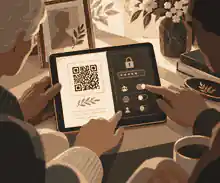
Most QR memorials become more meaningful when more than one person contributes, but shared memory needs structure. One organiser should hold primary responsibility for the memorial, another trusted person should know the long-term access plan, and contributors should have defined roles. A sibling may add photographs, a friend may write a memory, and a grandchild may upload a voice note, but not everyone needs admin control.
Password sharing should be deliberate. Do not use the person’s name, date of birth, cemetery name, pet name, nickname, or anything printed on the plaque. The UK National Cyber Security Centre recommends using tools that help people manage unique passwords, and its password manager advice is relevant when one family organiser is managing several memorial, email or storage accounts. The Australian Cyber Security Centre also recommends long, unpredictable and unique credentials in its passphrase guidance.
If the memorial account supports it, use separate logins for organisers rather than one shared admin password. Shared passwords create confusion because nobody knows who changed what, and access becomes difficult when one person loses the note or changes their email. Separate accounts also make it easier to remove access later without locking out everyone else.
Where available, multi-factor authentication is worth using for the administrator account. The Australian Cyber Security Centre explains that multi-factor authentication requires two or more proofs of identity and offers stronger protection if a password is stolen. For a memorial page, that may feel like an extra step, but it is sensible when the account controls private family photographs, funeral details, guest messages and long-term editing rights.
Setup steps for a private QR memorial
Start with the person’s full name, accurate dates, a short life summary, and one or two photographs that close family agree are appropriate. Then choose the privacy model before inviting contributors. If privacy matters, confirm the plan supports it rather than assuming every memorial page can be made private later. Evaheld Memorials’ own support on keeping a memorial private until you are ready to share is important here because it distinguishes private preparation from public directory visibility.
Next, decide what the QR code should open on day one. Some families install the plaque only after the full memorial is ready. Others install the plaque earlier and keep the page private while content is still being reviewed. Both approaches can work if the page destination is stable and the family understands the current access setting. The mistake is ordering a permanent plaque before knowing whether the provider supports privacy, editing, contribution review, exports, backups and successor access.
Then test the scan in realistic conditions. Use more than one phone. Test indoors before installation, then test the intended location if cemetery rules allow. Consider glare, rain, polished stone, shadow, low light, mobile reception and the height at which a visitor will hold the phone. If the page is password protected, ask one less technical relative to try the full process. If they cannot scan, open, enter the password and understand what they are seeing, the setup needs simplifying.
Finally, write down the governance plan. Record who manages the memorial, who is the backup contact, where the password or recovery method is stored, who may approve guest contributions, and what should happen if the family later wants the memorial made public, kept private, exported or transferred. These are not cold administrative details. They are what keep a protected memorial usable after the first organiser is no longer available.
Australian, UK and US differences families should know
For Australian readers, the privacy conversation often starts with the OAIC and the Australian Privacy Principles, but cemetery rules are usually local. A council cemetery, denominational cemetery, private memorial park or crematorium may have its own rules about plaques, adhesives, dimensions, visual style and installation. The safest path is to ask for written approval before ordering anything that will be attached to a grave, niche or memorial bench.
For United Kingdom readers, data-protection language may be shaped by the UK GDPR and the Data Protection Act 2018, while burial authority rules vary by council, churchyard, cemetery or crematorium. A QR plaque may be treated as a memorial addition, an inscription variation, an accessory, or an item needing formal consent. Families should avoid assuming that a QR plaque approved in one cemetery will be accepted in another.
For United States readers, privacy law is more fragmented. Federal guidance such as FTC consumer protection and HHS health privacy matters in specific contexts, while state privacy laws, cemetery rules and funeral practices vary. A private cemetery, municipal cemetery, veterans cemetery or religious burial ground may each handle QR plaques differently. In all three markets, the practical rule is the same: confirm the platform privacy first, confirm the cemetery permission second, and only then finalise the physical plaque.
Scam awareness also differs by country, but the risk pattern is similar. The ACCC warns that scams can involve criminals trying to steal personal details, and its scams guidance is useful for Australian families checking whether a memorial provider, invoice or donation request is legitimate. In the United States, the FTC explains in its phishing scam guidance that messages may trick people into clicking links or giving up passwords. For QR memorials, that means families should keep donation links, password emails and memorial invitations plain, verifiable and easy to recognise.
Common mistakes with password-protected QR memorials
The first mistake is believing that password protection makes every piece of content safe. It does not. Anyone with access can copy, screenshot, forward or describe what they see. Sensitive information should be excluded even from a private memorial unless there is a clear reason to include it and the relevant people agree.
The second mistake is using one family password forever. Passwords can be shared beyond the intended circle, written on service papers, saved in old messages, or guessed from family details. If a password is used, choose something unique, record who receives it, and be prepared to change it after a service, anniversary or wider sharing event.
The third mistake is forgetting that the page may need updates. Families often begin with a short tribute and later want to add photographs, correct dates, soften wording, remove funeral logistics, change privacy, or invite more contributors. That is why updating QR memorial content over time should be part of the buying decision, not an afterthought.
The fourth mistake is overlooking cemetery approval. cemetery rules for QR codes should be checked before installation because the rule may concern more than the QR technology itself. It may concern plaque size, attachment method, stone type, section rules, maintenance access, visual appearance, or whether anything raised above a flat marker is allowed.
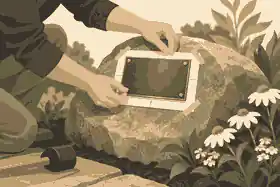
The fifth mistake is choosing a plaque material only for appearance. best materials for QR memorial plaques matters because a private page is useless if the code becomes unreadable. Contrast, surface finish, corrosion resistance, UV exposure, cleaning method and placement all affect scanning. A polished surface may look elegant but glare can make scanning harder. A low-contrast engraving may age poorly. A code placed too close to ground sprinklers may need more frequent cleaning.
The sixth mistake is treating the QR memorial as permanent without a backup. future-proofing a QR memorial means keeping copies of photographs, text, videos and the memorial URL outside the platform as well. No digital service should be the only copy of a family archive. A QR memorial can be stable, beautiful and useful, while still requiring ordinary family stewardship.
A practical privacy checklist
Before publishing or installing, work through a short checklist. What will a stranger see if they scan the code? What will an invited relative see? Can the family keep the memorial out of public browsing? Can the organiser approve tributes before they appear? Can the password be changed? Can another trusted person help manage the memorial? Can the content be exported or backed up? Can the plaque be replaced without losing the memorial destination?
Then review the words and media from the perspective of a living family member. Are children identifiable? Are addresses visible in photographs? Are school uniforms, registration plates, hospital wristbands, documents or house numbers accidentally shown? Does a story reveal a private diagnosis, adoption detail, relationship conflict or financial fact? Does a funeral update reveal that a family home will be empty? A memorial should honour the person, not create avoidable exposure for the living.
It also helps to separate access from contribution. Some people may be allowed to view the memorial but not add to it. Some may submit tributes that require approval. A small number may have editing rights. This tiered model is often better than sharing one password and hoping everyone uses it carefully.
If privacy is central to your family’s decision, compare which plan lets you make a memorial private before choosing a QR plaque package. The plan should match the family’s access needs before the code is printed or engraved. It is much easier to set the right permissions at the beginning than to repair over-sharing later.
When password protection is the best choice
Password protection is strongest when the memorial includes intimate material, the viewing group is small, and the family can manage access clearly. It may be appropriate for deaths involving children, traumatic circumstances, private medical details, complex family relationships, unpublished photographs, voice recordings, or a family archive intended mainly for relatives. It can also help during the early draft period when the organiser wants siblings or close friends to review content before anyone else sees it.
It may not be the best choice when the memorial is meant for a broad public audience, a large community, an open cemetery setting, or older visitors who may find password steps distressing. In those cases, a staged memorial can be kinder: a public scan opens a dignified summary, while fuller albums and contributions remain limited to invited people.
The best answer is not always the most locked-down answer. The best answer is the access model that matches the person, the content, the family, the cemetery context and the future use of the memorial. A QR memorial on a headstone should not force a family into openness they do not want, but it should also not make remembrance so difficult that the people who most need comfort cannot reach it.
Final recommendation
If your family wants to password protect a QR memorial, make privacy the first design decision, not a feature you check after the plaque arrives. Choose a platform that supports private access, moderation, contributor roles, later updates, backups and a stable QR destination. Keep the public-facing plaque simple, keep sensitive personal details off the page, test the scan carefully, record who manages access, and review privacy again after the funeral, after anniversaries, and whenever new contributors are invited.
A password-protected QR memorial can be both practical and compassionate when it is set up with care. The code connects a physical place to a digital tribute; the privacy settings decide how much of that tribute opens, to whom, and when. Families do not need to choose between secrecy and sharing. They need a controlled path that lets remembrance grow without handing every memory to the whole internet.
When you are ready to shape that controlled path, you can password protect a qr memorial by starting with the memorial page, choosing the right privacy setting, and preparing the QR destination around your family’s needs before any permanent plaque decision is made.
FAQs
Can you password protect a QR memorial? Privacy, setup and family sharing
Yes, if the memorial platform supports private access or password gating; the QR code remains visible, but the linked content can be controlled. Start by reviewing private versus public QR memorials, then apply wider privacy thinking from the Australian Privacy Principles.
Is the QR code itself private if the memorial is password protected?
No. The physical code can still be seen and scanned, but the page it opens can ask for a password or limit what appears. Families comparing how QR codes on headstones work should also understand that the ISO/IEC QR Code standard concerns the code format, not family privacy rules.
What should I keep off a protected QR memorial?
Leave out home addresses, phone numbers, account details, identity documents, private medical records, children’s school details and anything that could harm living relatives if forwarded. whether QR memorials are safe depends heavily on content choices, and the FTC privacy and security guidance reinforces the need to protect sensitive information.
Can relatives add photos to a private QR memorial?
Yes, when the memorial plan supports invited contributors and moderation, relatives can usually add photos or memories for approval. Use what a QR memorial can link to to plan the content mix, while the NIST Cybersecurity Framework offers a useful risk-management mindset for access and review.
Can I change privacy settings after the QR plaque is installed?
Often yes, if the code points to an editable memorial page rather than a fixed, unmanaged destination. updating QR memorial content over time explains this distinction, and the NCSC password manager advice is useful when families need to protect long-term admin access.
Do cemeteries allow password-protected QR plaques?
Some do, but cemetery approval is about the physical marker, not just the privacy setting behind it. Check cemetery rules for QR codes before ordering, and use the DENSO Wave QR Code history to understand why the visible code is simply the public scanning mechanism.
What password should a family use for a QR memorial?
Use a unique passphrase that is not based on names, dates, cemetery details or anything printed on the plaque. Families using keeping a memorial private until you are ready to share should also follow Australian Cyber Security Centre passphrase guidance.
Should a QR memorial use multi-factor authentication?
For organiser or administrator accounts, multi-factor authentication is a sensible safeguard where available, especially if the memorial contains private family media. Compare which plan lets you make a memorial private and follow Australian Cyber Security Centre MFA guidance.
Can a protected QR memorial still be meaningful for cemetery visitors?
Yes. A public landing screen can offer a short tribute while fuller photographs, stories and guest contributions stay private. This approach pairs well with best materials for QR memorial plaques, and families should remain alert to risks described in the ACCC scams guidance.
How do I make a QR memorial last without exposing everything?
Use a stable destination, keep backups, assign a second trusted organiser, avoid sensitive details and review privacy over time. future-proofing a QR memorial supports that planning, while the FTC phishing scam guidance helps families recognise suspicious links or messages around memorial access.