How do I back up an online memorial? Pricing, privacy and platform safety
A practical, privacy-aware guide to backing up an online memorial, including exports, pricing questions, admin access, family sharing and platform safety.

How do I back up an online memorial? Pricing, privacy and platform safety matter because the memorial may hold photographs, condolence messages, service details, family stories and guest tributes that should not depend on one login, one device or one website staying exactly the same forever.
The practical answer is to keep three things in place: a current export or saved copy of the memorial, clear privacy and admin settings, and a written note about who controls access if the main organiser becomes unavailable. This article explains how to back up an online memorial in a way that suits families in Australia, the United Kingdom and the United States, while keeping the tone respectful and the work manageable.
back up an online memorial: practical guidance
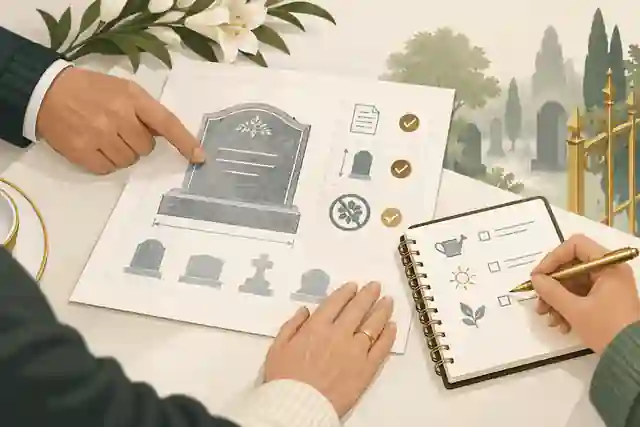
Families often begin by saving the main portrait and gallery images, but a proper memorial backup should include more than media files. Preserve the life story, dates, captions, tribute messages, condolence notes, funeral or livestream details, QR-related material, donation wording if used, and any page settings that explain who can view or contribute. Evaheld Memorials has separate guidance on how to download memorial content, and the same principle applies here: the backup should help your family understand the memorial later, not merely recover loose files.
The UK National Cyber Security Centre explains that a backup is a separate copy of important data kept in a safe location, and its backup guidance is useful for memorial families because it distinguishes cloud storage, removable media and restoration checks. For an online memorial, that means one readable copy, one folder of original files and one place where the family records account ownership.
Think of the memorial as a living family archive. The page may look simple from the outside, but it can contain contributions from different branches of the family, colleagues, neighbours and friends. If the memorial is ever edited, transferred or closed, a backup preserves the earlier version and the context around those contributions. This is why families also compare what happens if a memorial site shuts down before relying on any single platform as the only record.
Use a simple 3-copy method
A sensible family method is one working copy, one cloud copy and one offline copy. The working copy might be a folder on the organiser's computer. The cloud copy can be in a trusted account with multi-factor authentication. The offline copy might be an encrypted external drive stored away from the main device. This is not about turning grief into administration; it is about preventing one accident from becoming a permanent loss.
Your folder structure can be plain: 01-life-story, 02-photos, 03-tributes, 04-service-details, 05-videos-audio, 06-exports-pdfs and 07-admin-notes. Include a text file that lists the memorial platform, the account email, the main administrator, the date of the latest export and any privacy setting that affects who can view the page. Do not store passwords in that same unprotected folder. The NCSC's advice on password managers explains why separate, secure password storage is safer than repeated or shared passwords.
For families in Australia, the Australian Cyber Security Centre's passphrase advice is a useful baseline: a longer, memorable passphrase is usually easier to manage and harder to guess than a short complex password. In the United Kingdom, NCSC's broader password policy guidance also emphasises multi-factor authentication and reducing reliance on passwords alone. In the United States, the Federal Trade Commission's phishing guidance is relevant because memorial administrators can be targeted by fake login emails, payment messages or urgent requests to change settings.
Export, print and screenshot with different purposes
No single format is perfect. A platform export is useful when it preserves original files or structured content. A PDF is helpful for relatives who want a readable version. Screenshots can show how the page looked at a particular date, including layout, tribute order and visual context. Printed copies are not a complete digital backup, but they can matter for relatives who do not use cloud storage and for families who want a memorial folder beside other documents.
For photographs, keep the highest quality originals separately from compressed web versions. For tribute messages, save them in a format that preserves the writer's name, date and relationship if that information was provided. For video and audio, record file names, duration and permissions. If you need to retrieve media from an older page, Evaheld Memorials has related guidance on downloading pictures from a tribute site, but the better habit is to keep original uploads from the beginning.
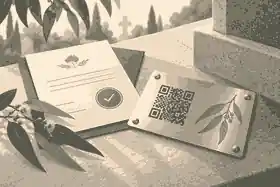
When a memorial includes a QR plaque, do not back up only the code image. Save the destination page, the plaque order information if relevant, the printed proof and a note about who can edit the linked content. A QR code is useful only if the destination remains controlled, maintained and understandable to the family.
Privacy comes before exporting
Before you export a memorial, decide what should be included. Public tributes, private condolences and contributor uploads may have different expectations attached to them. A friend may be comfortable posting a tribute publicly but may not expect the same words to be printed and circulated widely. A family member may share a photograph for the memorial page but not for broader use in a family archive.
The Office of the Australian Information Commissioner summarises the Australian Privacy Principles as rules about collection, use, disclosure, accuracy, access and correction of personal information. A private family memorial is not always regulated in the same way as a business, but the principle is still valuable: collect only what is needed, use it for the purpose people reasonably expect, and give people a route to correct or remove material where appropriate.
UK readers should also recognise that data protection rights can include access, correction and deletion in many circumstances. GOV.UK's data protection overview explains the UK framework, while the Information Commissioner's Office explains the right to get data deleted. US privacy law is more fragmented, so families should focus on platform terms, state-specific privacy rights where relevant and careful consent for photographs, children's information and sensitive circumstances.
Evaheld Memorials' privacy-related planning is closely connected with private and public online memorials. If a memorial is public, a backup may include material that is already visible. If it is private or link-only, the backup may contain information shared within a smaller circle. Those two situations should not be treated the same.
Admin rights are part of the backup
A memorial can be technically backed up but still fragile if only one person knows how to access the account. Families should record who created the page, who can edit it, who can approve tributes, who receives notifications and what should happen if responsibility needs to transfer. Evaheld Memorials explains who controls an online memorial, and that admin question is central to backup planning.
Do not share one password among several relatives. Use proper account permissions where the platform allows them, or nominate one primary organiser and one trusted backup contact. Shared passwords make it harder to know who changed a setting, approved a tribute or deleted content. They also create risk if the password is reused elsewhere.
Platform safety is not only about encryption. It includes access controls, moderation, payment handling, deletion rules, backup practices and support responsiveness. The FTC's data security guidance is written for businesses, but its core lesson applies to memorial platforms too: collect what is needed, protect it, restrict access and dispose of it responsibly when it is no longer needed.
Pricing: what should families check before paying?
Price can shape backup risk. A free plan may be enough for a simple public memorial, but it may have limits on photographs, media, privacy, contributor controls, exports or long-term support. A one-time payment can be easier for families than a subscription, but one-time payment describes billing, not a magical guarantee that a service will operate unchanged forever. Annual subscriptions can fund ongoing hosting, but families should know what happens if payment lapses.
Before paying, ask five questions. What is included now? What costs extra later? Can I export or print content? What happens if I stop paying? Can another family member take over? Evaheld Memorials answers part of this through whether Evaheld Memorials plans are one-time payments, and families should compare that with the practical value of privacy, collaboration and media features.
If the memorial contains sensitive information, check whether private access is included or requires a paid tier. Evaheld Memorials also explains which plan lets you make a memorial private. That matters because a backup plan is not only about saving files; it is also about deciding which files should never become broadly visible.
Be cautious with platforms that promise permanence without explaining retention, export, transfer and closure processes. A more honest provider will usually acknowledge that no online system is invulnerable and that families should keep their own copies. Competitor research for this topic showed the same pattern: the most useful pages admitted limits, explained privacy settings and encouraged families to keep originals.
Sharing safely with relatives and friends
A memorial backup is easier when contribution rules are clear before the link goes out. Tell people whether you are inviting tributes, private condolences, photographs or corrections. If the memorial is open to a wide audience, decide whether submissions are reviewed before publication. If it is family-only, explain that the link should not be forwarded without permission.
Evaheld Memorials describes how family and friends can be invited to help build the memorial, and this matters for backups because collaboration can create more content, more versions and more privacy decisions. A clear invitation reduces the chance of duplicate uploads, accidental oversharing and confusion about who is maintaining the page.
Cookie and tracking choices also belong in a platform safety review. The ICO's cookies guidance explains how cookies can affect online privacy. Memorial families do not need to become technical specialists, but they should prefer services that avoid intrusive advertising around grief content and that explain analytics, cookies and processors in plain language.
What to do after a security concern
If you suspect an account has been compromised, change the password from a trusted device, enable multi-factor authentication if available, review recent changes, download a fresh copy of content, and contact platform support. If payment fraud is involved in the United States, the Consumer Financial Protection Bureau's fraud and scams guidance gives a useful consumer starting point. In Australia, the OAIC's notifiable data breaches material explains when organisations may need to assess and report eligible breaches.
Families should also separate emotional urgency from security urgency. A message saying that a memorial will be deleted unless you pay immediately should be checked through the official website, not through a link in the message. A request to transfer ownership should be confirmed with the person involved. A condolence email asking for personal details or card information should be treated with care.
File names, formats and family context
A memorial backup is easier to use years later when file names make sense to someone who did not create them. Instead of names such as IMG_4821 or final-final-copy, use simple labels such as 2026-memorial-life-story, service-order, family-tributes-march, childhood-photos and condolence-messages. Add dates in year-month-day order where possible so folders sort correctly. Keep a plain text note explaining what each folder contains, especially if the memorial includes edited photos, scanned letters, voice recordings or videos prepared for a service.
Choose formats that relatives can open without special software. A PDF is useful for reading and printing; JPEG or PNG files are familiar for images; MP4 is a practical video format; and plain text or document files can preserve tribute wording. If the platform offers a structured export, keep it as well, even if it looks technical. It may help a support team or another family member rebuild the memorial later. For important media, keep the original upload as well as the displayed version because memorial platforms may resize, compress or crop files for web display.
Do not treat every file as equally shareable. A public portrait, a funeral reading and a private voice message may all belong to the memorial, but they may deserve different access. Create a small permissions note that records whether material is public, family-only, contributor-restricted or uncertain. If children appear in photographs, if medical details are mentioned, or if the death involved sensitive circumstances, use the most careful setting until close family agree otherwise. This helps the backup remain respectful, not just complete.
Finally, test the backup before you rely on it. Open the PDF, play the video, check that images are not blurred beyond use, and confirm that tribute text still includes names or dates where appropriate. A backup that nobody has opened is only a hope. A checked backup is a practical record the family can trust.
What a better backup plan includes
A strong plan has a responsible person, a schedule, a storage method and a review date. For example, the organiser downloads the memorial once after publication, once after the funeral or memorial service, and once after the first month of tributes. They keep one encrypted cloud copy and one offline copy. They record admin access and tell one trusted relative where the backup exists.
Public examples show why structured memorials matter. The Evaheld Memorials profile for Olivia Newton-John brings together a biography, images and messages in one place. The memorial for Tina Turner shows how public remembrance can combine story, tributes and family-facing condolences. The profile for Alan Rickman demonstrates why a memorial is not merely a notice; it can become a structured record of life, work, relationships and memories.
That same structure helps everyday families. When headings, captions, permissions and dates are organised, the memorial is easier to export, easier to print and easier to revisit years later. When everything sits in one social thread or scattered chat, the family may have to reconstruct the story under pressure.
Common mistakes to avoid
The first mistake is assuming that a live page equals a backup. A live page is access, not preservation. The second is saving only screenshots and losing original files. The third is letting one person hold all control without a succession plan. The fourth is using a public memorial when the family needs private sharing. The fifth is choosing the cheapest plan without checking exports, privacy and support.
Another mistake is waiting until the platform changes, a login is lost or a relative asks for a copy. Backups work best when they are routine and calm. The memorial can still be edited later; Evaheld Memorials explains whether an online memorial can be updated later, and families should treat updates and backups as linked habits. Each major update deserves a fresh saved copy.
Families should also ask how long the page is expected to remain available. Evaheld Memorials covers how long online memorials last, but the broader point is platform-independent: check the provider's terms, billing model, retention practices and export options instead of relying on vague permanence language.
A practical checklist before you publish
Before publishing, confirm the page owner, privacy setting, contributor rules, payment plan, export options and support contact. Save original photographs separately. Keep captions and life story text in a document outside the platform. Decide whether public search visibility is appropriate. Tell contributors how their messages may be used. Schedule the first backup for a date you will actually remember.
After publishing, check the live page on a phone and desktop. Save a PDF. Download original media where possible. Copy tribute text into a document or export. Store the backup in two places. Review the memorial after major events, such as the funeral, anniversary, birthday or a large round of new tributes.
When you are ready to create a memorial with a preservation plan from the start, Evaheld Memorials can help you back up an online memorial with privacy, sharing and long-term access decisions considered before the page is widely shared.



FAQs
How do I back up an online memorial? Pricing, privacy and platform safety
Back up the memorial as a PDF or export, save original media separately, record who controls the account, and keep copies in two secure places. Evaheld Memorials explains how to download memorial content, while the NCSC explains why separate backups matter.
What should I include in an online memorial backup?
Include the life story, photographs, captions, tribute messages, condolence notes, service details, QR materials and account notes. The safest approach mirrors downloading pictures from a tribute site but also preserves text and settings; the FTC's data security guidance supports keeping sensitive information controlled and protected.
Does one-time pricing mean the memorial lasts forever?
No. One-time pricing describes billing, not a guarantee that any website will operate unchanged forever. Check whether Evaheld Memorials plans are one-time payments and keep your own copy, consistent with the NCSC's advice on protecting account access.
How private should my memorial backup be?
Match the backup to the sensitivity of the content: public tributes may be easier to share, while private condolences and family photographs need tighter access. Evaheld Memorials explains private and public online memorials, and the OAIC explains the Australian Privacy Principles.
Who should control the backup?
Choose one primary organiser and one trusted backup contact, and record where the files and account details are held. Evaheld Memorials covers who controls an online memorial, while the NCSC's password policy guidance explains why stronger access controls matter.
Can family and friends help without risking privacy?
Yes, if invitations, review settings and contribution expectations are clear before the link is shared widely. Evaheld Memorials explains how family and friends can be invited to help build the memorial, and the ICO's cookies guidance is a useful reminder to consider online privacy settings.
What if the platform closes or changes its terms?
Keep an independent copy before there is a problem, and check the provider's terms for export, notice and deletion rules. Evaheld Memorials discusses what happens if a memorial site shuts down, while the ICO explains the right to get data deleted in the UK context.
How often should I refresh the backup?
Refresh the backup after publication, after the funeral or memorial service, after major tribute activity and whenever important edits are made. Evaheld Memorials explains whether an online memorial can be updated later, and GOV.UK's data protection overview reinforces the value of keeping personal information accurate.
How long should I keep a memorial backup?
Keep it for as long as the family may reasonably want access, and review who can see it if circumstances change. Evaheld Memorials explains how long online memorials last, while the OAIC's notifiable data breaches material shows why access and protection remain important over time.
How do I avoid scams around memorial access or payments?
Use official login pages, avoid payment links in unexpected messages, and confirm ownership-transfer requests directly with the person involved. Evaheld Memorials explains which plan lets you make a memorial private, and the FTC explains how to recognise phishing scams.