How to Live Stream a Funeral: A Technical Checklist
A gentle technical checklist for funeral livestreams, covering platforms, equipment, privacy, remote guests, rehearsals and backups.
Last Updated: June 24, 2026
Families usually ask how to live stream a funeral because someone important cannot be in the room. They may be interstate, overseas, unwell, caring for children, or unable to travel at short notice. The goal is a stable, respectful view of the service, clear sound, simple access for remote mourners and a backup plan that does not add pressure on the day.
This checklist is written for non-technical families, celebrants, funeral organisers and the relative handed a phone and asked to make the livestream work. It covers platform choice, camera position, audio, internet, power, privacy, captions, recordings, guest instructions and backup devices.

What should you decide before choosing a livestream platform?
Before comparing platforms, decide who the livestream is for. A small family-only service needs different settings from a public community memorial. Write down whether the link should be private, whether guests can comment, whether the service will be recorded, and who can receive the recording afterwards. These decisions shape the platform more than brand names do.
For most families, the best platform is the one remote guests can open without creating a new account. A private YouTube link, Zoom meeting, Microsoft Teams link, Facebook private event or funeral home livestream portal can all work. Meeting-style platforms make it easier for remote guests to speak, yet they create more ways for sound, cameras and accidental interruptions to distract the room. One-way livestreams are calmer, but remote guests may need a separate way to send messages.
Privacy should be settled early. OAIC photo and video privacy information is a useful reminder that context, consent and who appears in footage all matter. If the funeral includes children, estranged relatives, cultural rituals, sensitive health circumstances or a family dispute, choose the most controlled option. A private link, waiting room, passcode or funeral director portal may be better than a public stream.
Use one written contact list. Include remote guests, time zones, the livestream link, a backup contact number and the person responsible for updates. If you are also preparing an online tribute space, the online memorial creation process can help keep event details, stories and condolence messages together.
Finally, decide whether the platform is for watching only or for participation. If remote guests will speak, read a poem or share a memory, rehearse their part separately and give them a clear joining time. If they will watch only, send simpler instructions: link, start time, time zone, who to contact if it fails, and whether a recording will be available.
What equipment do you need to live stream a funeral?
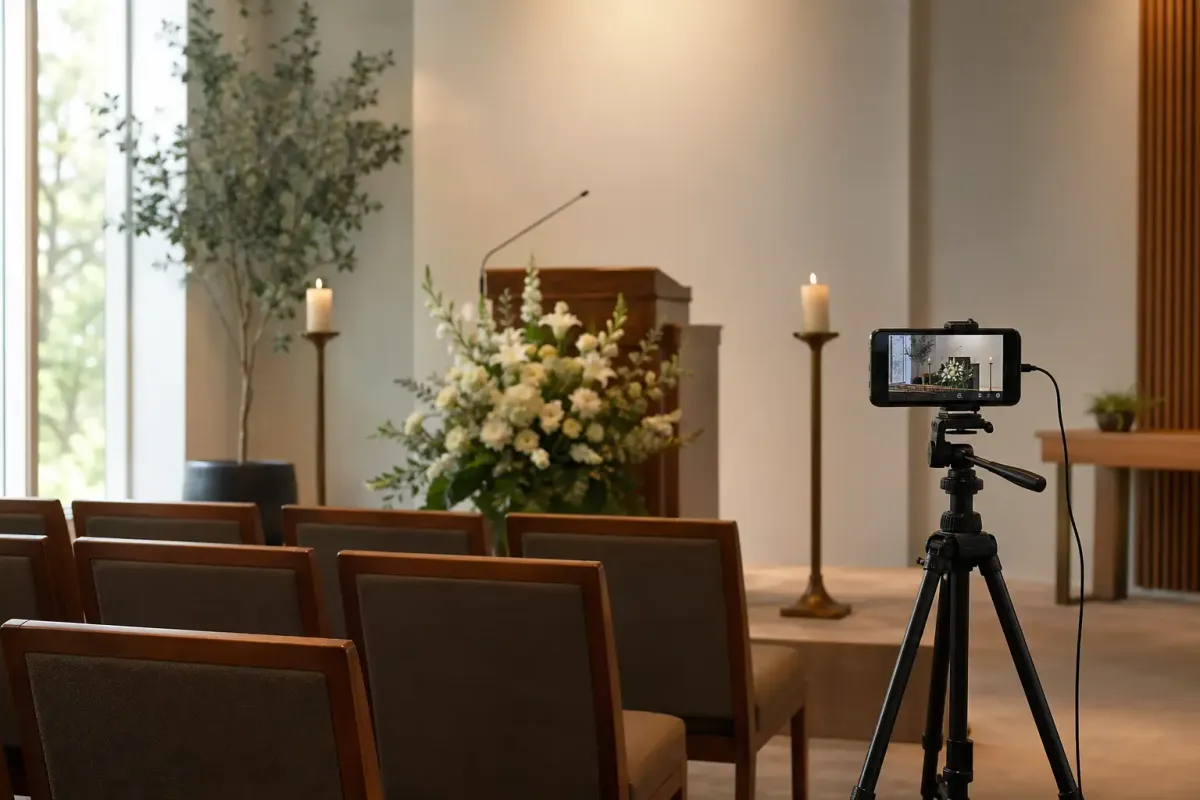
A basic funeral livestream can be done with a modern phone, a tripod, a charger, a power bank, headphones and a small external microphone. A more formal setup may use a camera, capture device, laptop, audio feed from the venue and wired internet. Choose the simplest setup that gives stable video and clear sound. Complexity is only useful when someone present knows how to manage it.
The tripod is more important than many families expect. Handheld video becomes tiring and distracting, and a phone propped against flowers can slip. Place the tripod where it will not block guests, trip anyone, or be bumped by the coffin party, celebrant, musicians or photographers. If possible, frame the lectern, flowers and service area rather than the faces of guests.
Sound is usually the weak point. Remote mourners will forgive a plain image, but they struggle when they cannot hear the eulogy. If the venue has a microphone and speaker system, ask whether you can take an audio feed. If not, put a small microphone close to the lectern or the main speaker. Test the quietest speaker, not only the loudest. Use headphones during the rehearsal so the livestream manager hears what remote guests will hear.
Account security belongs on the checklist. If the stream uses a social, video or email account, protect it before the day with Australian Cyber Security Centre passphrase advice and multi-factor authentication guidance. Share access only with the person managing the stream.
Costs can vary from free to a professional production. If the family is already comparing funeral expenses, ACCC funeral services information supports asking for itemised prices, and funeral planning cost questions can help you decide whether to use a funeral home package, hire audiovisual support or keep the setup simple.
How should you set up camera, audio, internet and power?
Arrive early enough to set the camera before guests enter. A respectful frame usually shows the service area, lectern and flowers without making mourners feel watched. Avoid close-ups of grieving faces, condolence books, private notes or children unless the family has specifically agreed. If the service includes cultural or faith elements, ask the celebrant, faith leader or family whether any parts should not be recorded.
Use landscape orientation unless the platform or funeral home portal requires otherwise. Lock exposure and focus if you know how, because bright windows, candles and white flowers can cause phones to hunt for focus. Turn on do-not-disturb, silence alarms, disable notifications and prevent auto-lock. Clean the lens. Tape or label cables so no one mistakes the streaming phone for a guest device.
For internet, test in the actual room at the same time of day if possible. Venue Wi-Fi may be strong in the foyer and weak in the chapel. Mobile data may be better, but it can drop when many guests arrive with phones. ACMA home internet improvement advice supports practical steps such as improving signal and reducing competing internet use. If the venue offers wired internet, ask early because it may require staff support.
Power should be boring and visible. Start with fully charged devices, plug in where possible and keep a power bank connected or ready. Long services, slideshows and livestreaming drain batteries quickly. Put gaffer tape over cables where people might walk. Keep the backup phone charged, signed in and ready with the link or app installed.
If remote guests need access support, think beyond the stream itself. Captions, transcripts and written instructions can make a real difference. W3C caption guidance, W3C transcript guidance and W3C audio description guidance explain why accessible media helps people receive important content. In Australia, Accesshub National Relay Service information can also help families understand relay support for people who are d/Deaf, hard of hearing or have speech communication difficulty.
What should remote guests receive before the service?
Remote guests should not have to solve technology during the funeral. Send instructions at least a day before if possible, then again on the morning of the service. Include the start time, time zone, link, passcode, opening time, microphone settings and a phone number for technical help. Use plain language and avoid assuming everyone knows the platform.
Write the instructions as if the reader is tired. Use short steps: click the link, enter the passcode, choose join audio, keep your microphone muted, and contact this person if the link fails. Australian Government inclusive language advice is helpful when you need wording that is clear, respectful and not full of assumptions.
Ask remote guests to test the link before the service if the platform allows. If they are reading or speaking, give them a separate rehearsal time. If they are only watching, tell them whether they can send tributes before or after. Evaheld Memorials can support this part through tribute and condolence messages, family and friend invitations and memorial starting details.
If the funeral is private, say so kindly. A simple note such as "Please do not forward this link without checking with the family" is clearer than leaving people to guess. Be Connected privacy tips and eSafety online safety topics are useful background for families who are deciding how widely to share personal information, photos and links.

Who should manage the livestream on the day?
The livestream manager should not be the main eulogist, the closest grieving relative or the person coordinating every other detail. Choose someone who can arrive early, stay calm, follow a checklist and make small decisions without interrupting the service.
Give that person a printed running sheet. It should include setup time, platform login, Wi-Fi details, camera location, audio plan, remote guest contact, backup device, recording decision and pack-down steps. Include the funeral director or venue contact. If the service order changes, the manager should know who will tell them.
During the service, the manager should monitor battery, connection and audio. They should keep headphones low, avoid moving the camera unless necessary and have a prepared message for remote guests if the stream drops.
For services with readings, eulogies or a secular structure, it helps if the running order is already clear. eulogy structure examples and secular service planning can support the content side while the livestream checklist handles the technical side.
How do you rehearse and create a backup plan?
Do one short rehearsal in the actual venue if possible. Test the camera frame, sound from the lectern, music volume, Wi-Fi or mobile data, charging, link access and recording. Ask someone outside the venue to join as a remote guest and report what they can see and hear. Do not rely only on the streaming device display, because it may look fine while the remote feed is delayed, muted or poor quality.
Your backup plan should be simple enough to use under stress. Keep a second phone ready, a second internet option available, and a written message that can be sent to remote guests if the stream stops. Decide whether the service will be recorded locally even if the livestream fails. If the platform allows, start recording before guests arrive and trim later only if the family has agreed.
Have a privacy backup as well. If someone asks not to be filmed, adjust the frame rather than debate it. If a sensitive part of the service should not be streamed, pause or cover the camera and tell remote guests what is happening in respectful terms. Healthdirect grief and loss information, Better Health Victoria grief information, Dementia Australia grief guidance and Grief Australia support information are useful reminders that people respond differently around death and may need gentle choices.
If you are collecting stories, photos and attendance details around the service, you can open a private funeral livestream memorial so remote family and friends have one place to contribute before and after the day.
Funeral livestream technical checklist
- Confirm permission with the family, funeral director, venue and celebrant or faith leader.
- Choose the platform based on privacy, guest access, recording needs and ease of use.
- Send remote guests the link, time zone, passcode, joining steps and help contact.
- Use a tripod and frame the lectern or service area rather than grieving guests.
- Test audio from the quietest speaker and monitor it with headphones.
- Check Wi-Fi and mobile data in the actual room, not only outside the venue.
- Start with full batteries, plug in where possible and keep a power bank ready.
- Turn on do-not-disturb, silence alarms, disable notifications and prevent auto-lock.
- Prepare captions, written instructions or transcripts where they will help access.
- Keep a backup phone, charger, data option, recording option and guest update message.
- Assign one calm person to manage the stream and no other major ceremony role.
- After the service, share any recording only with the audience the family approved.
How can a livestream connect with a lasting memorial?
A livestream is for attendance in the moment. A memorial page is for the stories that keep arriving afterwards. Remote guests may want to leave condolences, upload photos, read the eulogy again or revisit details when grief is less immediate.
Evaheld Memorials gives families a place to organise memories before and after the service. You can compare Memorials plan options, browse public memorial examples, use the Memorials help centre, revisit celebration of life planning ideas, or return to Evaheld Memorials when the family is ready.
Related Evaheld Memorials guidance
Families working through How to Live Stream a Funeral: A Technical Checklist often need a few connected decisions in one place: how to assess memorial websites, whether online memorials are free, online memorial cost choices, how long online memorials last, how updates will be handled over time. These related guides help the article sit inside a fuller memorial planning path rather than leaving each decision isolated.
For Evaheld Memorials product details, the most useful companion pages are subscription or one-time memorial plans, free vs shared tribute plans, information needed to start a memorial, family and friend memorial collaboration, private memorial sharing choices. They explain setup, privacy, contribution and sharing choices before a family invites others into the memorial.
FAQs about How to Live Stream a Funeral: A Technical Checklist
How can you livestream a funeral?
Families usually ask how to live stream a funeral because someone important cannot be in the room. They may be interstate, overseas, unwell, caring for children, or unable to travel at short notice. The goal is a stable, respectful view of the service, clear sound, simple access for remote mourners and a backup plan that does not add pressure on the day.
Start with the practical facts, then leave room for memory, emotion and family preferences. subscription or one-time memorial plans can help you organise the Evaheld Memorials side, while Better Health grief information gives families wider context before decisions feel rushed.
How can families make the farewell personal and respectful?
A respectful plan usually combines clear information, gentle language and a way for close people to contribute at the right time. free vs shared tribute plans supports that shared approach, and FTC funeral rule information is a useful reminder that grief affects people differently.
When should funeral arrangements begin?
Begin as soon as the task would reduce pressure rather than add to it. Families often start with a simple memorial draft, then refine details over time using information needed to start a memorial; ACCC funeral services information can also help with the first administrative steps after a death.
Who should help make the key decisions?
The closest organiser should usually guide the final decisions, but relatives and friends can help with stories, photos and checks. family and friend memorial collaboration explains how collaboration can work, while SAMHSA coping tips outlines broader steps families may need to consider.
Can an online memorial complement the funeral service?
Yes. A memorial page can hold service details, photos, tributes, updates and a lasting place to return to after the immediate arrangements are over. private memorial sharing choices shows how quickly that can begin, and Moneysmart funeral costs guidance offers trusted context for bereavement care.
How can families protect private information while planning?
Keep sensitive information out of public copy, review contributions before publishing and choose privacy settings before sharing widely. how to assess memorial websites explains private memorial options, while Healthdirect grief support gives practical consumer context around funeral and memorial decisions.
Which documents and service details should be kept together?
Keep the memorial URL, service details, donation preferences, key family contacts and any relevant documents in one place. whether online memorials are free helps families compare plan needs, and Services Australia guidance after a death can support cost and planning conversations.
How can relatives contribute without adding pressure?
Invite people to contribute specific memories, photographs or messages, then review everything before it appears publicly. online memorial cost choices explains tribute and condolence controls, while USA.gov steps after someone dies offers supportive guidance for people coping with loss.
What common planning mistakes should families avoid?
Avoid rushing public details, copying private messages without permission or turning the page into a list of tasks. how long online memorials last helps families understand free and paid options, and GOV.UK guidance after a death is useful when funeral-related decisions need clear consumer information.
How can Evaheld Memorials preserve the tribute after the service?
Evaheld Memorials gives families a guided place to create, edit, share and preserve a tribute as needs change. how updates will be handled over time keeps the memorial grounded in practical setup, while National Institute on Aging end-of-life guidance helps families think about comfort and care beyond the page itself.
If you want a calm place to organise memories, tributes, photos and family contributions, create a lasting Evaheld Memorials tribute for your family.
What matters most about How to Live Stream a Funeral: A Technical Checklist
A good funeral livestream is not about making a service feel like a production. It is about helping remote mourners hear the words, see the service area, understand how to join and feel included without adding strain to the family. Choose the simplest reliable platform, make audio the priority, test the exact room, protect privacy and give one calm person ownership of the checklist.
When the livestream ends, the need to share memories often continues. If your family wants a private place for tributes, photos and remote messages, you can start a private memorial for remote mourners.