How do I schedule a virtual celebration of life? Planning, etiquette and remote guests
A practical, compassionate guide to scheduling a virtual celebration of life, including platforms, invitations, etiquette, privacy, recordings and remote guests.
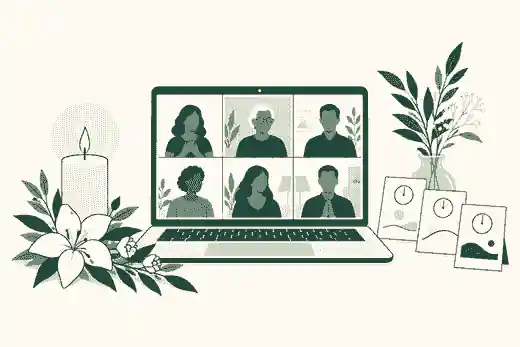
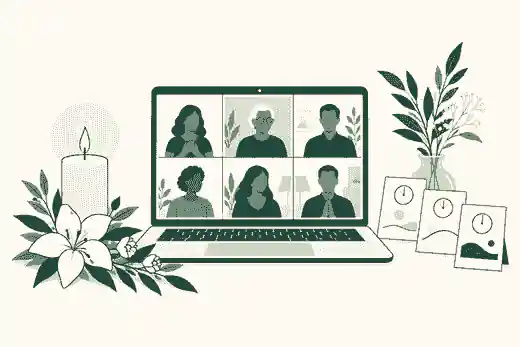
How do I schedule a virtual celebration of life? Planning, etiquette and remote guests begins with choosing the format, date, host, platform, privacy settings and follow-up memorial space before you send the invitation. To schedule a virtual celebration of life well, decide whether guests will actively speak in a Zoom-style meeting, watch a one-way livestream, or join a hybrid service where some people are in the room and others participate from home.
The goal is not to create a flawless broadcast. It is to make it easy for people in Australia, the United Kingdom, the United States and elsewhere to gather, hear clearly, understand the etiquette, and know where memories can be shared afterward. A virtual celebration of life is a live event; an online memorial is the lasting place that can hold service details, eulogies, photographs, recordings, tributes and later updates. If funeral timing is still changing, an Evaheld Memorials page can keep how service details can sit alongside the tribute in one calm place.
schedule a virtual celebration of life: practical guidance
Most planning problems become simpler once the family chooses one of three formats. A fully virtual celebration of life is held online, usually through Zoom, Google Meet or another meeting platform. It works well when no venue is needed, guests are spread across countries, or the family wants a quieter gathering without travel. A hybrid celebration of life combines an in-person service with remote participation. It needs more preparation because someone must care for the people in the room while another person manages remote guests. A livestream is different: remote guests watch the service, but usually do not speak or appear on screen.
For a small family gathering, an interactive meeting is usually warmer than a broadcast because people can see familiar faces, say a few words, and feel present. For a large formal service, a livestream may be easier to control. If you are weighing equipment, internet and backup needs, funeral livestream preparation should happen before the invitation is sent, not on the morning of the service.
Zoom remains common because many families already know it. Zoom explains how scheduling meetings works, including setting the topic, date, time and meeting options. Google Meet is a simpler option for some households, and Google provides guidance on starting or scheduling a Meet video meeting. YouTube Live can suit larger watch-only services, but YouTube notes that accounts need live streaming enabled before they can go live, so check YouTube live streaming setup early rather than assuming it will work immediately.
Choose The Date, Time Zone And Host
Pick a date by balancing family readiness, travel limitations, religious or cultural expectations, and practical registration or funeral arrangements. In the UK, for example, families should be aware of official death-registration steps such as registering a death with GOV.UK, while Australian families may also be comparing funeral providers and consumer rights under the ACCC’s funeral services information. In the United States, the FTC’s shopping for funeral services advice is useful when families are comparing costs, goods and arrangements. These official steps do not prevent a later celebration of life, but they can affect what can happen first and what information is ready to share.
When guests are in several countries, write the time in full with at least two time zones. For example: Saturday 14 November 2026, 10:00 am London, 9:00 pm Sydney, 5:00 am New York. If many elderly relatives are involved, include a second line saying when the virtual room opens. Opening the room 15 minutes early gives people time to settle, test sound and find the mute button.
Separate the emotional host from the technical host. The emotional host welcomes guests, introduces readings and closes the service. The technical host manages the waiting room, mute controls, spotlighting, screen sharing and backup plan. For hybrid services, use three roles if possible: one person leading the room, one person watching the remote feed, and one person ready to phone a guest who cannot get in. This is why virtual funeral etiquette and compassionate hosting are practical matters, not just manners.
Set Privacy Before Sharing The Invitation
A virtual celebration of life can feel intimate only if access is handled carefully. Use a meeting passcode, waiting room, named host, co-host and clear link-sharing rule. Zoom says its Waiting Room feature lets hosts control when participants join. Zoom also explains in-meeting security settings such as locking a meeting, enabling the waiting room and suspending participant activity. Those tools matter because a memorial is a vulnerable setting, not an ordinary video call.
Keep the link out of public social posts unless the family genuinely wants open access. If the service is private, write that plainly in the invitation: this link is for invited guests only, and the family asks that it not be forwarded. Privacy should also cover recordings, screenshots, chat messages and photographs. The Australian privacy regulator’s guidance on social media and online privacy is a helpful reminder that online material can travel beyond its first audience. Families should assume any visible screen could be captured and should set expectations accordingly.
Evaheld Memorials can also support a staged approach. You may hold the live gathering privately, then share selected eulogies, photographs and memories later in a controlled memorial space. Families deciding how public the tribute should be can use choosing a private or public memorial as a practical frame.
Write An Invitation That Reduces Anxiety
A good invitation answers what, when, how, who can speak, whether the service is recorded, and what guests should do afterward. Keep it short and specific. Include the full name of the person being remembered, date, time zones, platform, link, passcode if needed, expected duration, dress guidance if relevant, and a sentence about etiquette. If remote guests may contribute a memory, tell them how long they have and whether they need to send their name in advance.
Here is a plain structure families can adapt. Opening: please join us online to remember and celebrate the life of [name]. Practical details: date, time, time zones, meeting link and room-opening time. Etiquette: please join muted, keep your camera on or off as feels comfortable, and wait for the host before speaking. Recording: the family will or will not record the service; please do not record, screenshot or repost without permission. Contribution: guests are welcome to share written memories afterward through the memorial page.
That last sentence matters. Not everyone can speak live, and some people remember something meaningful days later. A lasting memorial gives guests a way to contribute beyond the call, especially when they are joining from another country. If you are unsure what belongs there, what to include on a memorial page helps families sort life story, photographs, service details and tributes.
Plan A Service Order That Works Online
Most virtual celebrations of life work best at 45 to 75 minutes, with optional informal time afterward. A simple order is: opening welcome, short reflection or reading, slideshow, two to five prepared speakers, music or silence, short open sharing if appropriate, closing words, and a reminder about where guests can leave messages. If the service is entirely online, avoid too many speakers. If each person speaks for five minutes and transitions take time, a long list can become tiring for remote guests.
Pre-arrange speakers rather than asking for volunteers at the last moment. Ask each speaker to use headphones if possible, join from a quiet room, and send a copy of their words to the host in case audio fails. If an older relative wants to speak but finds video difficult, the host can read their message aloud. Where a person’s public life involved performance, broadcasting or music, it can be especially powerful to preserve a short clip or written reflection afterward; memorial profiles such as Tony Bennett, Barbara Walters and Larry King show how public memory often rests on voice, story and recorded moments.
Use music carefully. Test audio sharing in advance, keep songs brief, and avoid relying on a microphone to capture music from another device in the room. If copyrighted music is being streamed publicly, platform rules and licensing may apply. When in doubt, use music within a private family setting, keep recordings private, or choose readings and spoken memories instead.
Prepare Remote Guests For Participation
Remote guests need more than a link. They need to know how to enter, whether they can speak, whether chat is open, and what to do if the connection fails. Send a short technical note the day before. It should say: test your device, charge it, use headphones if you have them, join five to ten minutes early, remain muted unless invited to speak, and contact the named helper if you cannot enter.
Do not assume camera-on is the only respectful choice. Some mourners cry, some are in shared housing, some are unwell, and some have limited bandwidth. A respectful invitation can say that guests may keep cameras on or off according to comfort. The NHS explains that grief and bereavement affect people differently, which is worth remembering when guests participate quietly.
For open sharing, use a gentle structure. Invite guests to raise a virtual hand or message the host. Keep each memory to one or two minutes. Have the host name the person before unmuting them. If there are many guests, ask people to leave written memories instead. This is where how guests leave messages on memorial pages can become more inclusive than a crowded live call.
Accessibility should be planned, not improvised. Ask whether guests need captions, a phone dial-in route, a transcript afterward, a translated invitation, larger-print service notes or a direct contact who can walk them through the link. Families often assume the youngest relative should handle technology, but the best technical helper is simply the person who can stay calm, explain slowly and notice who has been left out. If relatives will help gather photographs, check names or support remote guests before the day, how family and friends can be invited to help build the memorial gives that collaboration a practical place to begin.
Rehearse The Technical Setup
Hold a rehearsal at least a day before the service. Test the host account, co-host permissions, waiting room, screen sharing, speaker order, slideshow, music, recording, internet, camera angle and backup device. If the service is hybrid, test from the remote guest’s perspective, not only from the venue. A remote person should confirm whether they can hear speech clearly when the speaker turns their head, steps away from the microphone, or music begins.
Audio matters more than video. A still camera with clear sound is better than a beautiful room where nobody can hear the eulogy. If using a venue, ask whether there is a direct audio feed, an external microphone, a lectern microphone or a staff member who can help. If using a home, reduce background noise, place the laptop at eye level, keep light in front of the speaker, and close unnecessary apps.
Prepare a backup plan that is simple enough to use while upset. Keep the meeting link, host login, phone numbers, order of service and speaker list in one document. Have a second device charged. Ask one person to watch the service from a separate device so they can detect audio problems quickly. The CDC’s guidance on managing stress is not funeral-specific, but its practical message applies here: reduce avoidable pressure before the difficult moment arrives.
Recording, Consent And Aftercare
Recording can help relatives in another time zone, people in hospital, or children who may want to hear a eulogy later. It can also feel intrusive. Decide before the service whether to record all of it, selected speeches only, or nothing. Zoom explains that participants may be asked for consent when a meeting is being recorded through its recording consent prompt. Do not rely only on the platform prompt. Mention recording in the invitation and again at the start.
After the service, send one follow-up note. Thank guests, share any approved recording or slideshow link, and invite people to add tributes, photographs or memories. If comments will be public, use moderation. Families often benefit from how to moderate online memorial comments before opening contributions widely.
Also decide how the recording and files will be preserved. Download a copy where possible, name files clearly, and keep them with the memorial materials. A platform account, cloud folder or phone can be lost over time, so how memorial content can be downloaded later should be part of the aftercare plan, not an afterthought.
The live event should not carry the whole burden of remembrance. A memorial page can hold the recording only if the family chooses, but it can also hold safer alternatives: the order of service, a written eulogy, selected photos, the invitation wording, a gallery, and later tributes from people who were too emotional or too far away to speak live. Understanding how online memorial pages work in practice helps families separate the temporary access link from the longer record of a person’s life.
Australia, United Kingdom And United States Differences
The emotional shape of a virtual celebration of life is similar across Australia, the United Kingdom and the United States, but some surrounding details differ. In Australia, funeral consumer guidance and state or territory registration processes can affect timing and provider conversations. In the United Kingdom, registration rules and local authority processes matter before some funeral arrangements proceed. In the United States, funeral homes are subject to consumer-price disclosure rules under the FTC Funeral Rule, and practices vary significantly by state, provider and faith community.
Language also differs. UK and Australian families are more likely to say funeral director, celebrant, wake, livestream, service sheet or order of service. US families may say funeral home, officiant, reception, program or memorial service. When writing the invitation, use the terms your family and community naturally understand. If guests are international, plain wording is better than local shorthand.
A Practical Scheduling Checklist
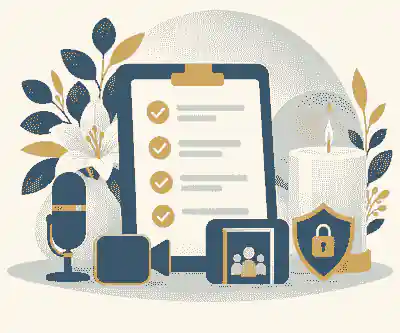
First, choose the format: fully virtual, hybrid or livestream. Second, nominate the emotional host, technical host and backup helper. Third, choose the platform and create the event with the correct time zone. Fourth, set privacy: passcode, waiting room, host-only screen sharing, mute on entry and clear link rules. Fifth, prepare the order of service, speaker list, slideshow and music. Sixth, send the invitation with recording and etiquette wording. Seventh, rehearse with someone outside the room. Eighth, open the virtual room early. Ninth, close the service clearly and end the meeting for everyone. Tenth, send a follow-up note with the memorial page, approved recording and contribution instructions.
The kindest plan is usually the clearest one. Remote guests do not need elaborate production; they need a stable link, understandable etiquette, audible words, and a way to keep contributing after the screen closes. When your family is ready, Evaheld Memorials can help you schedule a virtual celebration of life around a lasting tribute rather than a one-time link.

FAQs
How do I schedule a virtual celebration of life? Planning, etiquette and remote guests
Start by choosing a fully virtual, hybrid or livestream format, then set the date, host roles, platform, privacy settings, invitation wording and follow-up memorial space. how service details can sit alongside the tribute helps keep practical information together, while Zoom explains how scheduling meetings works.
What is the best platform for a virtual celebration of life?
The best platform depends on participation: Zoom suits interactive speakers, Google Meet suits simpler calls, and YouTube Live suits larger watch-only services. funeral livestream preparation can help you compare setup needs, and Google explains starting or scheduling a Meet video meeting.
Should remote guests be allowed to speak?
Remote guests can speak if the group is small or the speakers are pre-arranged, but larger services usually work better with selected speakers and written tributes afterward. virtual funeral etiquette and compassionate hosting supports that structure, and YouTube explains YouTube live streaming setup for watch-only broadcasts.
How do I keep a virtual memorial private?
Use a private invitation, meeting passcode, waiting room, co-host, clear link-sharing rule and a recording policy before the link goes out. choosing a private or public memorial helps with wider visibility decisions, and Zoom describes the Waiting Room feature.
What should the invitation say?
The invitation should include the person’s name, date, time zones, room-opening time, platform link, passcode, expected duration, dress guidance, speaking plan, recording policy and where to leave memories. what to include on a memorial page can guide the follow-up details, and GOV.UK explains registering a death with GOV.UK for UK families.
Can we record a virtual celebration of life?
Yes, if the family is comfortable and guests are told in advance; record all, selected parts or nothing, depending on privacy and emotion. how memorial content can be downloaded later supports preservation planning, and Zoom explains its recording consent prompt.
How long should a virtual celebration of life last?
Most virtual celebrations work best at 45 to 75 minutes, with optional informal conversation afterward for guests who want to stay. how online memorial pages work in practice helps carry memories beyond that window, and the NHS notes that grief and bereavement affect people differently.
What if older relatives struggle with the technology?
Send the link early, offer a phone helper, open the room early, provide a dial-in option if available and ask one family member to test with them beforehand. how family and friends can be invited to help build the memorial can help divide tasks, and the CDC offers practical advice on managing stress.
How should guests leave memories after the service?
Invite guests to leave written tributes, photographs or condolences on the memorial page, especially if there was not enough time for everyone to speak live. how guests leave messages on memorial pages explains the visitor experience, and the OAIC gives context on social media and online privacy.
What consumer or legal differences matter across countries?
Australia, the UK and the US differ in registration steps, funeral consumer protections, provider practices and terminology, so families should check local rules before finalizing paid arrangements. how to moderate online memorial comments supports the online side, and the FTC provides shopping for funeral services advice for US consumers.