How do I collect historical pictures from family? Prompts, photos and legacy preservation
A practical, privacy-aware guide to collecting historical pictures from family, using prompts, captions, scanning, consent, copyright checks and preservation steps.
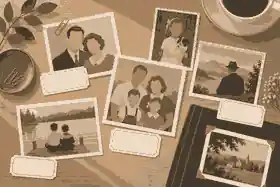
How do I collect historical pictures from family? Prompts, photos and legacy preservation begin with one calm request: ask relatives for the oldest, most meaningful and least-understood family photos, then capture the story, permission, date clues and preservation notes before the images are copied or shared. To collect historical pictures from family well, use specific prompts, simple scanning rules, careful privacy decisions and a shared system that keeps photographs connected to the people and stories they represent.
The purpose is not to build a perfect archive in one weekend. It is to stop historical pictures from becoming anonymous images in a box, a phone or an old cloud account. The best family photo projects preserve three things at once: the image, the facts around the image and the living memory that explains why it matters. This is where photographs become family stories, photos become life history, and legacy preservation becomes practical rather than overwhelming.
Start with a small circle. Ask the relatives most likely to hold albums, boxes, slides, framed portraits, funeral booklets, migration papers, school photos, wedding images, military photographs, newspaper cuttings and old digital folders. If you already use family history preservation prompts, keep those notes beside the images so every picture has enough context to be useful later.
Collect historical pictures from family without overwhelming anyone
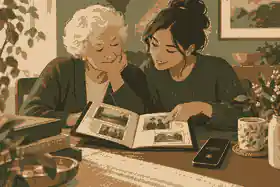
A broad message such as “send me old photos” usually produces silence or a flood of unlabelled images. A better request is specific, kind and easy to answer. Try: “Could you send three old pictures where you know at least one name or story?” or “Can I sit with you for half an hour and photograph the album while you tell me who is in it?” This lowers the burden on older relatives and makes it clear you are not asking them to solve the entire family archive.
Use a two-pass method. The first pass is discovery: identify what exists, who holds it and which items are fragile, private or urgent. The second pass is preservation: scan or photograph the strongest images, label them, save the originals safely and invite relatives to add missing details. For digital-first families, photo and social media memories should be copied into stable folders before phone galleries, social accounts and cloud folders become disconnected from the family record.
Ask for categories, not perfection. One relative may have childhood pictures, another may hold wedding albums, another may know the names in a 1950s group photo. A cousin may have screenshots from social media or funeral livestreams. A family history project becomes stronger when each person contributes what they actually know rather than feeling judged for what they cannot remember.
Evaheld Memorials readers often work across Australia, the United Kingdom and the United States, so language and expectations can differ. In Australia, people may talk about family history through Trove, state libraries, First Nations cultural protocols and migration records. In the UK, relatives may mention local archives, parish history, the National Archives or family albums kept through house moves. In the US, families may use county records, military records, church archives and inherited photo collections. The underlying workflow is the same: ask carefully, record context, protect privacy and keep copies in more than one place.
Use photographs as prompts, not just files
The strongest prompt is often the image itself. Put one photograph in front of a relative and ask: “Who is here?” “Who took it?” “What happened before and after this picture?” “Where was everyone living then?” “What does this show that a stranger would miss?” The photograph gives the conversation a shared focus and often unlocks details that a general interview would not reach.
When you want the finished archive to become a memorial, a tribute or a private family story space, creating an online memorial site with photos and stories gives the collected material a clearer home than scattered folders. The archive can hold more than the final public selection: private captions, alternate memories, disputed identifications and sensitive notes can stay separate from what is eventually shared.
Use prompts that move from easy to deeper. Begin with visible facts: names, places, clothes, buildings, cars, uniforms, pets, occasions and inscriptions. Then ask about feeling and meaning: who was close, who was absent, what changed afterwards, what the photograph does not show and why the picture was kept. Finally, ask legacy questions: what should future relatives know, what should stay private and who else should be asked.
For long-term organisation, platforms for storing life stories should be compared by privacy, export options, family contribution tools, file handling and how easily non-technical relatives can use them. A beautiful archive that no one can search or update will not serve the family well.
Plan consent before collecting or sharing
Consent matters because historical family pictures often include living people, children, private homes, cultural knowledge, medical context, adoption stories, family conflict or painful events. Ask the photo holder whether you may copy the image. Ask living people where possible before sharing identifiable photographs publicly. If someone is deceased, still consider the wishes of close family and the likely dignity of the person in the image.
Australian readers should note that the OAIC explains photos and videos can be personal information when a person can reasonably be identified, while also noting that purely personal activity may sit outside the federal Privacy Act. UK readers should take a similarly cautious approach: the ICO advises people to use privacy settings and get consent before posting other people’s pictures or personal information online. US readers should be aware that privacy rules vary by state and context, so a family-only approach is usually safer when images involve living people or sensitive history.
Make three sharing levels before you invite contributions. “Private archive” means only a small family group can see the image and notes. “Family-shareable” means relatives may see it but should not post it publicly. “Public memorial” means the family has agreed it can appear in a tribute, online memorial or public family history project. If the person being remembered preferred privacy, honour that preference even when the picture is historically interesting.
Where memory is changing, go slowly. The Dementia Australia communication advice supports calm conversation, simple topics, time to respond and the use of captioned photo albums as memory prompts. Do not treat a person with dementia as a source to be mined. Keep sessions short, familiar and respectful; stop if the conversation causes distress.
Handle originals carefully before scanning
Do not write on the front of a photograph, pull images from old albums by force, use sticky notes on fragile prints or feed brittle papers through an automatic scanner. The US National Archives family archive guidance emphasises preventing damage to family papers and photographs. That principle is enough for most families: slow down before copying, keep food and drink away, wash and dry hands, handle by the edges and protect the original even if the digital copy is good.
For storage, the National Archives storing guidance recommends cooler, drier, stable conditions, avoiding damp basements, hot attics and materials that damage photographs. Use acid-free folders, stable sleeves and boxes that fit properly. Do not overstuff albums or force curled images flat. If a photograph is stuck to glass, mouldy, torn or extremely valuable, photograph it in place and consider professional conservation advice before attempting repair.
When you digitise, the National Archives digitising guidance warns that originals should be kept after digitisation because digital files have their own preservation risks. It also recommends metadata, careful file naming and the 3-2-1 backup rule. That means the scan is not the end of preservation; it is the beginning of a managed copy.
As a practical rule, scan prints at a quality high enough for future use, save a master copy without unnecessary editing, then make smaller sharing copies for relatives. If you only have a phone, use indirect light, keep the camera parallel to the photograph, avoid flash glare, include the whole image and photograph the back if it contains handwriting or studio marks. When file size, uploads and formats become confusing, file limits for digital tributes can help families decide what to compress, what to keep as a master file and what belongs in a memorial.
Create captions that future relatives can trust
A useful caption says what is known, who said it and what remains uncertain. “Aunty May says this is likely Parramatta, about 1948, with Jean, Robert and an unknown neighbour” is better than pretending certainty. Record the name of the person who identified the image and the date of the identification. Future family members can then evaluate the evidence without losing the memory.
The Library of Congress digital photograph advice recommends identifying important digital photos, giving them descriptive file names, adding names and subjects, making copies and checking them over time. For family projects, that becomes a simple caption model: who, where, when, what, why it matters, who identified it and whether it can be shared.
Use a naming convention that sorts naturally. For example: “1954-06_wedding_margaret-john_manchester_source-aunt-elaine.jpg” or “c1962_family-picnic_sydney_names-uncertain_scan-2026.jpg”. Avoid filenames such as “IMG_4821_final_final.jpg”. Keep the original camera file if possible, but create a renamed copy for the archive. Add a plain spreadsheet or index with the same filename, caption, source, rights notes, privacy level and related story.
If the photograph connects to a recorded interview, name both files so they stay together. For example, a childhood kitchen photograph might link to an audio file where a grandparent describes meals, siblings and house rules. record your life story before its lost forever is especially relevant when one person still knows the details behind many pictures.
Ask better prompts for historical family pictures
Use prompts that invite a story instead of a yes-or-no answer. Childhood prompts might include: “What do you remember about this house?” “Who usually stood behind the camera?” “What was happening in the family around this time?” “Who is missing from this picture?” “What did a normal day look like then?” Migration prompts might include: “What was packed, sold or left behind?” “Who sponsored or welcomed the family?” “What did people miss most?” “What changed in language, work, food or faith after the move?”
For relationship photographs, ask: “How did these people meet?” “What did the family think of the marriage?” “What was the wedding like beyond the posed photograph?” “What happened in the first home?” For work photographs, ask: “What did the job involve?” “Who helped them get started?” “What did the work pay?” “Was this a source of pride or necessity?” For grief and remembrance, ask gently: “Who kept this photograph after the death?” “Was it displayed?” “What story did people tell when they saw it?”
Do not push for painful detail. The Oral History Association best-practice guidance treats oral history as a purposeful, ethical process that requires care before, during and after interviews. Families can apply the same standard informally: explain the purpose, ask permission, respect refusal, keep promises about sharing and give people a chance to correct names or withdraw sensitive material.
Some lives are remembered publicly through archives, portraits, broadcasts and widely circulated images. Private families can learn from that without imitating celebrity culture. A memorial profile for Winston Churchill shows how public memory often combines photographs, public service and written record; Queen Elizabeth II is remembered through decades of official and family-facing images; and Ruth Bader Ginsburg demonstrates how portraits, documents and public words can preserve a life’s work. For everyday families, the lesson is simpler: connect the image to context so the person is not reduced to a name and date.
Check copyright before public use
Owning a physical photograph is not always the same as owning copyright. In the US, the US Copyright Office says the photographer is generally the initial copyright owner, unless a work-made-for-hire or transfer rule applies. It also explains that photographs are protected from the moment they are fixed. The US Copyright Office copyright duration information shows why older photographs can still require care, because duration depends on creation, publication and other factors.
US fair use may help in some limited situations, but the US Copyright Office fair use FAQ makes clear that fair use is fact-specific. In the UK, GOV.UK copyright ownership guidance explains that the creator is usually the first owner, while commissioned work and employment can change the answer. Australian copyright law has its own rules, so families should avoid assuming that a wedding print, school portrait or studio photograph can be published simply because it sits in an inherited album.
For private family sharing, risk is usually lower than for public posting, but caution still matters. Ask who took the photo, whether it was professional, whether the photographer or studio is known, whether the image has already been published and whether any living people object. If the answer is uncertain, use a family-only setting or describe the photograph in words rather than publishing the image.
Build a simple family collection workflow
A useful workflow has five stages. First, locate: list who has albums, boxes, phones, cloud folders and framed prints. Second, gather context: ask prompts before memories fade. Third, copy safely: scan or photograph without damaging originals. Fourth, organise: file names, captions, privacy levels and backup. Fifth, share selectively: invite relatives to correct names, add memories and approve public use.
The National Library of Australia family history guidance is a reminder that family history draws on many sources, including newspapers, photographs, oral histories, manuscripts and maps. A family photo project should therefore sit beside documents, places and stories. A single photograph of a shopfront may connect to a migration record, a trade, a suburb, a newspaper advertisement and a family recipe.
When photographs become part of a memorial, consider adding audio, video or music only where it helps the person feel more fully present. including richer media in remembrance should be thoughtful, not automatic. One clear voice note or a short home video can mean more than a large collection that relatives cannot navigate.
Privacy settings should come before invitations. private memorial sharing settings are useful when the family wants time to check captions, remove sensitive details and agree on what can be public. Once the first version is ready, how family and friends can be invited to contribute helps turn the project from one person’s burden into a shared family record.
Share, review and preserve the finished collection
After the first round, send relatives a small, structured request: “Here are ten photographs we have captioned. Please reply with corrections, names, approximate dates or anything that should stay private.” Keep the review manageable. Large albums can be divided by decade, branch, place or event. If people disagree, record both memories rather than forcing a false certainty.
Family contributions often arrive as short comments, voice notes or condolences rather than formal captions. That is still valuable. how tributes and condolences are handled can help families decide how public memories should be moderated and preserved. For long-term resilience, downloading online memorial content should be part of the plan, not an afterthought.
Keep originals where possible. Keep master scans. Keep a smaller shareable set. Keep an index. Review the archive annually or after major family events. If someone dies, moves house, enters care or loses access to a device, revisit the archive and permissions. Legacy preservation is not a single upload. It is the continuing work of keeping memories understandable, respectful and findable.
If your family is ready to bring photographs, captions and shared memories into one respectful place, Evaheld Memorials can help you collect historical pictures from family and shape them into a lasting memorial that relatives can add to over time.

FAQs
How do I collect historical pictures from family? Prompts, photos and legacy preservation
Start with one clear request, such as asking each relative for three meaningful old photographs and any names, dates or stories they know. Keep the process organised with family history preservation prompts, and follow the US National Archives family archive guidance by protecting originals from avoidable handling damage.
What should I ask relatives when they send old family photos?
Ask who is in the picture, who took it, where it was taken, roughly when it was taken, what happened before or after, and whether it can be shared outside the family. Pair those answers with record your life story before its lost forever, and use the Oral History Association best-practice guidance as a reminder to ask permission and respect sensitive stories.
How should I scan old photographs safely?
Use clean hands, avoid forcing albums flat, keep fragile papers out of automatic feed scanners and save both a master file and a smaller sharing copy. Families comparing upload needs can use file limits for digital tributes, while the National Archives digitising guidance explains why careful handling, metadata and backups matter.
How do I label historical family pictures when details are uncertain?
Write what is known, who supplied it and what remains uncertain, such as “possibly 1958, identified by Aunty Joan in 2026.” A structured archive supported by platforms for storing life stories works best when captions follow the Library of Congress digital photograph advice to add names, subjects and descriptions.
Can I post old family photos online without asking everyone?
It is safer to ask before posting identifiable living people, children, private homes or sensitive family moments, even if the image feels old. Use private memorial sharing settings until the family agrees, and remember that the OAIC explains photos and videos can be personal information when identity is clear or reasonably identifiable.
Who owns copyright in inherited family photographs?
The answer depends on who took the photograph, whether rights were transferred, whether it was commissioned, and which country’s law applies. If you plan public sharing through creating an online memorial site with photos and stories, check the US Copyright Office photographer guidance and seek local advice for uncertain professional images.
What is the best way to back up historical family photos?
Keep the original, one high-quality master scan, at least one local backup and one separate cloud or off-site copy, then check the files periodically. downloading online memorial content supports that habit, and the National Archives digitising guidance specifically recommends the 3-2-1 backup rule.
How can I involve relatives who live far away?
Send a small batch of images at a time, ask specific questions, invite voice notes and keep a shared list of corrections so people do not duplicate effort. how family and friends can be invited to contribute is useful for shared memorial work, and the ICO online safety guidance reinforces the need for privacy settings when family information is shared online.
How do I collect photo stories from someone with dementia?
Use a few familiar images, short sessions, simple questions and plenty of time to respond; stop if the person becomes tired or distressed. how tributes and condolences are handled can help family members add memories gently, while the Dementia Australia communication advice supports captioned photo albums, calm conversation and simple layouts.
What should go into a family photo memorial collection?
Include a balanced selection: early life, family relationships, work, friendships, ordinary routines, important places, celebrations, grief moments and images that show character rather than only formal portraits. including richer media in remembrance can add voice or video where appropriate, and the National Library of Australia family history guidance shows why photographs work best beside wider family records and stories.