How do I upload old historical photos safely? Prompts, photos and legacy preservation
A practical family guide to scanning, captioning, protecting, backing up and uploading old historical photos safely with prompts and legacy preservation.
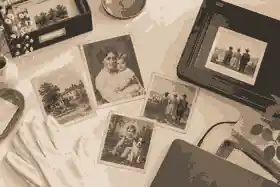
How do I upload old historical photos safely? Prompts, photos and legacy preservation begins with three steps: protect the original, create a careful digital copy, and upload only the version your family has agreed can be shared. To upload old historical photos safely, work from copies, keep clear file names and notes, check consent and copyright, and use a memorial space where privacy, captions, family contributions and backups are planned before anything becomes public.
Old photographs often carry more than a face. They hold houses that no longer stand, clothes that show a period, people whose names are fading, and life history details that may not appear in certificates or public records. The safest approach is not simply to scan everything and publish it. It is to slow the process down enough that each image is preserved, described and shared in a way that respects the person, the family and the historical record.
This guide is written for families in Australia, the United Kingdom and the United States. It uses US English because the supplied search competitors primarily serve US searchers, while still explaining the important AU, UK and US differences in privacy, copyright and terminology. The practical workflow is the same in all three countries: prepare the original, digitize it well, record context, decide access, upload in stages, invite relatives to add details, and maintain an offline backup.
Start with the original before you upload old historical photos safely
Before scanning or photographing anything, separate preservation from sharing. Preservation is the careful creation of a faithful copy and the protection of the original. Sharing is the later decision about who may see the image, download it, comment on it or add it to a memorial. The Library of Congress photograph care guidance is clear that clean handling, edge support, a stable environment and photo-safe storage matter before any digital step. Handle prints by the edges, keep food and drink away, avoid tape, paper clips and sticky notes, and do not write across the image area.
If a photograph is torn, curled, moldy, brittle, silvered, stuck to glass or mounted in an album, do not force it flat for a better scan. The US National Archives family archives guidance frames preservation as damage prevention, which is a useful family rule: the best scan is not worth harming the only original. If an album page cannot open safely, take a high-quality photograph of the page in place. If a glass plate negative, nitrate negative, acetate negative or very fragile print is involved, ask a professional conservator or archival digitization service before applying pressure.
For ordinary family prints in reasonable condition, set up a clean table and sort gently. Keep envelopes, photographer cards, handwritten backs and album captions with the image. Those scraps often carry the missing story: the studio, date, town, relationship or event. If several relatives disagree about who is pictured, record the disagreement rather than choosing a winner too early. A note such as “possibly Aunt Rose, identified by Daniel; Maria thinks it may be Rose’s sister” protects the future researcher from false certainty.
Digitize with a master copy and a sharing copy
A safe upload starts with the right digital copy. For important photographs, make a high-quality master file for preservation and a smaller sharing file for the memorial. The National Archives digitizing guidance reminds families to keep originals after digitization because digital files bring their own preservation risks. A scan is not a replacement for the physical object.
The National Archives of Australia preservation digitization standards explain why photographic prints and negatives need careful capture and why tightly curled material should not be forced flat. Families do not need institutional equipment for every image, but the professional principle still helps: capture the whole item, avoid glare, keep the image square, and retain the raw or highest-quality version before editing.
For prints, a flatbed scanner is usually better than a phone when the item lies flat safely. For bound albums, raised surfaces, framed images or fragile items, a camera or phone on a stable support may be safer. Use diffuse light from two sides, avoid direct flash on glossy prints, and include the full border if it contains clues. If the back has handwriting, scan or photograph the back as a separate file and give it a matching name.
File format decisions should be simple. Keep a preservation master in TIFF where practical, because the Library of Congress TIFF format description treats TIFF as a long-used still-image format for raster images. Use JPEG or another common web-friendly copy for uploads where the platform requires smaller files. Do not repeatedly edit and resave the same JPEG, because quality can degrade. Keep one untouched master, one edited restoration copy if needed, and one smaller upload copy.
Name files so relatives can understand them later
File names are part of legacy preservation. A folder full of IMG_2048, scan-final-2 and nan-old-photo does not help future relatives. Use a simple pattern: year or approximate decade, person, place, event, and source. For example: 1948-maria-and-rose-wedding-manchester-from-aunt-lena-album-front.tif. If the date is uncertain, use about-1940s rather than pretending exactness.
Keep a small caption sheet with each batch. Include who scanned it, the scan date, who identified the people, the original owner, any copyright or permission notes, and whether the image is private, family-only or public. This is where a family project begins to become history rather than a loose album. Evaheld’s digital memory preservation steps fit this stage because photos, videos, posts, captions and access notes all need to stay understandable outside one person’s phone.
For larger collections, sort images into batches: childhood, school, migration, work, marriage, children, community, military service, home, travel, faith, sport, hobbies, illness, farewell and unknown. These categories are not rigid. They are prompts that help relatives add stories. A historical photo album becomes far more useful when the captions explain not only who appears, but why the moment mattered.
Use prompts to turn photos into family stories
Competitor articles about grandparents’ stories correctly emphasize open, specific questions and voice recording. The improvement is to connect those prompts directly to the photo upload workflow. Instead of asking “tell me your life story,” place one image in front of a relative and ask: Who is in this photograph? Where was it taken? What had just happened? What happened after? Who is missing from the frame? What did this place sound or smell like? What would a stranger misunderstand about this image?
For grandparents or older relatives, one or two prompts per session is enough. A photograph of a kitchen may unlock food, work, migration, gender roles, money, grief and humor. A street photo may lead to stores, neighbors, transport, wartime restrictions or first jobs. If the relative becomes tired or emotional, stop while the conversation is still safe. Evaheld’s record your life story before its lost forever advice supports the same principle: record in manageable sessions, keep consent clear, and preserve the voice as well as the facts.
When you record audio or video while reviewing photos, say at the start who is present, what date it is and whether the person agrees to be recorded. That consent matters morally and may matter legally depending on location and use. If a relative does not want a story shared publicly, mark it private. The story may still belong in the family archive even if it does not belong on a public memorial.
Some families benefit from dividing the questions. One person asks about names and dates. Another asks about places. Another asks about feelings, customs and daily life. That division prevents the session from becoming an interrogation. When you later upload the image, the caption can include a concise public note while the longer interview transcript remains private or family-only.
Check privacy before you publish, not after
Preserving a photograph is not the same as publishing it. If living people are identifiable, sharing may affect privacy, dignity, safety or family relationships. The OAIC photo and video privacy guidance explains that identifiable images can be personal information in Australia and recommends clear notice and express consent for web publication as good practice. The UK and United States use different legal frameworks, but the family rule is similar: tell people what will be shared, where it will appear and who can see it.
Be especially careful with children, addresses, school uniforms, health details, immigration documents, adoption records, conflict, estrangement, culturally sensitive material, images of the recently deceased and photographs taken in private spaces. A public tribute does not need every image. A private archive can hold material that would be unwise to place online.
Evaheld Memorials supports staged sharing. Families can use keeping a memorial private until you are ready while captions, permissions and family contributions are still being checked. That is often safer than publishing first and asking relatives to correct or remove material later.
Understand copyright before uploading inherited photos
Copyright is separate from physical ownership. You may own the print but not the right to publish the image. In the United States, the US Copyright Office fair use FAQ explains that old family photographs can still raise ownership issues and that the photographer is often the copyright owner unless rights were transferred. The US Copyright Office duration FAQ also shows why term can depend on when and how a work was created or published.
In the United Kingdom, the UK Intellectual Property Office guidance on digital images and photographs explains that images are generally protected as artistic works, that the creator is usually the first owner, and that old images may still be protected depending on the creator and date. In Australia, public guidance differs in detail, and older photographs can be affected by transition rules. If the photographer, date, country and publication status are unknown, treat copyright as uncertain rather than assuming “old” means free to use.
For a private family memorial with inherited snapshots, the practical risk is usually lower than for commercial publication, but it is not zero. If a professional studio portrait, newspaper photo, school photograph, military portrait, celebrity image or archive image is involved, check rights and terms before uploading. If you cannot identify the rights holder, keep a permission note explaining what you know, what you do not know, and why the family believes sharing is appropriate. Do not remove visible credits, watermarks or archive identifiers.
Choose what belongs in the memorial and what belongs in the archive
A strong memorial does not need every photograph. It needs enough images to show a full life: childhood, relationships, work, community, hobbies, places, celebrations, ordinary routines and later years. Evaheld’s creating an online memorial site with photos and stories guidance is helpful here because photos work best when they sit beside story, tributes and family context rather than appearing as an unexplained gallery.
Use a three-tier decision. Public images are suitable for anyone invited or able to view the memorial. Family-only images are meaningful but should stay within a smaller circle. Archive-only images should be preserved but not uploaded, at least for now. If the photograph includes more than one family branch, ask before making it public. If the person in the image had strong privacy preferences in life, respect those preferences after death where possible.
Public memorial profiles show how curated images can frame a life without overwhelming the visitor. Maya Angelou is a useful example for family storytellers because her public memory is inseparable from voice, writing and testimony. Leonard Cohen shows how photographs, places, songs and written work can form chapters rather than a random gallery. Steve Jobs illustrates how milestone images can support a timeline of work, relationships and influence. For a private family, the same principle applies on a smaller scale: choose images that help someone understand the shape of a life.
Invite relatives without losing control of accuracy
Historical photo projects improve when relatives contribute, but accuracy can drift when everyone edits at once. Set a family role structure. One person manages the master archive. One or two people approve public captions. Others contribute names, dates, stories, voice notes and corrections. Evaheld’s trusted contributor access helps families bring relatives in without relying on shared passwords or scattered message threads.
When a contributor adds a caption, ask for the source. “I was there,” “Mum told me,” “written on the back,” and “I think” are different levels of evidence. Put uncertain details in plain language. A caption can say “believed to be taken in Glasgow around 1952” or “identified by Grace in 2026” without weakening the tribute. That honesty makes the memorial more authoritative, not less.
Use prompts for contributors as well as interviewees: What name should we use for this person? Is anyone pictured still living? Should this stay private? What place is shown? What family story does this image unlock? Is there a cultural, religious or family reason not to share it? Would you want this caption changed if it appeared in a public search result?
Protect the account, backups and long-term access
The safer the upload, the less it depends on one person’s phone. Use a trusted email address, strong passphrase and multi-factor authentication. The Australian Cyber Security Centre MFA guidance explains why an extra proof of identity helps protect accounts if a password is stolen. Do not share the main login casually. Use invitation features where possible.
Backups should include the untouched master files, edited copies, captions, permissions and an export of memorial content where available. The Library of Congress personal archiving guidance brings together digital photograph, audio, video and personal record preservation advice for families who want memories to remain usable beyond one device or account. In family terms, keep one working copy, one external-drive copy and one secure cloud or trusted-relative copy. Review the archive yearly and after major family events.
Evaheld’s memorial content download planning belongs in the same workflow. A memorial is easier to trust when the family knows how selected content can be saved, printed or backed up outside the platform. Also keep the original photographs in safe storage after upload. Digital convenience should not replace physical preservation.
Make images accessible with captions and transcripts
A photo without a caption can be beautiful but inaccessible. Add names, dates, places and context in plain language. If you include audio or video memories connected to a photograph, provide a transcript or summary so relatives who cannot hear it, cannot play sound, or prefer reading can still understand it. The W3C transcript guidance is written for web accessibility, but families can apply it simply: write what is said, identify speakers, and include meaningful sounds only when they help the story.
For captions, avoid overclaiming. “Family picnic, likely Parramatta, about 1966” is better than a confident but wrong caption. If a photo has difficult content, use a calm note rather than sensational language. If a photo shows a cultural ceremony, private ritual or sacred place, ask whether it should be captioned, restricted or excluded from the memorial.
Evaheld’s family history preservation prompts can help families turn captions into fuller stories over time. Start with essential identification, then add sensory, relational and historical detail when relatives are ready.
A practical checklist for upload day
On upload day, use a short checklist. Confirm the original is safely stored. Confirm the master file is backed up. Confirm the upload copy is the right size and quality. Confirm the file name makes sense. Confirm the caption states what is known and what is uncertain. Confirm living people, children and sensitive details have been reviewed. Confirm copyright is clear enough for the chosen use. Confirm the memorial privacy setting is right before sharing the link.
Before the first upload, collect the information needed to start a memorial: the person’s name, key dates, family relationships, selected photos, a short life story, privacy preferences and the first contributors who should review the page. If you are using a guided creation flow, it also helps to understand what Evaheld creates from one AI prompt so the first draft can be reviewed against your family’s own captions and permissions rather than treated as final.
If you are building a fuller historical album rather than a single tribute, Evaheld’s approved future article compile historical photo albums online with family story prompts is the natural next step. The goal is not to turn a family into archivists overnight. The goal is to upload old historical photos safely, with enough structure that future relatives can trust, search and understand what has been preserved.
When the first batch is ready, start small: five to ten photographs with strong captions are better than 200 unexplained uploads. Add a note inviting relatives to help identify people and places. Keep the page private until the family has reviewed the first version. Then decide whether to share more widely.
Evaheld Memorials is separate from Evaheld’s digital legacy vault. For family remembrance, photos, stories, tributes and memorial sharing belong with Evaheld Memorials. For this article’s purpose, the CTA is simple and specific: families who are ready to bring selected images, captions and memories into one respectful place can upload old historical photos safely with privacy and family review in mind.
FAQs
How do I upload old historical photos safely? Prompts, photos and legacy preservation
Start with copies, not the only original; scan or photograph carefully; add names, dates and uncertainty notes; check privacy and copyright; then upload a small reviewed set to a controlled memorial space. Evaheld’s digital memory preservation steps help families connect the upload to backups, captions and access planning, while the Library of Congress photograph care guidance explains why handling and storage should come before scanning.
Should I scan old photos or take phone pictures?
Use a scanner for flat, stable prints and a camera or phone for bound albums, framed photographs or fragile items that should not be pressed flat. Evaheld’s family history preservation prompts can help you capture the story beside the image, and the National Archives digitizing guidance advises keeping originals because digital files have their own risks.
What file type should I keep for old family photos?
Keep the best master copy in a high-quality format such as TIFF when practical, then create a smaller JPEG copy for uploading or sharing. Evaheld’s memorial content download planning supports the backup side of this decision, and the Library of Congress TIFF format description explains why TIFF remains important for still-image preservation.
Can I upload a photo if I do not know who owns copyright?
Do not assume a photograph is free to publish just because it is old or inherited; record what you know about the photographer, date, source and family permission before uploading. Evaheld’s creating an online memorial site with photos and stories supports careful selection, while the UK Intellectual Property Office guidance on digital images and photographs explains why image rights can remain complex.
How do I protect privacy when sharing historical family photos?
Review images for living people, children, addresses, health details, cultural sensitivities and private family situations before making them public. Evaheld’s keeping a memorial private until you are ready lets families review first, and the OAIC photo and video privacy guidance explains why identifiable images can raise privacy issues.
What prompts help relatives identify old photos?
Ask who is pictured, where they were, what had just happened, what happened next, who is missing and what a stranger would misunderstand about the scene. Evaheld’s record your life story before its lost forever guidance helps turn these prompts into recorded memories, while the W3C transcript guidance supports making recorded answers readable later.
How many photos should I upload first?
Begin with five to ten well-captioned images rather than a large unexplained gallery, then invite relatives to correct names and add context. Evaheld’s trusted contributor access helps families gather input without losing control, and the US National Archives family archives guidance supports organizing family materials before damage or confusion increases.
How do I keep uploaded photos safe long term?
Keep the memorial copy, the original master files and at least one separate backup, and make sure more than one trusted person knows where the archive is stored. Evaheld’s memorial content download planning helps families plan exports and printed copies, and the Library of Congress personal archiving guidance supports keeping digital memories usable beyond one device or account.
Should I let relatives upload directly?
Relatives can help, but give them clear roles: contributors can suggest names, stories and corrections, while one or two organizers approve public captions. Evaheld’s trusted contributor access fits this collaborative approach, and the Australian Cyber Security Centre MFA guidance explains why accounts should be protected rather than shared casually.
What should I write in captions for historical photos?
Write the names, place, approximate date, event, source of the identification and any uncertainty, using calm language rather than guessing. Evaheld’s compile historical photo albums online with family story prompts is the most specific next step for album captions, while the National Archives of Australia preservation digitization standards show why capture quality and context both matter.