What happens to photos when you die? Privacy, access and family planning
A practical, compassionate guide to what happens to photos when you die, covering privacy, access, cloud accounts, social media, backups and family planning.
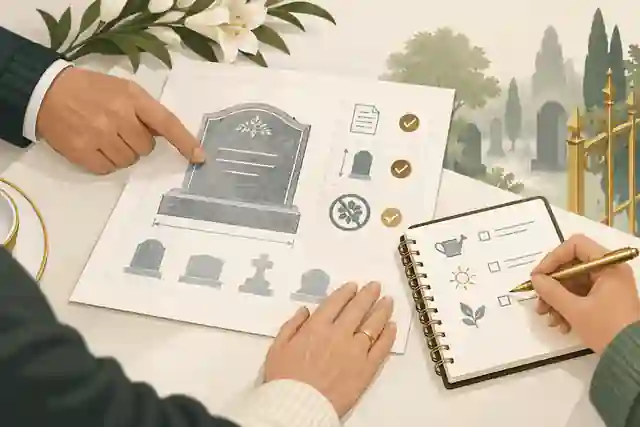
What happens to photos when you die? Privacy, access and family planning determine whether they are preserved, deleted, locked inside accounts, shared by relatives or kept in a controlled memorial space. The practical answer depends on where the photos are stored, who has lawful authority, what each platform permits, what the person wanted, and how carefully the family handles privacy for living people who appear in those images.
Most families are not dealing with one tidy photo collection. They are dealing with phones, tablets, old laptops, cloud albums, social media posts, messaging apps, email attachments, external drives, printed albums and sometimes paid storage accounts that no one else understands. A photo may be emotionally priceless but legally and technically difficult to reach. A social media album may remain visible but impossible to edit. A cloud library may be available to a nominated contact, unavailable without court paperwork, or deleted after prolonged inactivity. A private message thread may contain photos that comfort one relative and distress another.
The safest approach is to treat photo planning as part of a wider digital legacy, not as a last-minute password problem. The NSW Law Reform Commission report on access to digital records explains why digital records can create practical and legal problems after death, especially where service agreements and privacy concerns limit family access. In the United Kingdom, the person handling an estate may need formal authority because GOV.UK explains that a personal representative is responsible for estate assets during administration. In the United States, the Revised Uniform Fiduciary Access to Digital Assets Act has influenced state laws on fiduciary access, but platform tools and user directions still matter.
What happens to photos when you die in practical terms?
Photos do not automatically pass neatly to family just because they are meaningful. Some photographs are ordinary image files on a device or drive. Some sit inside an account governed by a platform contract. Some are embedded in social media posts, shared albums, chats, email threads or backup services. Some are printed, scanned or copied across relatives. Each storage location creates a different access path.
If photos are on a phone, the family may physically possess the device but still be unable to unlock it without the passcode, biometric access or recovery key. If they are in cloud storage, the platform may follow its own deceased-user process rather than handing over a login. If they are on social media, the account may be memorialised, removed, restricted or left unchanged. If they are in a shared album, the surviving organiser may be able to download them, but contributors may still have copyright and privacy interests. If they are in private messages, the platform may refuse access because those conversations involve living correspondents as well as the deceased person.
This is why a family photo plan should answer five questions before a crisis: where are the originals, who is allowed to access them, which photos should stay private, which may be shared, and what should happen to accounts that contain them? Families often begin with digital memories and social media guidance because photo preservation is easier when accounts, captions, dates and privacy choices are considered together.
Planning ahead does not mean giving everyone unrestricted access. It means leaving enough information for trusted people to preserve what matters without exposing intimate, sensitive or unfinished material. Private vaults, password managers, estate documents and memorial platforms can each have a role, but they are not interchangeable. A vault may hold instructions and credentials. A will may record authority and wishes. A memorial page may hold a selected, respectful public or private tribute. Keeping those roles separate helps prevent confusion.
Cloud photos, phones and platform rules
Major technology companies now provide some planning tools, but they are partial tools rather than a complete family archive strategy. Google Inactive Account Manager lets a user nominate trusted contacts and choose data-sharing or deletion options after a period of inactivity. Apple Legacy Contact can give chosen people access to certain Apple Account data after death, including photos, but Apple notes that some items such as purchased media and iCloud Keychain data are not accessible through that process. Microsoft deceased-user support explains that access to Outlook.com, OneDrive and other services is limited and depends on the circumstances.
These platform tools are valuable because they reduce guesswork. They are also limited because they usually work only inside that company ecosystem. A person may have Apple photos, Google Photos, WhatsApp images, Instagram posts, Dropbox folders, old USB drives and printed albums. No single account setting covers them all. The practical family plan needs an inventory that names the account, storage location, device, backup status, nominated contact, and instruction for deletion, preservation or review.
Families who are already dealing with a death should avoid logging into accounts without understanding legal, contractual and privacy consequences. Even where a relative knows the password, platform terms may prohibit account sharing. Accessing an account can also expose messages, health details, financial records and photos involving other people. If the immediate goal is simply to protect family pictures, start with devices, shared albums and authorised download tools before changing accounts. When photos are held on a tribute platform, downloading pictures from a tribute site should be handled before anyone assumes the online copy is the only copy.
For social accounts, Meta says Facebook memorialised profiles include tribute controls and legacy contact features, while X explains its deceased family member account process for removal requests and related contact. Professional networks can differ again: LinkedIn provides options to close or memorialise a deceased member profile and sets out the information needed to begin. These rules change over time, so families should use official help pages rather than old screenshots or informal instructions.
Privacy: not every meaningful photo belongs online
Bereavement can create pressure to share quickly. A funeral notice needs a portrait. Relatives ask for albums. Friends want to post memories. Someone suggests a slideshow. A photo that feels comforting to one person may feel invasive to another, especially if it shows children, illness, conflict, religion, cultural practices, private homes, location details or people who never expected the image to become public.
In Australia, the OAIC guidance on photos and videos states that identifiable photos and videos can be personal information under the Privacy Act depending on context. In the United Kingdom, ICO guidance on personal data explains that UK GDPR applies to identifiable living individuals, not deceased people, but photos of a person who has died may still identify living relatives, friends, carers or children. In the United States, privacy, estate and fiduciary access rules vary by state, while platform contracts still shape what families can obtain.
A useful family rule is to separate preservation from publication. Preserve generously; publish sparingly. A private archive can include scans, outtakes, sensitive albums and uncertain files for later review. A public or shared memorial should include images the family can stand behind: accurate, respectful, properly captioned and unlikely to harm living people. When family views differ, the more private setting should usually prevail until there is agreement. Evaheld Memorials families often compare private versus public online memorials before uploading photos that may be seen by a wide circle.
Consent also matters for edited, restored or AI-assisted images. If a photograph will be colourised, animated, sharpened, combined with another image or used in a video, tell close family what has changed. Keep an original copy beside the edited version. Avoid presenting reconstructed images as untouched evidence. The point is remembrance, not confusion.
Who should control family photos after a death?
Control should be deliberate, not accidental. The person who knows the phone passcode is not automatically the best long-term steward. The person who creates a memorial page may not be the executor. The executor may have legal responsibilities but little emotional context for choosing photographs. A sibling may hold the albums but not understand platform settings. These roles can overlap, yet they should not be assumed.
A practical plan names at least three roles. First, a legal decision-maker or personal representative who can deal with estate matters. Second, a digital steward who knows where accounts, devices and backups are located. Third, a family reviewer who understands which photographs are sensitive, culturally significant or likely to cause conflict. In some families, one person can do all three. In others, separating the roles prevents mistakes.
If a memorial is created, decide who can upload, edit, approve and remove photographs. Shared passwords are a poor substitute for proper permissions because they blur responsibility and can create security risk. A clearer approach is to use platform-level contributor access where available and to record who has admin rights. Families considering who controls an online memorial should also decide what happens if the first organiser dies, becomes unwell or no longer wants to manage updates.
Public legacies show why curation matters. The visual memory of Claude Monet is inseparable from paintings, gardens and documentary images that help viewers understand his life in context. For Frida Kahlo, portraits, artwork and personal imagery raise questions about identity, illness, creativity and consent long after death. The remembered image of Georgia O'Keeffe also shows how photographs, paintings and place can shape public memory. Most families are not managing famous archives, but the same principle applies: images need context, care and boundaries.
How to preserve photos so they are not lost
The most reliable family system is simple enough to maintain. Begin by making a list of likely photo locations: current phone, old phones, tablets, laptops, cloud services, social media, email, messaging apps, SD cards, USB drives, external drives, printed albums, framed photographs, funeral home slideshows and shared albums controlled by friends. Then copy the irreplaceable material into one working archive before sorting it into public, family-only and private review folders.
The Library of Congress personal digital archiving advice encourages people to preserve digital memories deliberately, while the US National Archives family archives guidance stresses careful handling and storage of family papers and photographs. For digital files, families should keep more than one copy in more than one place. A practical pattern is one working copy, one local backup and one separate cloud or off-site backup. For printed photos, scan or photograph them, but keep the original when possible.
File names and captions are part of preservation. A folder of images called IMG_2047, IMG_2048 and IMG_2049 is fragile because no one knows who, where or why. A simple name such as 1988-mum-darwin-garden-cousins.jpg carries meaning. If you do not know the details, write uncertainty plainly: possibly Brisbane, early 1990s, identified by Tom in 2026. This reduces future arguments and helps younger relatives understand the images.
Security is not separate from preservation. If a family archive is stored in a shared cloud folder, use strong access controls. The Australian Cyber Security Centre's passphrase guidance supports long, memorable passphrases, and family stewards should also use multi-factor authentication where available. Be alert to messages that exploit grief; the US Federal Trade Commission's phishing guidance is relevant because bereaved families can be targeted with fake account, storage or memorial messages.
Once the archive exists, decide what belongs in a memorial and what belongs only in the backup. A memorial does not need every image. It needs a fair, truthful selection: a clear portrait, family moments, places, work, hobbies, friendships, service details where relevant, and photos that show the person across different stages of life. It can sit beside downloading memorial content practices so relatives know how to keep a copy outside any one service.
What families should do before and after a death
Before death, the person whose photos are at stake should make their wishes known in plain language. They can list important accounts, name trusted contacts, set Apple and Google legacy tools, identify which albums should be shared, explain what should be deleted, and record whether any photos should never be used publicly. They should not put live passwords in a will that may later become accessible to others. A secure password manager, sealed instruction letter, solicitor-held note or private vault may be more suitable depending on local advice.
After death, the family should slow the process down. First, secure devices and papers. Second, identify who has legal and family authority. Third, make preservation copies where lawful and technically possible. Fourth, contact platforms through official channels if accounts need memorialisation, closure or data requests. Fifth, review images before public sharing. Sixth, create a small memorial selection rather than uploading everything. Seventh, record where the full archive and backups are held.
This approach also helps if a memorial provider changes, closes or becomes unsuitable. No digital service can be the only copy of a family's photographs. Families planning for resilience often read what happens if a memorial site shuts down because permanence depends on backups, export options, account stewardship and clear family records.
When relatives are invited to contribute, set expectations early. Ask for photos with names, dates and a short explanation. Ask people not to upload images of children, private medical moments or other living people without consent. Make it clear who approves additions. Evaheld Memorials supports a collaborative approach, and inviting family members to help build the memorial works best when the first organiser has already set privacy boundaries.
If the family is not ready to share, there is no need to rush. A private first draft lets relatives gather photos, check captions and remove anything unsuitable before a wider circle sees it. The question of whether your memorial stays private until you are ready to share is especially important when photo access is still being sorted. Later, guests may add memories, but families should understand how tributes and condolences are handled so photo memories and written messages stay respectful.
Starting does not require a perfect archive. It requires enough reliable information to avoid mistakes. Basic dates, a preferred name, a short life story, a main portrait, a few selected images, family contact details and privacy preferences are usually enough to begin. Evaheld's what information you need before starting a memorial support can help families turn scattered photos into a calmer first version.
Australian, UK and US differences families should understand
Australia, the United Kingdom and the United States share the same practical problem: families often need digital photographs but may not have access. The differences sit in privacy law, estate authority and platform process. In Australia, privacy law can apply to identifiable images in some organisational contexts, and digital access reform has been considered because existing law does not always give representatives a straightforward route. In the UK, information about a deceased person is not personal data under UK GDPR, but photos may still involve living individuals and estate authority may still be required. In the US, many states have laws based on the Revised Uniform Fiduciary Access to Digital Assets Act, but state-by-state details and account settings matter.
For all three audiences, the safest shared practice is the same: do not assume that family relationship equals access; do not assume a password equals permission; do not assume a public post is appropriate for a memorial; and do not leave the only copy inside a platform account. A written photo plan, an account inventory, nominated legacy contacts, careful privacy review and reliable backups are more useful than a vague instruction to 'save my photos'.
Photo planning is also emotional work. Families may disagree about which image best represents a person, whether illness photos should be included, whether an ex-partner should appear, whether images of children should be cropped, or whether social media comments should be preserved. Those disagreements are easier to handle when the organiser can point to the person's wishes, a family review process and a clear difference between the complete archive and the public memorial.
A practical checklist for family photo legacy planning
Use this checklist before a death if possible, or as a calmer sequence after one. List every likely photo location. Set official legacy tools where available. Choose a digital steward. Keep account instructions separate from public estate documents. Make at least two backups of irreplaceable files. Keep original files as well as edited copies. Add dates, names and context. Mark private, family-only and public images. Ask before sharing photos of living people. Avoid uploading sensitive images during the first rush of grief. Use official platform processes for memorialisation, closure or access requests. Keep a downloadable copy of any memorial. Review access whenever devices, accounts or family roles change.
When this work feels too large, start with one folder: the photos the family would most regret losing. That may be a phone camera roll, a cloud album, a box of prints or a social media album. Save those first. Then add context. Then decide what belongs in a memorial, what belongs in a private archive and what needs further family discussion.
If your family wants a respectful place to gather selected photos, stories and tributes while keeping the wider archive under your own control, Evaheld Memorials can help you plan what happens to photos when you die with privacy, access and family planning in mind.
FAQs
What happens to photos when you die? Privacy, access and family planning
Photos may stay on devices, remain in cloud accounts, be memorialised on social platforms, be deleted under account rules or be preserved by family if access and wishes are clear. A good first step is digital memories and social media guidance, alongside official tools such as Google Inactive Account Manager.
Can my family access my cloud photos after I die?
Sometimes, but not automatically. Access depends on the platform, the settings you made while alive, local law and any documents your representative can provide. Apple explains that Apple Legacy Contact can give chosen people access to certain data, and families can pair that with what information you need before starting a memorial.
Should I give someone my photo account password?
A safer plan is to use official legacy tools, a reputable password manager or written instructions stored securely, because password sharing may breach account terms. Families thinking about roles should review who controls an online memorial and follow security basics such as passphrase guidance.
What happens to Facebook photos after death?
Facebook photos may remain visible according to the account's existing audience settings if the profile is memorialised, while legacy contacts may have limited management powers. Meta describes Facebook memorialised profiles, and families may also consider private versus public online memorials before resharing images elsewhere.
Can relatives download photos from a tribute site?
It depends on the tribute site's settings, account permissions and download tools, so families should export important files rather than relying on one online copy. Evaheld explains downloading pictures from a tribute site, and the US National Archives family archives guidance supports careful preservation of family photographs.
Are photos of a deceased person private under privacy law?
The answer varies by jurisdiction and context, especially when images also identify living people. Australian families can compare this with whether your memorial stays private until you are ready to share, while the OAIC guidance on photos and videos explains when identifiable images may be personal information.
How many photos should go on a memorial page?
Use enough photos to show the person's life clearly without turning the memorial into an unsorted archive. A balanced selection can sit beside how tributes and condolences are handled, while the Library of Congress personal digital archiving advice supports keeping a fuller archive elsewhere.
What should an executor do with digital photos?
An executor should avoid improvising account access, identify what authority they have, preserve important files where lawful and follow platform processes. In the UK, GOV.UK estate guidance explains personal representative responsibilities, while Evaheld's downloading memorial content advice helps families keep copies outside one memorial service.
Can a memorial stay private while family photos are reviewed?
Yes, if the memorial platform supports private settings and the organiser chooses them before sharing the link widely. This is why families often check whether your memorial stays private until you are ready to share, while the ICO guidance on personal data is a useful UK reminder that living people in photos still matter.
What if the service holding our memorial photos shuts down?
Keep your own copies of important images, captions and tribute messages so the family is not dependent on one provider. Evaheld explains what happens if a memorial site shuts down, and families should also be cautious about fake account messages by using phishing guidance.