How do I book a Zoom memorial service? Planning, etiquette and remote guests
A practical guide to booking a Zoom memorial service, planning privacy, etiquette, recordings, remote guests, costs and lasting tributes.
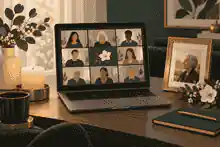
How do I book a Zoom memorial service? Planning, etiquette and remote guests starts with choosing whether you need an interactive Zoom meeting, a controlled livestream, or a hybrid service, then booking the host, time, access settings, speakers and follow-up memorial space before invitations go out. To book a zoom memorial service well, appoint one calm organizer, confirm the platform and privacy settings, rehearse audio and screen sharing, send guests clear joining instructions with time zones, and create a respectful place where remote guests can leave memories after the live service ends.
This article uses US English because the supplied search competitors are primarily written for US searchers, while still covering Australia, the United Kingdom and the United States. The practical steps are broadly similar in all three countries, but funeral pricing, consumer rights, death registration, privacy expectations and terminology differ enough that families should check local rules before paying a provider or publishing personal information.
book a zoom memorial service: practical guidance
Zoom is best when remote guests need to be seen, heard or invited to speak. It is usually more personal than a watch-only livestream because family members can share a reading, say a few words, join a closing moment or stay after the formal service for quiet conversation. A livestream is usually better when the audience is large, the ceremony is in a chapel with venue equipment, or the family wants guests to watch without managing microphones and cameras.
For many families, the strongest plan combines both: the funeral or memorial service happens in person, a Zoom or livestream option brings in remote guests, and the tribute continues afterward in a lasting memorial space. If you are still comparing event formats, Evaheld Memorials has a helpful funeral livestream checklist for camera, audio, privacy and backup decisions.
Start with the audience. Write down who must be able to speak, who only needs to watch, who may need phone dial-in, who is in a different time zone, and who should receive the recording. Zoom's own Waiting Room guidance is especially relevant for memorial services because it explains how hosts can admit guests deliberately rather than leaving an emotionally sensitive meeting open.
Book the service in the right order
Do not begin by sending a link. Begin by deciding who owns each role. The closest grieving person should not also be expected to manage admissions, muting, slides, recording and technical problems. A better structure is one family lead, one service host, one Zoom co-host, one person handling music or slideshow files, and one contact for remote guests who are having difficulty joining.
Once roles are clear, choose the service type. A fully virtual memorial can be held from a home, celebrant's office or simple quiet space. A hybrid service needs the venue, funeral director, celebrant or faith leader to agree to the camera position, audio connection and recording plan. A watch-only livestream may be supplied by the funeral home, crematorium, cemetery chapel or a hired audiovisual provider. Where the service includes both online and in-person mourners, the family should also review virtual funeral etiquette and compassionate hosting so remote guests are treated as present rather than as an afterthought.
Book the date and time only after checking the main time zones. For Australia, the United Kingdom and the United States, daylight saving changes can make a familiar time conversion wrong by an hour. Put the date, local service time, host country, and two or three major guest time zones in the invitation. If the group is international, avoid vague wording such as evening service or morning memorial.
Then schedule the Zoom meeting. Use a clear title, but avoid unnecessary personal details in the meeting name if the invitation may be forwarded. Turn on a passcode, Waiting Room and host-only screen sharing. Keep join-before-host off for a private memorial because the room should not open without supervision. Zoom's in-meeting security controls explain how hosts can lock a meeting, enable a waiting room and suspend participant activity if something disruptive happens.
Privacy, consent and recording
Privacy is not only a technical setting. It is also a family agreement about who is invited, who can forward the link, whether the service will be recorded, whether children or vulnerable relatives may appear, and how the recording may be shared afterward. If there is a family dispute, sensitive medical context, cultural restriction or concern about public attention, keep the link private and appoint a gatekeeper for late invitation requests.
If you record, say so in the invitation and again at the start. Zoom's recording consent guidance explains that participants may be prompted to consent when a recording starts. That prompt is useful, but it should not replace human courtesy. Tell people what will be recorded, where it will be stored, who will receive it, and whether they can keep their camera off or join by phone.
In Australia, the ACCC funeral services information is useful when families are comparing funeral providers, because it emphasizes clear pricing, fair contracts and written quotes. In the United Kingdom, CMA funeral director guidance requires funeral directors and crematorium operators to display specified price and business information. In the United States, the FTC Funeral Rule information explains the right to choose only the funeral goods and services wanted and to receive price information.
These consumer protections matter because virtual access is sometimes bundled into a funeral package. Ask whether the fee covers the Zoom setup, technical support, recording, editing, download access, guest support, equipment and any follow-up hosting. A low quoted price can still become confusing if recording, music licensing, chapel technician time or archive access is extra.
Choose between DIY, funeral home support and a professional host
A family-run Zoom memorial can work well for a small group if someone is comfortable with the software and the service is not technically complicated. Use it when there are fewer speakers, no elaborate venue setup and a trusted person can manage the room. A funeral home or venue-supported livestream is often better for chapel services, crematorium services or ceremonies where the audio feed already runs through venue equipment.
A professional virtual memorial host or facilitator can help when the family is spread across countries, many people will speak, a slideshow must be coordinated, or the closest relatives need to be fully present rather than managing the event. A facilitator may shape the running order, brief speakers, coordinate rehearsals, manage the technology and support guests. If you are unsure what level of support you need, Evaheld Memorials also has a virtual memorial service provider comparison for interactive and watch-only remote guests.
When comparing providers, ask direct questions. Will they run a rehearsal? Will they manage mute, spotlight and screen sharing? Will they support phone guests? Will they provide a downloadable recording? Will they remain after the service for informal conversation? Will they protect the link? Will they give an itemized quote? In New South Wales, for example, NSW Government funeral cost guidance notes that funeral costs depend on what is included and that families can ask for quotes that break down fees.
Plan the running order
A Zoom memorial usually works best at 45 to 75 minutes, with optional informal time afterward. A simple order is opening words, a short reading or prayer if appropriate, a slideshow, two to five prepared speakers, one controlled open-sharing segment, closing words and a final shared gesture such as a candle, song, silence or blessing. For a larger gathering, keep open sharing short and invite written tributes instead.
Ask speakers to prepare remarks in advance and keep them to an agreed length. Give each speaker the exact joining time, a phone number for help and a reminder to test their microphone. If the service needs a more formal funeral structure, Evaheld Memorials has practical support for funeral details and livestream options, including how service information can sit beside a memorial tribute.
A slideshow can be meaningful, but it is also a common failure point. Keep it shorter than the family thinks it should be. Test whether the host can share sound, whether the music level is balanced with speech, and whether the file plays without buffering. If there is any doubt, use still images and a short piece of music rather than a high-resolution video that may stall.
For accessibility, offer written instructions and consider captions or a transcript where possible. The W3C caption guidance and W3C transcript guidance explain why captions and transcripts help people who are d/Deaf, hard of hearing, using a poor connection, or joining in a difficult environment.
Prepare remote guests
Remote guests need more than a link. Send the date, time, time zone, platform, passcode, joining steps, expected dress, camera and microphone etiquette, the technical contact, recording information, and whether guests may speak. Use plain language: join ten minutes early, keep your microphone muted, turn your camera on if you feel comfortable, and use chat only as requested by the host.
If some guests are older, distressed or unfamiliar with Zoom, offer a short practice call. A five-minute test the day before can prevent the service from beginning with panic. If a guest will speak, test that person's device from the same room they will use on the day. For families creating a wider remembrance experience around the live event, virtual memorial planning checklist for remote family guests can help connect invitations, guest roles and post-service tributes.
Use gentle etiquette rather than a long rulebook. Ask guests not to forward the link without permission, not to take screenshots unless the family agrees, and not to post the recording publicly. If chat is open, ask people to keep messages brief and respectful. If chat may distract from prayers, readings or eulogies, the host can restrict it or invite messages after the service instead.
Zoom's host and co-host controls show why two hosts are useful: one person can guide the service while another handles admissions, muting, spotlighting and unexpected problems. The same principle applies outside Zoom. One person should hold the emotional flow; another should hold the technology.
Set up audio, camera and backup plans
Audio matters more than video. Remote mourners can accept a simple image, but they cannot participate meaningfully if they cannot hear names, stories, prayers or eulogies. In a venue, ask for an audio feed from the lectern microphone if available. At home, put the microphone close to the speaker, reduce background noise and test with someone outside the room.
Frame the service area rather than grieving faces. A respectful view might include flowers, a candle, a lectern, a photograph or the speaker. Avoid showing private notes, condolence cards, children, distressed mourners or culturally restricted rituals unless the family has explicitly agreed. If someone asks not to be filmed, adjust the frame rather than arguing in the moment.
Build a backup plan that is simple enough to use under stress. Keep a second device charged and signed in, a mobile hotspot available, a printed running order, a backup copy of the slideshow, and a prepared text message for remote guests if the link changes. Zoom's additional security material on locking a meeting and suspending participant activities is worth reviewing before the service, not during it.
If the memorial is public or semi-public, plan moderation carefully. Evaheld Memorials has guidance on private memorial sharing settings, and the same thinking applies to Zoom links: start private, expand thoughtfully, and avoid publishing sensitive details before the family is ready.
What to send after the service
The end of the Zoom call is not the end of the memorial. Send a short thank-you message to speakers and attendees. If there is a recording, explain when it will be available, who may receive it and whether it may be downloaded. If the family is gathering tributes, photos or written memories, give one clear place to send them.
A lasting memorial page can hold the eulogy, slideshow, service details, guest memories and later anniversary messages in one place. Families can use what to include on a memorial page to decide which details belong in the tribute and which should remain private.
Families who want to create that space can use creating an online memorial step by step to prepare the tribute calmly before sharing it widely.
Remote guests often want to contribute after the live gathering because the service helps them remember details they had forgotten. Evaheld Memorials explains tribute and condolence messages and family invitation options for families who want a moderated way to keep receiving memories.
Grief can feel different for remote guests. Someone may attend from a work lunch break, a hospital room, a different country or an empty home. The National Institute on Aging grief guidance and Healthdirect grief and loss information reinforce the same practical truth: people need clear choices, respectful communication and ways to stay connected after the formal farewell.
Memorial examples that show why remote access matters
Public memorials for broadcasters and presenters show how widely a life can reach beyond the people able to gather in one room. The Evaheld Memorials profiles for Barbara Walters, Larry King and Alex Trebek are useful reminders that voice, story and presence can matter deeply to people who never shared the same physical space.
For ordinary families, the principle is the same. A Zoom memorial is not a lesser version of grief. It is a practical way to include people who would otherwise be absent. The strongest services are not overproduced. They are clear, private, audible, well hosted and followed by a place where memories can continue.
Booking checklist
- Choose interactive Zoom, watch-only livestream or hybrid service.
- Assign a family lead, host, co-host, speaker manager and remote guest contact.
- Confirm the venue, celebrant, funeral director or faith leader allows filming or streaming.
- Schedule the meeting with passcode, Waiting Room, muted entry and host-only screen sharing.
- Decide whether to record and communicate consent expectations clearly.
- Prepare a simple running order with speaker times and a backup plan.
- Test audio, slideshow, camera frame, internet and backup device.
- Send guest instructions with time zones, link, passcode, etiquette and help contact.
- Keep the service calm, audible and respectfully moderated.
- Afterward, share the approved recording and invite memories into a lasting tribute space.
Before the invitation is sent, read it as though you were a guest who is grieving, tired and using an unfamiliar device. The message should answer where to join, when to join, who can help, whether cameras are expected, whether the gathering is recorded, and what happens if the link fails. This small editorial check prevents many avoidable calls on the day and gives remote guests confidence that they are welcome, prepared and included.
If your family wants one calm place for service details, remote memories and tributes after you book a zoom memorial service, you can book a zoom memorial service with Evaheld Memorials as part of a lasting online tribute.
FAQs
How do I book a Zoom memorial service? Planning, etiquette and remote guests
Book the host, date, time zone, Zoom settings, speakers and recording plan before sending invitations. A calm plan should include passcode protection, Waiting Room admission, muted entry, clear guest instructions and a post-service tribute space; funeral livestream checklist support can help with the technical side, while Zoom's Waiting Room guidance explains the access control most families need.
Is Zoom better than a funeral livestream?
Zoom is better when remote guests need to speak, appear on camera or join informal conversation; a livestream is better when guests only need to watch. Families comparing both formats can use virtual funeral etiquette and compassionate hosting to plan inclusion, and Zoom's in-meeting security controls show how a host can protect the gathering.
Should a Zoom memorial service be recorded?
Recording can help relatives who cannot attend live, but it should never be a surprise. State the plan in the invitation and opening remarks, then share the file only with the approved audience; private memorial sharing settings can guide the same privacy mindset, and Zoom's recording consent guidance explains the participant prompt.
How long should a Zoom memorial service last?
Most Zoom memorials work best at 45 to 75 minutes, with optional informal time afterward for guests who want to stay. If you need a service flow, virtual memorial planning checklist for remote family guests can help shape the order, while W3C caption guidance is useful when planning accessible participation.
What should remote guests receive before the service?
Remote guests should receive the link, passcode, date, time zone, joining steps, microphone guidance, dress expectations, technical contact and recording notice. If guests will contribute memories afterward, family invitation options can keep contributions organized, and the W3C transcript guidance explains why written alternatives can help.
Who should host the Zoom memorial?
The host should be someone calm, technically confident and not carrying the main emotional or speaking role. A co-host should manage admissions, muting, spotlighting and troubleshooting; virtual memorial service provider comparison for interactive and watch-only remote guests can help families decide whether to hire support, and Zoom's host and co-host controls explain the role clearly.
How do we protect privacy during a Zoom memorial?
Use a private invitation list, passcode, Waiting Room, muted entry, host-only screen sharing and a clear request not to forward the link without permission. Families weighing privacy choices can also review tribute and condolence messages, while Zoom's locking a meeting and suspending participant activities advice helps hosts prepare.
What costs should we ask about before booking?
Ask whether the price includes setup, rehearsal, hosting, audiovisual support, recording, downloads, guest support and follow-up access. In Australia, funeral details and livestream options can sit beside the tribute, and the ACCC funeral services information supports asking for clear, itemized pricing.
Can a Zoom memorial work for guests in Australia, the UK and the US?
Yes, but invitations must show the host time zone and key local equivalents, especially during daylight saving changes. A lasting memorial can help guests revisit details later through creating an online memorial step by step, while the CMA funeral director guidance is useful for UK families comparing funeral provider information.
What should happen after the Zoom memorial ends?
Send thanks, share any approved recording carefully, invite written memories and keep photos, eulogies and tributes somewhere the family can return to. If the family wants the memorial to keep growing, creating an online memorial step by step supports that next stage, and the National Institute on Aging grief guidance reminds families that grief continues well beyond the service.