How does a virtual memorial work? Planning, etiquette and remote guests
A practical guide to planning a virtual, hybrid or livestreamed memorial, including privacy, recording, etiquette, accessibility and remote guests.
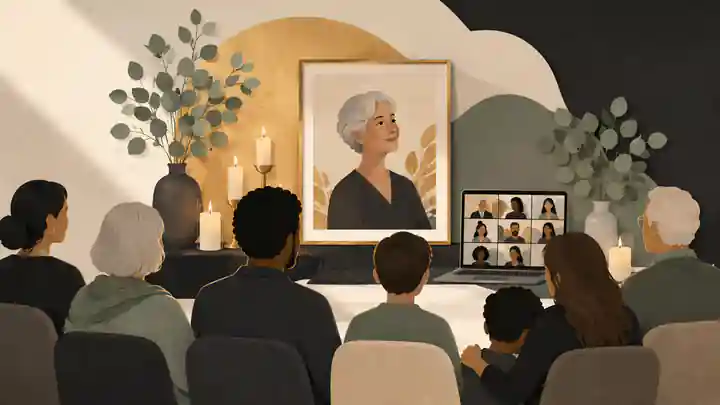
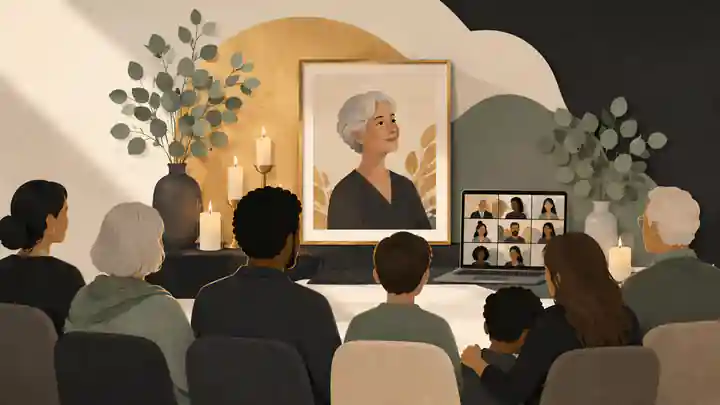
A virtual memorial works by bringing family and friends together through a private video meeting, an interactive hybrid ceremony or a one-way livestream, with designated hosts managing speakers, media, access and remote guests. Planning means choosing the right format, preparing the order of service, assigning technical roles, sending secure invitations and rehearsing the complete experience before the memorial begins.
When families ask, “How does a virtual memorial work?”, planning, etiquette and remote guests are usually the main concerns behind the question. The technology matters, but its purpose is straightforward: helping people see, hear and remember together when they cannot all be in the same room. Zoom memorials, venue livestreams and fully online gatherings can each work well when participation is designed deliberately rather than added at the last minute.
How does a virtual memorial work from planning to follow-up?
A virtual memorial service is a scheduled gathering attended through an internet-connected computer, phone, tablet or television. It may be held entirely online, broadcast from a funeral venue or combined with an in-person ceremony. Guests might watch quietly, deliver a eulogy, share a memory, light a candle at home, contribute through chat or remain for informal conversation after the formal service.
The live event is distinct from a lasting memorial space. A video meeting creates a shared moment; a memorial page can preserve photographs, service details, an approved recording and later contributions. Families deciding how the two fit together may find that how service details can sit alongside the tribute provides a practical starting point.
The three main formats are:
- A fully virtual memorial, where the host, speakers and guests all join the same video meeting.
- A hybrid memorial, where some people gather at a physical venue while remote guests join interactively.
- A funeral livestream, where remote guests watch a broadcast but ordinarily do not appear on screen or speak.
These terms are sometimes used interchangeably, but the experiences are different. A meeting is designed for participation. A livestream is designed primarily for viewing. A hybrid event must connect two audiences without allowing either group to feel secondary.
Choose the format around the people, not the platform
Begin with the guest list and the kind of participation the family wants. A small gathering in which cousins, colleagues and friends will share stories usually suits a video meeting. A large funeral where most remote guests only need to observe may suit a private or unlisted livestream. A venue service with several remote speakers requires a hybrid arrangement and an on-site person responsible for audio, camera placement and communication with the online host.
Ask four questions before selecting software:
- How many people are expected, and how many will speak?
- Will guests need to see one another, or primarily watch the ceremony?
- Does anyone need telephone access, captions, interpretation or individual technical help?
- Should the formal service be recorded, and who may receive the recording?
Zoom is familiar to many guests, although no family should choose it merely because the word Zoom has become shorthand for video meetings. Google Meet can be straightforward for people already using Google accounts, and its official explanation of host controls and meeting management shows how participation settings can be adjusted.
YouTube can support a broadcast-style farewell, but the organizer must understand channel requirements, privacy, delay and moderation before relying on it. Google’s instructions for creating a YouTube livestream should be checked well before the ceremony rather than on the day.
Do not compare platforms only by advertised guest limits. Check whether the chosen account supports the expected duration, telephone access, captions, waiting rooms, co-hosts, local or cloud recording, screen sharing and technical support. Features and account entitlements can change, so verify them in the account that will actually host the service.
Separate responsibility for the ceremony and technology
The closest relative should not have to welcome guests, deliver a tribute, admit late arrivals, repair audio and answer private messages at the same time. Separate emotional and technical responsibilities wherever possible.
A practical team includes:
- A ceremony lead who welcomes guests, introduces speakers and keeps the service moving.
- A technical host who starts the meeting, manages entry, controls microphones, shares media and watches for problems.
- A co-host who can take over if the primary host loses power or internet access.
- An on-site coordinator for a hybrid service who can reposition equipment and communicate with the online host.
- A family contact who answers questions before the service without exposing the private joining link publicly.
A detailed funeral livestream preparation process is particularly helpful for hybrid events because sound, camera framing and internet access must work together. A written run sheet should give each participant’s name, role, speaking order, expected duration, media cue and backup contact method.
The technical host should not be hearing the eulogies for the first time while trying to operate the event. A rehearsal lets that person understand the emotional rhythm of the service, anticipate transitions and avoid cutting away from an important pause.
Build a calm order of service
A virtual memorial does not need to imitate a television production. It does need a clear beginning, middle and ending. A typical order might include quiet arrival music, a welcome, an explanation of online etiquette, a reading, a life story, two or three tributes, a short slideshow, an optional open-sharing period and a closing reflection.
For most gatherings, fewer well-prepared contributions are easier to follow than a long open microphone. Invite primary speakers in advance and give them a suggested time. The host can then offer a defined period for additional memories, asking guests to use the raise-hand feature or send a private message.
Photos, voice recordings and video can help remote guests feel close to the person being remembered, but every item should earn its place. Families considering media can review adding videos and music thoughtfully before assembling the service. Keep individual clips concise, remove long blank sections and test every file on the device that will present it.
Public profiles can illustrate how different audiences remember a life through work, relationships, character and cultural influence. The memorials for Steve Jobs, Princess Diana and Robin Williams also show why guests may arrive with very different connections to the person being remembered. A family service can welcome those perspectives without trying to present a complete biography.
Design the invitation for remote guests
The invitation is both a welcome and a technical document. Send it early enough for guests to seek help, but avoid posting a private meeting link on an open social network. Include the date, start time, time zone, expected duration, joining link, telephone option if available, host contact, dress expectations, participation instructions and whether the event will be recorded.
For guests in Australia, the United Kingdom and the United States, write the time in each relevant local zone and include the calendar date in full. International date lines and daylight-saving changes make abbreviations easy to misunderstand. If the ceremony is on Sunday in Sydney, it may still be Saturday in parts of the United States.
Explain whether guests may speak, use chat, submit photographs or send a written memory beforehand. Families can coordinate contributions through inviting family and friends to help build the memorial, rather than passing large media files through an uncontrolled email chain.
Offer a short practice session for older guests, people using accessibility technology and anyone delivering a tribute. Do not assume that someone who uses video calls socially knows how to unmute, select a microphone, enter through a waiting room or respond when the host spotlights a speaker.
Protect privacy without making the gathering feel guarded
A memorial link can be forwarded beyond the intended group, so privacy must be planned rather than assumed. Use a passcode, waiting room or lobby, controlled admission, muted entry and host-only screen sharing. The United States Cybersecurity and Infrastructure Security Agency’s video-conferencing security guidance recommends practical controls such as managing invitations carefully, limiting screen sharing and keeping meeting software current.
The United Kingdom’s National Cyber Security Centre gives similarly practical advice on securing online meetings, including controlling access and understanding the security options provided by the chosen service. Avoid reusing personal passwords, limit host privileges and confirm that the hosting account belongs to someone who will remain available after the memorial.
Privacy choices should be communicated in plain language. Tell guests whether their name or image may appear on screen, whether chat will be saved and whether a recording is planned. A camera should never be treated as proof of respect. Guests may be crying, caring for children, managing limited bandwidth or joining from a shared home.
Families deciding who can view the continuing tribute should make private and public online memorial choices separately from access to the live event. A private service does not automatically make every photograph, recording or follow-up memorial private.
Australian privacy guidance notes that photographs and videos shared online can reveal more information than the person posting them intended. The Office of the Australian Information Commissioner’s advice about photos, videos and online privacy is a useful prompt to consider backgrounds, children, contact details and onward sharing.
In the United Kingdom, organizations processing personal information should consider transparency, necessity, access and retention. The Information Commissioner’s Office explains the current UK data-protection principles. A private family gathering may be treated differently from a funeral business or charity recording and distributing an event, so professional organizers should assess their own responsibilities.
Recording requires an explicit decision
A recording can help people who cannot attend, preserve a eulogy and give the family time to revisit remarks later. It can also capture private grief, household backgrounds and contributions that speakers never expected to circulate. Recording should therefore be an explicit planning decision, not a default technical setting.
State the intention in the invitation, repeat it at the opening and use the platform’s recording notification. Google explains the controls and notifications involved when recording a Google Meet session. Confirm which account will own the file, where it will be stored and who can download or redistribute it.
Recording laws and consent requirements can depend on location and circumstances, particularly when participants join from different US states. The Reporters Committee for Freedom of the Press maintains a state-by-state recording guide, but a family with legal uncertainty should obtain advice relevant to everyone’s locations rather than treating a general summary as personal legal advice.
Consider recording only the formal program rather than the arrival period, open conversation or informal gathering afterward. Store the file in an account controlled by the family, restrict access if appropriate and agree on a deletion or archive plan. If the recording becomes part of the memorial, downloading memorial content and retaining an independent family copy can reduce reliance on a single service.
Audio quality matters more than cinematic video
Remote guests can tolerate a modest image if they can hear every name and story. Poor audio makes participation exhausting and can exclude people with hearing loss, limited bandwidth or a noisy environment.
For a fully online service, ask speakers to use headphones or a quiet room and position the microphone close enough to capture normal speech. For a hybrid service, do not rely on a laptop microphone placed several meters from the lectern. Use an external microphone, a direct feed from the venue sound system or a separate device positioned near speakers.
Test from outside the venue network. A person listening remotely should confirm whether speech is clear, music is balanced and room echoes are manageable. Monitor the live feed on a separate muted device during the ceremony so failures are detected before guests begin sending messages.
Keep a charged phone, power bank, spare cable and backup internet option nearby. Download slides and videos locally instead of assuming cloud files will load. The co-host should have the joining details, run sheet and media files in case the primary device fails.

Make accessibility part of the first plan
Accessibility is not an optional technical refinement. It determines whether someone can follow the farewell. Ask guests privately about hearing, vision, language, cognitive and connection needs rather than expecting them to request help in front of the group.
Microsoft explains how to use live captions in Microsoft Teams meetings. Automated caption quality varies with audio clarity, accents, names and background noise, so provide speakers’ names, readings or a transcript when precision matters.
The World Wide Web Consortium’s guidance on accessible audio and video media recommends captions for spoken content and transcripts where appropriate. Other useful accommodations include describing photographs briefly, reading selected chat contributions aloud, avoiding rapidly flashing transitions, allowing telephone access and sending the order of service in advance.
A guest with limited internet may need audio-only access. Someone in a care setting may need a relative or staff member to position the device. A person joining from another language community may benefit from translated readings or a designated interpreter. Build these arrangements into the rehearsal rather than improvising them once the ceremony has begun.
Virtual memorial etiquette for hosts and guests
Good etiquette reduces uncertainty without policing grief. Hosts should open the room 15 to 30 minutes early, welcome arrivals calmly, explain microphones and participation, pronounce names carefully and make clear that cameras are optional. The host should mute accidental noise discreetly rather than publicly correcting a guest.
Guests should join early, use a recognizable name, silence unrelated notifications and remain muted when not speaking. They may dress as they would for the equivalent in-person service, although family wishes and cultural customs take priority. Eating, driving, working or visibly multitasking during the ceremony can feel dismissive and should be avoided where possible.
Chat can hold condolences that would otherwise remain unsaid, but families should decide whether it will be open to everyone, limited to hosts or disabled during formal remarks. Expectations for how tributes and condolences work should be stated before guests begin posting.
Some messages may require review before they become part of a lasting tribute. A designated administrator can apply moderating memorial comments practices without asking grieving relatives to make rapid decisions during the service.
The broader principles of virtual funeral etiquette and compassionate hosting are simple: explain what will happen, give people choices and correct technical problems without embarrassing anyone.
Help remote guests participate rather than merely watch
Remote guests feel included when the ceremony acknowledges them directly. The welcome can name the countries, cities or communities represented. Speakers should face the camera as well as the people in the room. The ceremony lead should pause after readings and allow online reactions to settle rather than moving only at venue speed.
Participation can include a planned eulogy, a short memory, a shared reading, simultaneous candle lighting, a photograph held to the camera, a song listened to together or a written message read by the host. Avoid unexpected open-microphone requests; grief and public speaking are difficult enough without surprise.
For hybrid services, display remote speakers on a venue screen if this can be done without distracting from the ceremony. Use a microphone so the physical room can hear them clearly. Assign one person to repeat questions or explain venue activity that is not visible online.
Guests who join late should be admitted quietly. The ceremony should not pause to provide individual technical instruction unless necessary. A separate helper can message them privately.

Music, readings and copyright
Music may be deeply important to the person’s life, but permission to own or play a recording should not be confused with permission to broadcast it online. Video platforms can mute, block or restrict streams containing protected music, and a venue’s existing music license may not automatically cover an online transmission or archived recording.
Australia’s Attorney-General’s Department explains the foundations of Australian copyright protection. UK organizers can consult government guidance on using another person’s intellectual property, while the US Copyright Office outlines rights and licensing considerations in its information for musicians and music users.
Practical alternatives include using music licensed for the planned use, obtaining permission, selecting public-domain material where applicable or arranging an authorized live performance. Do not promise guests that a commercial song will remain in the archived recording simply because it played successfully during rehearsal.
Differences for Australia, the United Kingdom and the United States
The core planning process is similar across all three countries, but terminology, consumer protections, privacy rules, recording requirements, licensing arrangements and funeral-provider practices differ.
In Australia, ask the funeral director or venue what streaming equipment, internet connection, music permissions and recording arrangements are included. The Australian Competition and Consumer Commission advises consumers to understand prices and inclusions when comparing funeral services. Request an itemized explanation if webcasting, recording or technical support is part of the quote.
In the United Kingdom, ask whether the crematorium, place of worship or funeral director operates its own webcast system, whether the broadcast is live or delayed, how guests receive access and how long recordings remain available. Confirm who acts as data controller when a business records the service and whether downloads, edits or extensions attract additional charges.
In the United States, funeral homes may offer webcasting within a package or through a third-party provider. The Federal Trade Commission’s Funeral Rule information explains rights to select individual goods and services from providers covered by the rule. Ask whether streaming is optional, what it costs, who owns the recording and what remedy is offered if the broadcast fails.
Across all markets, request written answers about access periods, download rights, editing, captions, cancellation, technical support, recording ownership and backup procedures. A platform’s terms do not replace a clear agreement with the funeral provider or production company.
A rehearsal should test people as well as equipment
Hold a complete rehearsal rather than a quick camera check. Invite the host, co-host, on-site contact and every remote speaker. Join from at least one outside network and test the same links, accounts, devices, media and permissions intended for the ceremony.
During the rehearsal:
- Confirm that the invitation opens the correct event.
- Test waiting-room or lobby admission.
- Check every speaker’s displayed name and microphone.
- Play each slideshow, video and music cue from beginning to end.
- Confirm that remote voices can be heard inside the venue.
- Test captions, interpretation and telephone access.
- Practice switching to backup devices and hosts.
- Confirm where any recording will be stored.
- Review the closing procedure and follow-up message.
If the platform or venue prevents a necessary feature, change the plan before the service. Do not build the ceremony around an untested workaround.
What to do on the day
The technical team should arrive or log in 30 to 60 minutes early. Restart devices, connect power, close unrelated applications and disable notifications. Confirm that cameras show only appropriate areas and that private paperwork, family contact details or unattended conversations cannot be captured.
Open the guest room early with a still memorial image or quiet welcome slide. Admit people in manageable groups. Remind speakers privately when their contribution is approaching. Lock or restrict admission only after considering expected late arrivals and ensuring someone can respond to access requests.
During the service, prioritize continuity over perfection. If a speaker freezes, the host can acknowledge the interruption and move temporarily to a reading. If a slideshow fails, continue with spoken memories. If the primary stream ends, send the backup link through the agreed contact channel rather than posting it publicly.
Families that want tighter control can consider keeping the memorial private until you are ready to share the recording, photographs and written contributions.
After the virtual memorial
End the formal program clearly, then tell guests whether the meeting will remain open for informal conversation. A smaller unrecorded period can allow relatives and friends to speak more naturally after public remarks have finished.
Within a day or two, send a brief thank-you message. Include the approved location for written memories, photographs or donations, but do not distribute the recording until consent, editing and access decisions are settled. Check captions and remove accidental pre-service or post-service footage before sharing.
Save the final run sheet, tributes, media files and recording in more than one controlled location. Record who administers the material and who should take over if that person becomes unavailable. A virtual service may last an hour, but the memories collected around it can continue developing for years.
When professional support may be worthwhile
Family-led production may be appropriate for a small, informal service with a confident host and uncomplicated media. Professional assistance may be worth considering when the service is large, hybrid, multilingual, highly structured, dependent on several remote speakers or broadcast from a venue with complex audio.
Ask any provider for an itemized quote, rehearsal arrangements, platform details, privacy terms, cancellation policy, backup process, accessibility features and recording-delivery timetable. Clarify whether the facilitator leads the ceremony, manages only technology or provides both services.
A provider cannot remove every risk. The family should still approve the guest list, order of service, recording decision and distribution plan. Professional support is most useful when it lets close relatives attend as mourners rather than becoming unpaid production staff.
A practical final plan
A well-run virtual memorial has six foundations: the right format, a named host and co-host, clear invitations, secure access, accessible sound and captions, and a rehearsed backup plan. Etiquette should make guests feel comfortable rather than controlled, while remote participation should be treated as part of the ceremony rather than an audience watching from outside it.
If your family is ready to bring the life story, service details and later guest memories into one calm space, how does a virtual memorial work can become a practical plan shaped around the people who need to take part.
Frequently asked questions
How does a virtual memorial work? Planning, etiquette and remote guests
A virtual memorial brings people together through a video meeting, hybrid ceremony or livestream. A host manages entry, speakers, media and privacy, while remote guests watch or participate according to the family’s plan. Use funeral livestream preparation alongside CISA’s video-conferencing security guidance to rehearse the event and protect access.
How do I keep a virtual memorial private?
Send the link directly, require a passcode, use a waiting room or lobby, restrict screen sharing and appoint someone to admit guests. Decisions about private and public online memorial choices should also follow the National Cyber Security Centre’s advice on securing online meetings.
Should a virtual memorial be recorded?
Record only when the family has a clear purpose and guests have been informed. Consider capturing the formal program but not informal conversation, then control access and keep a family copy through downloading memorial content. Google explains the controls involved when recording a Google Meet session.
How long should a virtual memorial last?
There is no required duration, but many families find that a focused formal program followed by optional conversation is easier for remote guests than an uninterrupted long event. The virtual funeral etiquette and compassionate hosting approach should include clear transitions, while the W3C’s accessible media guidance supports planning captions and transcripts.
Can virtual memorials include live captions?
Many meeting platforms offer automated captions, although accuracy depends on audio quality, names, accents and background noise. When inviting family and friends to help build the memorial, ask about accessibility needs and review Microsoft’s instructions for live captions in Teams.
How can remote guests share memories during the service?
Invite speakers beforehand or ask guests to use the raise-hand feature, chat or a private message to the host. Explain how tributes and condolences work, then configure participation using Google’s explanation of Meet host controls.
What is the difference between a virtual memorial and a livestream?
A virtual memorial meeting usually allows two-way participation, while a livestream ordinarily broadcasts an in-person ceremony to viewers who do not speak on screen. Families can coordinate how service details can sit alongside the tribute and consult Google’s instructions for YouTube livestreams.
Is it rude to keep my camera off during a virtual memorial?
No. A camera may be unsuitable because of grief, privacy, bandwidth, disability, caregiving or the guest’s surroundings. Hosts should make video optional and consider keeping the memorial private until you are ready to share. The OAIC also explains why online photos and videos require privacy care.
Can I play copyrighted music during a virtual memorial?
Possibly, but owning a recording does not automatically include permission to broadcast it online, and platforms may mute or block protected music. Review adding videos and music thoughtfully and the US Copyright Office’s information for musicians and music users.
Should we hire someone to manage the virtual memorial?
Professional support can help when a service is large, hybrid, multilingual or technically complex, or when no family member should carry the production role. Use funeral livestream preparation to define what help is needed, then review the Federal Trade Commission’s Funeral Rule information before purchasing covered funeral services in the United States.