How do I collect family photos securely online? Guestbooks, messages and moderation
A practical guide to collecting family photos securely online with guestbooks, memory walls, messages, moderation, privacy settings and long-term preservation.
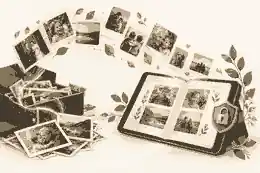
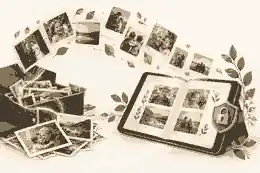
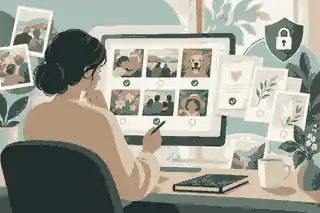
How do I collect family photos securely online? Guestbooks, messages and moderation starts with one clear rule: invite the right people into one controlled memorial space, review contributions before they appear, and keep original photographs backed up outside the sharing platform. The aim is not simply to collect as many images as possible, but to collect family photos securely online in a way that protects privacy, preserves context and gives relatives a calm place to add guestbooks, messages, memory walls and photo memories over time.
For families in Australia, the United Kingdom and the United States, the practical steps are similar, but the privacy setting, consent expectations and language around data rights can differ. In Australia, the OAIC guidance on social media and online privacy is a useful reminder that photographs, names, locations and family relationships can all become personal information once shared online. In the UK, the ICO guidance on individual rights makes clear why access, correction and deletion expectations should be considered before a family opens a memorial to contributors. In the US, the FTC consumer guidance on website and app information collection is a practical starting point for thinking about what services collect, how accounts are protected and what families should avoid oversharing.
collect family photos securely online: practical guidance
The first decision is not which photograph to upload. It is who should be able to see, add and manage the collection. A secure family photo collection should begin with a small group of trusted organisers, then expand only when the page settings, guestbook tone and moderation process are settled. Families often find it easier to begin with the basics in what information you need to start creating a memorial, because the first draft usually needs a name, dates, a short life story, a profile photo and a clear view of who should help.
A public upload link can feel convenient, but it can also invite duplicates, low-quality scans, unrelated images, uncertain permissions and distressing comments. A more protective approach is to share the memorial privately first, ask close relatives to add labelled photos, and review what has arrived before the wider circle is invited. The OAIC material on handling personal information is written for organisations, but families can still borrow the common-sense principle: collect only what is needed, keep it secure and think carefully before sharing it more widely.
For older family photographs, access also means social access. Some relatives may own albums, some may know the names of people in group shots, and others may hold sensitive context about estrangement, illness or adoption. Before uploading, ask whether the image should be public, family-only or kept as a private archive item. This is especially important when the photograph includes living people, children, hospital rooms, addresses, uniforms, school badges or location clues.
Use A Guestbook And Memory Wall For Context, Not Just Uploads
A photo without context can become hard to understand within a generation. A good memorial guestbook lets people add the small details that make an image meaningful: who is pictured, when it was taken, what was happening and why the moment mattered. That is why families who are planning a photo collection should also understand how guests leave messages on memorial pages. The message beside the photo may become as important as the image itself.
Guestbooks and memory walls work best when the family gives clear prompts. Instead of asking everyone to upload anything they have, ask for one photograph from a particular life chapter, one image that shows a favourite place, or one memory attached to a shared event. This produces a more respectful archive than a loose social feed. It also helps distant relatives contribute thoughtfully before or after a funeral, rather than rushing a message at the service door.
The competitors in this search space all recognise that digital guestbooks can replace or supplement a paper condolence book. The stronger approach is to go further: treat the guestbook as a controlled storytelling layer around the photo archive. A written memory can explain why a blurry kitchen photo matters, why a work portrait belongs beside family images, or why a picture should be visible only to a small group.
Public memorial examples such as Aretha Franklin, Steve Jobs and Princess Diana show why photographs, life story details and public remembrance need careful framing. Well-known people are remembered through many images, but families still have to decide which pictures feel accurate, kind and proportionate.
Choose Privacy Settings Before Sharing The Link
Privacy should be chosen before the memorial link is placed in a funeral notice, order of service, group chat or social post. If the page is intended only for relatives, keep it private and invite people deliberately. If it will be public, remove sensitive material first and assume that screenshots, downloads and resharing may happen. Families comparing choices often benefit from private versus public online memorials, because the safest setting depends on the family, not on a universal rule.
For Australian readers, the word private may mean not publicly searchable and shared only by link. For UK readers, privacy is often discussed alongside data rights and expectations about information use. For US readers, the focus is often on consumer privacy, account security and platform terms. The practical outcome is the same: decide who can view, who can contribute, who can download, who can edit and who can remove content.
Do not publish private addresses, exact birth dates for living relatives, school details for children, identity documents, medical records, passwords, financial information or unverified family allegations. A memorial can be warm without exposing information that might harm someone later. The FTC privacy and security guidance reinforces the broader consumer principle that privacy and security should be considered together, not treated as separate afterthoughts.
Moderation Protects The Family And The Archive
Moderation is not about making a memorial cold or overcontrolled. It is a safeguard that lets family members review photographs, guestbook messages and memory-wall entries before they appear. This is especially important when a death has received public attention, when family relationships are complicated, when young people are contributing, or when the memorial link may travel beyond the intended group. A family can set a gentle tone while still applying how to moderate online memorial comments with care.
A practical moderation process has three layers. First, approve before publishing whenever the audience is broad. Second, assign more than one trusted reviewer so one grieving person does not carry every decision. Third, write a short contribution note that explains what is welcome: condolences, memories, photographs with context and respectful stories. If a submission is tender but too private, keep it for the family rather than placing it publicly.
Cybersecurity basics also matter. The UK NCSC advice on password managers and two-step verification explains why unique passwords and extra sign-in protection are important for family accounts. In the US, NIST guidance on multi-factor authentication supports the same point: memorial organisers should protect the account that controls the page, because losing access can mean losing control of the guestbook, photos and privacy settings.
Collect Better Photos By Giving Clear Instructions
Families get better results when contributors know what to send. Ask for original files where possible rather than screenshots from social media. Ask for names, dates, places and short captions. Ask contributors to say whether the photograph may appear publicly, stay family-only or be used in a printed keepsake. If a photo includes other living people, ask whether those people are comfortable with the image being shared in the memorial context.
Use a simple naming system after download: year or approximate year, event, people shown and contributor name. For example, 1989-family-birthday-june-and-cousins-from-anna. Keep original files separate from edited versions. Do not overwrite the original with a cropped or colour-corrected version. If a printed photo is scanned, keep a note of who owns the original and where it is stored.
For preservation, the Library of Congress personal digital archiving guidance supports a simple principle: make selected copies, describe them clearly and keep them in more than one place. The US National Archives family archives guidance also encourages careful storage of family materials, while the Library of Congress care of photographs guidance explains why physical photographs need careful handling and storage as well as digital copies.
Many families also need a clear plan for preserving digital memories, because photos may be scattered across phones, cloud accounts, messaging apps, social media and old hard drives. Secure collection means bringing them into one organised memorial workflow without losing the original files or the human stories attached to them.
Plan For Downloads, Printing And Long-Term Access
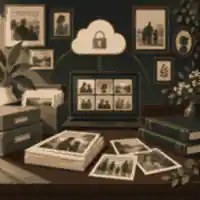
A secure online collection should never depend on one live page alone. Once family photographs, guestbook entries and messages have been reviewed, keep a separate family archive. This might include original image files, a PDF of the memorial, a document of guestbook messages, a folder of approved captions and any service materials that used the photographs. Families often find how memorial content can be downloaded later useful before the collection grows too large.
If the family expects many photo contributions, decide early whether the archive will be used for a slideshow, printed booklet, tribute video, QR memorial page or private family history record. Different outputs require different quality. A small image from a messaging app may look acceptable on a phone but poor in print. A large original file may be better for a booklet, while a compressed copy may be enough for a guestbook post.
When relatives want to save images from an existing tribute page, downloading pictures from a tribute site should be done respectfully. Check whether the family controls the page, whether the image belongs to another contributor and whether the download is for private remembrance or wider reuse. A memorial archive is strongest when it protects contributors as well as the person being remembered.
Decide Who Controls The Memorial Over Time
Secure collection is not finished when the first link is shared. Someone needs to manage late contributions, remove duplicates, handle correction requests, export content and pass access on if the first organiser becomes unavailable. That is why who controls an online memorial should be decided calmly, not left to whoever happened to create the account first.
A good control plan names a primary organiser, at least one backup organiser and a family rule for sensitive decisions. For example, one person may approve ordinary condolence messages, but two people may review photographs involving children, hospital settings or relatives who are not part of the immediate family. If the memorial becomes part of a funeral booklet or printed archive, the family should also decide who signs off the final version.
The emotional side matters too. The UK charity Mind explains in its bereavement information that grief affects people differently and can change over time. A family member who is ready to sort photographs today may not feel able to review messages next week. Shared access, clear moderation and gentle pacing keep the memorial from becoming one more burden.
Understand Timing Around The Funeral
Before the service, a private memorial can collect photographs for a slideshow, service sheet, tribute video or memory table. During the service, a QR code or link can invite guests to leave messages without crowding around a physical book. After the service, the guestbook can remain open for people who needed more time to write. This before, during and after rhythm is one of the main advantages digital guestbooks have over a paper book.
For UK readers managing immediate formalities, GOV.UK guidance after a death explains registration steps that sit alongside funeral and memorial planning. Families are often making emotional, administrative and technology decisions at the same time, so the memorial workflow should reduce pressure rather than add complexity.
In Australia, families may be spread across states or overseas; in the UK, relatives may expect tighter privacy and data-rights conversations; in the US, large community networks may produce a higher volume of public contributions. In all three places, the safer process is the same: start private, invite trusted contributors, moderate before publishing, preserve originals, then decide what becomes public.
A Practical Setup Workflow
Begin with a private draft. Add the person's name, dates, a respectful main photograph and a short note explaining the purpose of the collection. Use how long the memorial can stay private until you are ready to share it to make the first stage calmer. Then invite two or three relatives to test the process by adding a photograph and a memory. Ask them whether the instructions are clear, whether the upload feels safe and whether the tone feels right.
Next, set contribution rules. Ask guests to include a caption, relationship and permission preference. Explain that the family may edit captions for clarity, hold back sensitive images or keep some messages private. Then share the link more widely through family messages, funeral notices, a QR code at the service or a private email. If relatives are helping with curation, use how family and friends can be invited to help build the memorial so everyone understands the role they are taking on.
Finally, schedule a review. After the funeral, after one month and around the first anniversary are natural points to review new contributions, tidy captions, export a copy and decide whether the guestbook remains open. Some families keep the memory wall active indefinitely. Others close new submissions while keeping the memorial visible. Both choices can be respectful if the family has preserved the content and communicated clearly.
One extra safeguard is to separate the sharing version from the archive version. The sharing version can be concise, edited and appropriate for the people who will see it; the archive version can hold fuller captions, contributor notes, original file names and family-only context. This matters when a cousin sends a beautiful but compressed photo, when an aunt adds a correction after publication, or when a child appears in an image that should not be broadly visible. Keeping those decisions documented makes later anniversaries, printed keepsakes and family-history projects much easier.
Evaheld Memorials is separate from Evaheld digital legacy vault services. This article is about memorial guestbooks, messages, moderation and family photo collection on Evaheld Memorials, not estate documents or digital-legacy vault storage. If your family is ready to begin, you can collect family photos securely online with privacy and sharing decisions made from the start.
FAQs
How do I collect family photos securely online? Guestbooks, messages and moderation
Start with a private memorial draft, invite a small trusted group first, review photos and messages before they appear, and keep original files backed up outside the page. what information you need to start creating a memorial helps with the first setup details, while the OAIC guidance on social media and online privacy explains why family photos should be treated as sensitive personal information.
Should the photo collection be public or private?
Most families should begin privately, then make selected content public only when the organiser is confident about consent, captions and moderation. private versus public online memorials explains the memorial settings, and the ICO guidance on individual rights is useful context for UK expectations around personal information.
Can guests add messages as well as photographs?
Yes, and the best memorial photo collections usually pair images with short memories, names, dates and relationship context. how guests leave messages on memorial pages explains that contribution flow, while the bereavement information from Mind reinforces that people grieve and contribute in different ways.
How should families moderate photo uploads?
Use approve-before-publish settings where possible, appoint more than one reviewer, and keep sensitive images private even when they are meaningful. how to moderate online memorial comments gives a respectful framework, and the FTC consumer guidance on website and app information collection supports checking how platforms collect and use information.
What photo details should contributors include?
Ask for names, approximate dates, location, event, contributor name and whether the image may be public, family-only or private. preserving digital memories helps families organise scattered files, and the Library of Congress care of photographs guidance explains why originals and copies should be handled carefully.
How do we protect the memorial account itself?
Use a unique password, protect the organiser email account, turn on multi-factor authentication where available and keep backup organiser access clear. who controls an online memorial covers admin responsibility, and the NCSC advice on password managers and two-step verification gives practical account-security guidance.
Should original photo files be kept outside the memorial page?
Yes. The memorial page is the sharing space, while the family archive should keep original files, captions, exports and printed versions separately. how memorial content can be downloaded later supports that planning, and the Library of Congress personal digital archiving guidance recommends organised copies and clear descriptions.
Can relatives help build the photo archive?
Yes, but give each helper a clear role such as caption checking, scanning, contributor follow-up or moderation support. how family and friends can be invited to help build the memorial explains collaboration, while NIST guidance on multi-factor authentication reinforces why shared work should not mean weak account security.
Can I download pictures from an existing tribute site?
You may be able to download images, but you should respect the page owner, contributor permissions and the difference between private family use and wider reuse. downloading pictures from a tribute site explains the practical steps, and the US National Archives family archives guidance supports preserving family materials carefully.
When should we share the memorial photo link?
Share it after the first draft, privacy settings, moderation rules and backup plan are ready; then use the funeral notice, service QR code or family message thread thoughtfully. how long the memorial can stay private until you are ready to share it helps with timing, and GOV.UK guidance after a death shows how memorial timing often sits alongside formal after-death tasks.