How do I crowdsource old images for memory timelines? Prompts, photos and legacy preservation
A practical family guide to crowdsourcing old photos, prompts, captions, permissions, privacy and preservation for meaningful memory timelines.
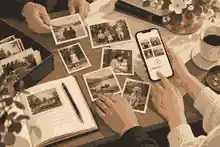
How do I crowdsource old images for memory timelines? Prompts, photos and legacy preservation starts with one calm request: ask relatives for one photograph, one date or place, and one short memory at a time. The best process is to gather pictures in small batches, record who supplied each image, preserve originals carefully, confirm permissions, and turn the collection into a chronological story that can keep growing.
Families often begin because one person has a box of prints, another has a phone full of screenshots, and someone else remembers the story behind a photograph but has never written it down. To crowdsource old images for memory timelines well, appoint one organizer, choose a shared destination, and make the task emotionally manageable. Rather than asking everyone to send every image they own, send focused prompts: a childhood photo, a school photo, a wedding photo, a work photo, a favorite place, a holiday, a household object, or a photograph that explains a family saying. Evaheld Memorials families often use creating an online memorial site with photos and stories as the practical container for that work, because images only become meaningful when they sit beside names, dates, voices, tributes and context.
The preservation principle is simple: collect generously, publish carefully. The Library of Congress personal digital archiving guidance frames family memories as digital materials that need active care, not passive storage. The U.S. National Archives family archives guidance also stresses prevention, handling and storage for family papers and photographs. Those two ideas should shape the whole project: make the memory timeline easy for relatives to contribute to, but keep originals, scans, captions and permissions organized enough that the family can trust the result.
Start with a small photo request, not a family-wide archive demand
The biggest mistake is asking for everything. A broad request such as asking relatives to send all old photos creates delay, duplicate files and family fatigue. A better first message is specific: I am building a memory timeline and would love one image from childhood, one from early adulthood, and one photo that shows a place or person they loved. Please include what you know about the year, location, people shown and the story behind it.
Give relatives three simple ways to help. First, they can upload or send a scanned image. Second, they can photograph a print with their phone as a temporary reference while the original is scanned later. Third, they can contribute a memory even if they do not have a picture. Many important timeline entries begin as captions: the house with the green gate, the blue dress at the dance, the fishing trip after the war, the kitchen where everyone gathered. The image may surface later once people know what to look for.
For physical originals, protect them before enthusiasm causes damage. The National Archives storing family papers and photographs guidance warns against damp basements, hot attics, overstuffed albums and damaging materials. The UK National Archives leaflet on caring for your photographs also notes that fingerprints, adhesive tapes, poor storage and light can harm vulnerable photographs. Ask contributors not to peel photographs from old albums, clean prints with household products, write heavily on the image side, or force fragile albums flat on a scanner.
Use prompts that unlock stories behind photos
Competitor articles on recording grandparents and asking family questions are useful because they understand one important truth: specific prompts work better than grand instructions. Instead of asking someone to tell their life story, ask about a room, a meal, a first job, a wedding day, a favorite car, a school friend, a uniform, a place of worship, a holiday table or a person in the background. In a photo timeline, every prompt should connect an image to a memory, not just to a date.
Try these prompt groups. For childhood: What was happening just before or after this photo? Who took it? What did this place smell or sound like? For family history: who is in the image, how are they related, and what should younger relatives know about them? For work and purpose: what job, skill, uniform, tool or routine does this image show? For relationships: how did these people meet, what changed after this moment, and what family tradition came from it? For legacy preservation: what values, sayings, habits or acts of care does this photograph still carry?
When someone is willing to talk, record the story with consent. Oral History Association best practices emphasize preparation, interviewing, preservation and access, while the Oral History Association ethics statement centers informed consent. In family terms, that means saying why you are recording, how the recording may be used, who may see it, and whether the person wants any story kept private. This is especially important when a photograph touches on grief, adoption, estrangement, migration, illness, war, religion, money, identity or family conflict.
If a relative says their life is not interesting, do not argue. Hand them one photograph and ask for the small facts first: where, when, who, what was happening. Tangents often bring the best family stories. For structured interviews, record your life story before its lost forever can sit beside the photo project so voice memories and image captions support one another.
Create a simple intake system for photos, captions and permissions
A memory timeline needs a repeatable intake system. For every image, capture six details: contributor name, original owner if different, people shown, approximate date, place, and usage permission. Add a seventh field for uncertainty. It is better to write probably 1968, cousin thinks this is Newcastle than to publish a confident but wrong caption. That uncertainty record gives future relatives a way to correct the timeline without feeling blamed.
Use a consistent file name such as surname-firstname-year-place-contributor. The National Archives digitizing family papers and photographs advice recommends practical file naming, basic metadata and the 3-2-1 backup rule: three copies, two media types and one off-site copy. For families, that can mean one working folder, one external drive or computer copy, and one trusted cloud or shared archive. It also means keeping original prints after scanning because digital files have their own preservation risks.
Australian readers can draw on the National Archives of Australia advice on caring for your personal physical collection, while the National Archives of Australia page on preserving the collection explains why photographic formats differ and why cool, stable storage and digitization both matter. Those public archive practices translate well to households: do not store everything in one place, do not rely on a single phone, and do not assume a social media album is an archive.
Before uploading a photo to a memorial, check privacy and copyright. UK readers should note the GOV.UK notice on digital images, photographs and the internet, which explains that permission may be needed to use photographs online and that old images can still be protected. U.S. readers should remember that the U.S. Copyright Office duration FAQ says copyright length depends on factors including creation date and publication status, while its overview of what copyright protects includes photographs fixed in a tangible or digital form. Australian readers should treat identifiable living people in photos with care; the OAIC notes that photos and videos can be personal information where someone is identifiable.
Respect privacy before the timeline becomes public
Photo crowdsourcing can reveal more than a family expects. A school uniform may identify a child. A house number may reveal an address. A hospital bed, protest, religious ceremony, military image or immigration document may disclose sensitive context. Before sharing widely, decide whether the memory timeline is private, family-only, or public. This is where private versus public online memorials becomes a practical decision rather than an abstract platform setting.
For children and vulnerable relatives, be conservative. The FTC reminds families through Share with Care online privacy advice that photos posted online can continue to circulate, and its guidance on protecting your child’s privacy online explains that photos, videos and audio can be personal information in child privacy contexts. A memorial timeline should never expose a living child, survivor, address, private medical detail or unresolved family matter without thoughtful permission.
Permission does not need to be complicated. Use a plain family note: I am contributing this image for the memorial timeline. I understand it may be visible to the invited family group or, if we later choose, a public memorial page. Please ask before using it outside this memorial. If the contributor is not the photographer or rights holder, mark that distinction. If permission is unclear, use a private caption without publishing the image, or keep it in the family archive until the question is resolved.
Build the timeline around chapters, not perfect chronology
Families rarely have every date. Instead of forcing strict chronology too early, use life chapters: childhood and home, school and friends, work and service, love and family, places lived, holidays and traditions, community and faith, creativity and hobbies, later years, farewell and ongoing memories. Once enough images arrive, sort within each chapter by year, decade or best estimate.
The body of the memorial should not become a dumping ground. Choose representative images and preserve the rest in organized folders. A good public or family-facing timeline balances variety: portraits, candid moments, places, objects, group photos, documents and voices. The Evaheld Memorials article on what belongs in an online memorial is useful here because a timeline should sit beside a life story, tribute messages, service details where relevant, and space for relatives to add memories over time.
Profile timelines also show how chapters can carry legacy. The memorial profile for Steve Jobs uses dated milestones to connect work, relationships and public memory. A family timeline may be quieter, but the structure is similar: images make sense when they show beginnings, turning points, relationships and influence. The memorial profile for Princess Diana shows how public life and private feeling can sit in the same remembered story, while the memorial profile for Maya Angelou reminds families that words, photographs and legacy can belong together.
Do not let the best-known photos crowd out ordinary life. The strongest memory timelines often include the unposed kitchen, the garden chair, the workbench, the suitcase, the handwritten recipe, the local street, the volunteer uniform, the favorite mug. These details help younger relatives understand a person as a real human being, not only as a formal portrait.
Moderate contributions without turning the project into a gatekeeping exercise
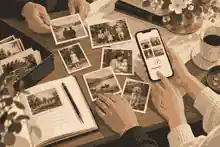
Invite contributions warmly, then apply a light editorial standard. Ask contributors to avoid gossip, accusations, private medical details, unverified claims and living people’s sensitive information. If a story is meaningful but too private, keep it in the family archive rather than on the public memorial. If two relatives remember an event differently, write a neutral caption: Family members remember this day in different ways, but all agree it became one of the stories often retold.
The organizer’s role is not to own the story. It is to protect the timeline from confusion, harm and loss. That means checking names, merging duplicates, asking follow-up questions and preserving contributor credit. Evaheld Memorials families can use what information helps you start a memorial to begin with essentials, then bring relatives in through trusted contributor access once the first structure is ready.
Set a review rhythm. For example, collect for two weeks, sort for one week, publish a first version privately, invite corrections, then share more widely. This staged approach protects accuracy. It also reduces the emotional load: relatives can contribute when ready, and the organizer can work in manageable sessions.
Preserve the archive beyond the memorial page
A memory timeline should be shareable, but it should also be recoverable. Keep a master folder with originals, edited display copies, caption notes, permissions and export files. If you edit images for brightness or cropping, keep the original scan untouched. If you use AI restoration or colorization, label it clearly and preserve the unaltered file. A restored image can help a family see details; it should not replace the record.
Evaheld Memorials content on digital memories and social media guidance and family history preservation prompts can help families think beyond one upload session. The practical goal is a living archive: photographs, captions, voice notes, tributes and corrected details that remain usable after the first wave of grief or anniversary activity passes.
Backups matter because phones break, accounts close and platforms change. Use downloading online memorial content as part of the family’s routine: export or save important text, keep copies of key images and make sure more than one trusted person knows where the archive lives. A memorial can be emotionally central, but no family should rely on one website, one phone or one relative as the only holder of irreplaceable images.
Families that want relatives to keep adding memory notes after the first photo collection can use tributes and condolence tools as a gentle way to gather corrections, short stories and reflections without reopening the whole archive at once.
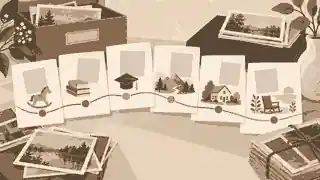
A practical crowdsourcing message families can adapt
Here is a simple message that works across Australia, the United Kingdom and the United States:
I am helping build a memory timeline for our family. Could you send one to three old photos that show a meaningful stage of life, place, person or story? If you can, please include who is in the image, the approximate year, where it was taken, who owns the original, and any memory you associate with it. If the photo includes living people, please only send images you are comfortable sharing with the family memorial. A phone photo is fine for now; we can arrange a better scan later for fragile originals.
Follow with a second message one week later, not a flood of reminders. People often need time to search drawers, ask a spouse, or sit with emotion. A respectful reminder might ask for one category only: Does anyone have a photo from their first home, early work years, or a family meal? Focused prompts prevent overwhelm and often surface better images than general requests.
When the first timeline draft is ready, invite corrections without embarrassment: Please tell me if any name, date or place should be changed. I would rather update the record than pretend we got everything right the first time. That tone keeps the project collaborative.
Market and jurisdiction differences for Australian, UK and US families
The emotional process is similar across the three markets, but legal and cultural details differ. In Australia, privacy law may not cover individuals acting personally, but identifiable photos can still raise privacy and safety concerns, and state or territory laws may be relevant in some circumstances. In the United Kingdom, copyright and data protection questions can arise when images of living people are shared or when the photographer is not the person uploading the image. In the United States, copyright duration can be complex, and child privacy concerns are especially important when images, videos or audio of minors are involved.
The safest family practice is consistent across all three: ask permission where possible, avoid sensitive living-person details, credit contributors, keep private materials private, and treat copyright uncertainty as a reason to pause before public sharing. If the image is for a small private family group, the risk profile differs from a public memorial page, but respect still matters.

Checklist for crowdsource old images for memory timelines
Use this checklist before publishing. One organizer is named. The first request asks for a small number of photos. Every file has contributor, people, date, place and permission notes where known. Fragile originals are not forced, cleaned or peeled from albums. Scans and originals are stored separately. Sensitive images are reviewed before public sharing. Living people and children are protected. Copyright uncertainty is recorded. Duplicate images are merged. Captions distinguish fact from family memory. The timeline is arranged by life chapters. A private review round happens before public sharing. A backup exists outside the memorial platform. Relatives know they can add or correct memories later.
Finally, remember that a memory timeline is not a courtroom record or a museum catalog. It is a family act of care. It should be accurate enough to trust, gentle enough to invite contribution, and flexible enough to grow. If you are ready to gather photos, captions and stories in one respectful place, Evaheld Memorials can help you begin with crowdsource old images for memory timelines.
FAQs
How do I crowdsource old images for memory timelines? Prompts, photos and legacy preservation
Start with a small, specific photo request, ask for captions and permissions with each image, then build the timeline in life chapters rather than waiting for a perfect archive. Families often begin with creating an online memorial site with photos and stories, while the Library of Congress personal digital archiving guidance reinforces why digital family memories need active care.
What is the best first message to send relatives for old photos?
Ask for one to three photos, not everything, and request names, approximate dates, places, the story behind the image and whether it can be shared. The family can use what information helps you start a memorial as a simple preparation frame, while the U.S. National Archives family archives guidance explains why prevention and organization matter.
How should I scan fragile old photos for a memorial timeline?
Do not force fragile albums flat, use automatic feed scanners for delicate items or remove stuck photographs without specialist advice. For digital preservation, pair digital memories and social media guidance with the National Archives digitizing family papers and photographs advice, which recommends careful handling, clear file naming, metadata and backups.
What captions should each old family photo include?
Each caption should record who is shown, where the photo was taken, the approximate date, who contributed it, who owns the original and what memory it represents. The Evaheld Memorials article on what belongs in an online memorial helps families place captions beside a fuller tribute, and the National Archives storing family papers and photographs guidance supports careful preservation of the originals.
How do I handle copyright for old family photos?
Assume that owning a print does not automatically mean owning copyright, especially for studio, wedding, school or professional photographs. Keep permission notes beside the timeline and use private versus public online memorials to decide where images should appear, while GOV.UK guidance on digital images, photographs and the internet explains key UK permission issues.
Should a memory timeline be private or public?
Keep the first draft private while you confirm captions, permissions and living-person privacy, then decide whether a public version is appropriate. Evaheld Memorials supports family thinking through trusted contributor access, and the OAIC explains that photos and videos can be personal information when people are identifiable.
How do I get relatives to share stories, not just pictures?
Send prompts tied to the image: what happened before or after, who took it, what place is shown, and what younger relatives should know. record your life story before its lost forever can help shape those conversations, and Oral History Association best practices explain why preparation, interviewing, preservation and access should be considered together.
What if family members disagree about a date or story?
Record uncertainty clearly rather than forcing false certainty; phrases such as circa 1972 or remembered differently by relatives are better than a wrong caption. Families can preserve the wider context through family history preservation prompts, while the Oral History Association ethics statement supports transparent and respectful treatment of narrators.
How do I protect children and living relatives in old photos?
Avoid public sharing of identifiable children, addresses, schools, medical details or sensitive family situations unless permission is clear and the context is safe. Use downloading online memorial content to keep private archive copies separate from public display, and the FTC guidance on protecting your child’s privacy online explains why images, video and audio can carry privacy risks.
How do I keep a photo memory timeline safe long term?
Keep originals, unedited scans, edited display copies, caption notes and permission records in more than one place, and make sure another trusted person knows where the archive is. Evaheld Memorials allows families to continue adding memories through tributes and condolence tools, while the National Archives of Australia preserving the collection guidance shows why format, storage and digitization all affect long-term access.