How do I transfer ownership of a tribute page? A practical family guide
A practical Evaheld Memorials article that answers “How do I transfer ownership of a tribute page?”, explains transfer ownership of a tribute page, shows what to include, avoids common mistakes and helps families plan a practical family guide.

To transfer ownership of a tribute page, first confirm who currently controls the page, choose the trusted person who should take over, review privacy settings, photos, guestbook entries and administrator permissions, then use the platform’s transfer or support process to hand over access safely. Keep a written record of what changed, who can edit the page, and how the new owner should manage future updates.
For families, this is often less about technology and more about care. A tribute page may hold funeral details, a virtual memory page, memorial photo uploads, an online memorial guestbook, messages from friends, and sensitive family history. Transferring control should be done calmly, clearly and with respect for the person being remembered and the people who are grieving.
Direct answer: How do I transfer ownership of a tribute page?
Most tribute page ownership transfers follow the same practical pattern: check the current owner’s access, decide the new owner, back up important content, review privacy and permissions, request or complete the transfer, and test that the new owner can manage the page. If the original owner has died or cannot respond, the memorial platform may ask for proof of authority or other verification before changing control.
Because requirements vary between platforms and countries, avoid assuming that a login password alone is enough. The Australian Government’s guidance on password managers and multi-factor authentication is a useful reminder that account access should be handled securely, especially when a memorial page contains private names, images and messages.
If you are creating a new page and want future handover to be simpler, Evaheld Memorials lets families create and organise a dignified online memorial from the start. You can begin with a memorial page, review the available online memorial features, and keep related instructions together so trusted people know what to do later.
What transfer ownership of a tribute page is for
Transfer ownership of a tribute page is for moving responsibility from one person to another. The new owner may need to update funeral or anniversary details, moderate guestbook messages, add photos, correct dates, respond to family requests, or maintain the online memorial link so people can continue to find and visit the page.
This can be especially important when the first person who created the page was a friend, funeral organiser, distant relative or volunteer. Over time, a closer family member may be better placed to manage privacy, approve memorial photo uploads, and decide whether the page remains public, private or shared only with invited people. The Library of Congress personal digital archiving guidance is helpful here: digital memories are easier to preserve when they are organised, named clearly and managed intentionally.
Ownership transfer can also help prevent a memorial page from becoming abandoned. A page that no one can edit may show outdated event details, contain unmoderated comments, or leave families unsure who has control. For related planning, families may also find it useful to understand how people find someone’s memorial page or search for an online obituary by name.
When to use transfer ownership of a tribute page
Families commonly transfer ownership when the original page creator is no longer able to manage the page, when responsibility moves from a funeral organiser to the family, or when siblings, adult children or executors agree that one person should coordinate updates. It can also be useful after a funeral, before a major anniversary, or when the family wants to consolidate memories into one ad-free memorial site or organised online memorial Australia families can share with confidence.
Use a transfer rather than simply sharing a password wherever possible. Sharing passwords can create confusion, weaken security and make it difficult to know who changed what. The United States Secure Our World guidance from CISA recommends strong account security habits, and the U.S. Federal Trade Commission explains how to protect privacy online, including being careful about what personal details are shared.
There may also be legal or estate considerations if the page contains documents, instructions or private information. Legal requirements vary by country, state and territory, so formal documents should be checked against local rules or reviewed by a qualified professional where needed. Evaheld Memorials is designed to help organise, preserve, update and share memorial information; it is not a substitute for legal, financial, medical or grief-counselling advice.
What to include in transfer ownership of a tribute page
A good handover note should be simple enough for a grieving person to follow. Include the page name, online memorial link, current owner, proposed new owner, contact details, date of transfer, privacy setting, guestbook moderation preferences, photo permissions, and any family wishes about future updates.
It is also wise to list what content is already on the page. This may include an obituary, biography, service details, music, readings, photographs, videos, guestbook messages, donations information, anniversary notes and family acknowledgements. If the memorial includes older family records, the U.S. National Archives’ family archives preservation advice offers practical principles for protecting personal history, while the Digital Preservation Coalition handbook explains why digital material needs active care over time.
For privacy, include who may view the page, who may contribute, and who may approve or remove comments. The Office of the Australian Information Commissioner explains privacy rights in Australia, the UK Information Commissioner’s Office provides public guidance on information rights, and Australia’s eSafety Commissioner has practical online privacy guidance. These sources do not replace platform rules, but they are useful when families are deciding how much personal information to publish.
Step-by-step instructions for transfer ownership of a tribute page
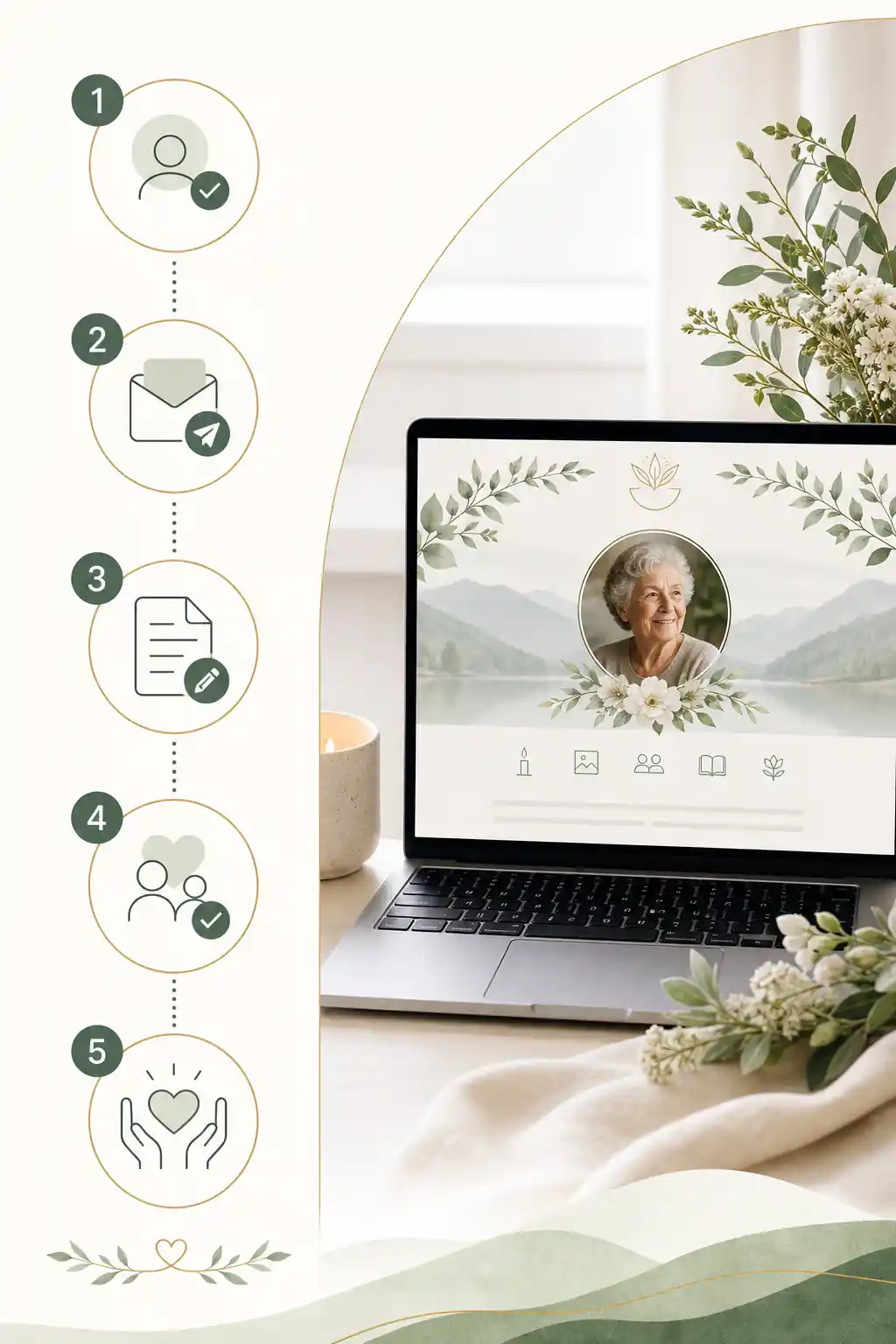
- Identify the current owner. Confirm whose account controls the tribute page and whether any other administrators already have access.
- Choose the new owner. Select someone reliable, contactable and comfortable managing photos, messages and privacy settings.
- Review the page content. Check names, dates, spelling, images, service details, links and guestbook entries before the handover.
- Back up important memories. Save copies of key photos, written tributes and messages in an organised family folder or digital legacy vault.
- Check privacy settings. Decide whether the page should be public, private, searchable, invitation-only or limited to certain contributors.
- Use the platform’s transfer process. Where available, use the official transfer tool or contact support rather than exchanging passwords.
- Secure the new owner’s account. Use a strong password and multi-factor authentication where supported.
- Test access. Ask the new owner to log in, update a small detail if appropriate, review the online memorial guestbook and confirm they can manage settings.
- Tell key family members. Let close relatives know who now manages the memorial and how to request changes respectfully.
- Record the handover. Keep a dated note of what was transferred, who approved it and what future instructions apply.
If you are planning ahead, you can create a secure Evaheld Memorials page for transfer ownership of a tribute page, then update it over time and share it with trusted people when ready.

Practical tips for families
Agree on one main owner and one backup contact. Too many administrators can lead to accidental edits, duplicated photos or disagreements about what should stay public. At the same time, having no backup can create problems if the owner becomes unavailable.
Use plain language in your family notes. Instead of writing “manage digital assets”, write “Mia will approve new guestbook messages and add anniversary photos each June”. Clear wording helps reduce stress during grief.
Think carefully before making a memorial page searchable. Some families want friends to be able to find online memorial pages easily through an online memorial search. Others prefer a private link shared only with invited people. If the page is intended for an Australian audience, you may also wish to read about how to establish an Australian web obituary space in a way that feels respectful and manageable.
Be cautious with unexpected emails or messages claiming to relate to memorial access. The FTC’s guidance on recognising and avoiding phishing scams is relevant whenever accounts, passwords or sensitive family information are involved. If an email asks for login details, payment information or urgent action, go directly to the platform rather than clicking the message.
Common mistakes
- Sharing one password among several relatives. This makes it hard to protect the account or know who changed something.
- Forgetting guestbook moderation. Public messages may need gentle oversight, especially after services or anniversaries.
- Leaving privacy settings unchanged. A page created quickly for funeral notices may not have the right settings long term.
- Not backing up photos. Memorial photo uploads should be preserved separately where possible.
- Failing to record the new owner. Families may later forget who can update the tribute page.
- Publishing sensitive details. Addresses, private family conflict, children’s details and financial information should be treated carefully.
Technical security matters as well as family agreement. The National Institute of Standards and Technology provides detailed digital identity guidance, and while it is written for a technical audience, the broad lesson is simple: account access should be deliberate, verified and protected.
What not to do
Do not take over a tribute page secretly, pressure a grieving relative for access, or remove photos and messages without considering how others may feel. A memorial page is often shared emotional space, even when one person is the technical owner.
Do not rely only on a deceased person’s unlocked phone or saved browser password. Apple’s Digital Legacy information and Google’s Inactive Account Manager guidance show that major platforms have their own processes for future access. These tools are not the same as tribute page ownership, but they demonstrate why planned, authorised access is better than improvisation.
Do not treat a tribute page as a formal legal record unless a qualified professional confirms its role. Some jurisdictions recognise particular rules for digital assets, and the Uniform Law Commission’s materials on fiduciary access to digital assets illustrate how complex this area can be. For wills, probate, estate authority or formal documents, seek advice that applies in your country, state or territory.
How Evaheld Memorials helps create, complete, store, update and share transfer ownership of a tribute page
Evaheld Memorials helps families keep memorial information in one organised experience rather than scattered across text messages, folders, email threads and static downloads. A family can create a memorial page, add photos and messages, keep related wishes and instructions together, update details over time, and share access with trusted people when appropriate.
This is useful when responsibility changes hands. The new owner can understand what has already been prepared, what still needs review, and who should be involved before publishing or sharing the page more widely. Families can compare online memorial plans, explore the digital legacy vault, and use the memorial support questions page if they need practical guidance.
Evaheld Memorials does not replace funeral directors, lawyers, counsellors, official registries or family decision-making. It provides a calm place to organise a dignified online memorial, preserve memories and make future sharing clearer.

Final checklist
- Confirm the current tribute page owner and any existing administrators.
- Choose one trusted new owner and, if possible, one backup contact.
- Review the obituary, photos, guestbook, service details and online memorial link.
- Back up important content before changing access.
- Check memorial page privacy, search visibility and contribution settings.
- Use the platform’s official transfer or support process.
- Secure the new owner’s account with strong login protection.
- Tell close family members who now manages the page.
- Record the transfer date, approvals and future wishes.
- Review the page again after publication, anniversaries or major family updates.
Handled thoughtfully, transfer ownership of a tribute page can protect memories, reduce confusion and help families keep a respectful memorial available for the people who need it most.
FAQs about transfer ownership of a tribute page
How do I transfer ownership of a tribute page?
To transfer ownership of a tribute page, first confirm who currently controls the page, choose the trusted person who should take over, review privacy settings, photos, guestbook entries and administrator permissions, then use the platform’s transfer or support process to hand over access safely. Keep a written record of what changed, who can edit the page, and how the new owner should manage future updates.
To transfer ownership of a tribute page, confirm who should manage it, gather account and permission details, review privacy settings, then update the page administrator or contact the platform for help. With Evaheld Memorials, you can plan transfer ownership of a tribute page and keep trusted family instructions together. For safe account practices, see the Australian Cyber Security Centre’s guidance on multi-factor authentication.
How can an online tribute feel personal and respectful?
It is used to move responsibility for an online memorial, virtual memory page or online memorial guestbook from one trusted person to another, so photos, messages, privacy settings and updates can continue respectfully. Evaheld Memorials’ online memorial features can help families organise these details. The Library of Congress also offers practical advice on personal digital archiving.
When should a family create or review the memorial?
Use it when the current page manager is unavailable, duties are changing, family roles need clarifying, or the memorial should be maintained by someone closer to ongoing arrangements. You can create or update a memorial through Evaheld Memorials’ create memorial page. For broader family record care, the U.S. National Archives shares guidance on preserving family archives.
Who should manage the page and approve contributions?
Include the new owner’s name and contact details, agreed permissions, guestbook settings, photo upload preferences, privacy choices, sharing links and any family instructions. Evaheld Memorials’ digital legacy vault can help keep related notes together. For privacy basics, the OAIC explains privacy rights and personal information.
What content belongs on the memorial page?
Choose the new manager, back up important content, check consent for photos and stories, update administrator access, test the online memorial link, then tell close family how to find it. Evaheld Memorials’ memorial support questions can guide common setup decisions. For secure sign-ins, CISA’s Secure Our World advice is useful.
How can families control privacy and sharing?
Common mistakes include sharing passwords casually, forgetting guestbook moderation, leaving old administrators active, uploading sensitive documents, or failing to tell family who manages the dignified online memorial. Compare options on Evaheld Memorials plans. The FTC’s advice on protecting your privacy online is a helpful reference.
Which account details and backups should be retained?
Avoid posting private family disputes, financial details, identity documents, unapproved photos or medical information. Keep the online memorial australia audience in mind if relatives are overseas. If someone needs to find someone’s memorial page, share only the appropriate link and access level. The eSafety Commissioner provides practical online privacy guidance.
How can relatives contribute safely?
Privacy and permissions decide who can view, contribute to, edit or manage the memorial page. Families should agree whether the page is public, private, invitation-only or moderated. If you need to search for an online obituary by name, remember that discoverability depends on privacy settings. The UK ICO explains public-facing data protection rights.
What common online memorial mistakes should families avoid?
Evaheld Memorials helps families create, complete, store, update and share tribute content, photos, guestbook inputs, wishes and instructions in one organised place, without replacing legal or professional advice. Families planning to establish an Australian web obituary space can keep practical memorial details together. For digital preservation principles, see the Digital Preservation Handbook.
How does Evaheld Memorials support long-term preservation?
Check spelling, dates, image permissions, guestbook moderation, memorial page privacy, administrator access, mobile viewing and the online memorial link before sharing. Revisit Evaheld Memorials’ online memorial features if you need to adjust how the page works. For account protection, the Australian Cyber Security Centre explains password managers.
If your family is ready to begin, create a free Evaheld Memorials page and add memories, photos and tributes at your own pace.
Related Evaheld resources
Continue with these carefully selected Evaheld Memorials guides and answers.