What do you do at a virtual celebration of life? Planning, etiquette and remote guests
A practical, compassionate guide to planning a virtual celebration of life, including structure, etiquette, privacy, remote guests and follow-up tributes.
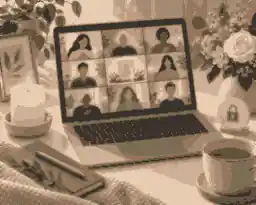
At a virtual celebration of life, family and friends gather online to remember the person who died through welcomes, stories, readings, music, photos, tributes, quiet reflection and carefully managed remote guest participation. Planning, etiquette and remote guests matter because the technology should support the memorial, not become the focus.
If you are asking what do you do at a virtual celebration of life, begin with three choices: the purpose of the gathering, the role of remote guests, and the level of privacy. A celebration of life is usually less formal than a funeral, but it still needs structure. The family may use Zoom memorials, livestreams, a private meeting, or a hybrid room where some people attend in person and others join from home. Whatever format you choose, the best service feels calm, personal, accessible and protected.
What do you do at a virtual celebration of life?
You do the same human work as an in-person farewell: you honor a life, let people gather, and give grief somewhere respectful to go. The online format changes the practical details. Guests need a link, a time zone, a joining instruction, and a clear sense of whether they are watching quietly, speaking live, writing in chat, sending photos, or contributing after the event. Hosts need a run sheet, a technical helper, privacy settings, a backup plan and a follow-up place for memories.
Evaheld families often pair the live gathering with virtual funeral etiquette and compassionate hosting, because guests are more relaxed when expectations are clear. The invitation should say whether cameras are encouraged, whether microphones stay muted, whether chat is open, whether the event is recorded, and how people can leave condolences after the call. A virtual celebration of life should not expect the closest mourners to manage technology while grieving.
The host or celebrant normally welcomes everyone, explains the format, introduces the family, and names the practical rules gently. After that, the gathering might include a short biography, a photo slideshow, music, readings, eulogies, invited memories, a candle-lighting moment, a cultural or faith practice, and a closing reflection. Many families then keep the room open for informal conversation or direct guests to a memorial page where tributes can continue.
Choose the right online format before choosing the platform
A fully virtual celebration of life means everyone joins online. A hybrid celebration has people in a venue plus remote guests. A livestream is usually watch-only, while a video meeting lets selected people speak. This distinction matters more than the brand name of the platform. If remote guests need to tell stories, choose an interactive meeting. If hundreds of people need to watch quietly, a livestream may be easier. If the family wants both, use a hybrid plan with a technical host who is responsible only for the remote experience.
Zoom's own scheduling guidance confirms that hosts can set the date, time, invitees, passcode, waiting room and other meeting options before sending invitations. That supports the most important planning rule: do not improvise the platform on the day. Create the event, test the link, check the time zone, and send a complete invitation early enough for guests to ask for help.
For hybrid services, audio is more important than a perfect camera. Remote guests can forgive a simple view if they can hear the speakers clearly. Place a microphone close to the lectern or speaker area, test from a separate location, and ask readers to pause before beginning. Evaheld's funeral livestream preparation is especially relevant when a venue, camera, phone hotspot or backup recording is involved.
Some families use a funeral director, celebrant, venue technician, or professional virtual memorial host. That can reduce pressure when the group is large, when several countries are involved, or when the family wants a polished recording. If you hire help, ask exactly what is included: rehearsal, platform setup, slides, speaker coordination, captions, recording, file access, privacy controls and post-service support.
Build a simple order of service
A virtual celebration of life works best with a visible rhythm. A common 60 to 75 minute structure is: ten minutes for guests to arrive, five minutes for welcome and instructions, five minutes for opening words, ten minutes for a life story or slideshow, twenty minutes for invited speakers, ten minutes for shared memories or written tributes, five minutes for music or reflection, and five minutes for closing. Informal conversation can continue afterward for those who want to stay.
Do not invite unlimited live speakers unless the group is small and emotionally steady. Pre-arrange speakers, give each person a time limit, and tell them whether they will be unmuted, spotlighted, or asked to turn on video. A speaker coordinator can message the next person privately before their turn. This prevents the awkward silence that happens when a grieving person is expected to manage the call and the emotions at the same time.
Place practical information somewhere stable. Evaheld's guidance on adding service details online is useful because the invitation often changes as time zones, access links, dress requests, donation preferences or livestream details are confirmed. A central page is calmer than sending updates across many text threads.
If the person had favorite music, images, poems, recipes, places, causes or sayings, choose a few that carry real meaning. A virtual celebration of life does not need to imitate a television broadcast. It needs accurate names, clear sound, personal stories and enough space for silence. The most moving moments are often simple: a grandchild reading two sentences, a friend showing one photograph, or everyone taking a shared pause.
Privacy, safety and consent
Private memorial links should not be posted publicly unless the family intentionally wants an open event. Use a waiting room, passcode and host controls when the event is by invitation. Zoom's waiting room instructions explain how hosts can admit people individually or together, which is useful when names need to be checked before entry. Zoom's in-meeting security settings also cover locking a meeting, enabling the waiting room and suspending participant activity if disruption occurs.
Recording needs explicit care. A recording may help relatives in another country, people in hospital, shift workers or guests who cannot attend live. It may also make some mourners uncomfortable. Zoom's recording consent information explains that participants can be prompted when a meeting is being recorded. Beyond the platform prompt, the family should say in the invitation, at the start of the service, and in the follow-up message who may receive the recording and whether it can be downloaded or shared.
Privacy laws and expectations differ across Australia, the United Kingdom and the United States, but the practical family rule is consistent: do not publish private grief, images of living people, children's names, home addresses, medical details or sensitive family information without a clear reason and permission. The Australian OAIC's social media and online privacy guidance is a helpful reminder that online information can travel beyond its first audience.
When the memorial page will hold photos, videos and written tributes after the event, decide whether it should be public or private before the link is shared. Families comparing visibility can use choosing between a private and public online memorial to think about directory visibility, invited contributors, moderation and search exposure.
Remote guest etiquette
Remote guests should join early, use their real name, keep the microphone muted, sit somewhere quiet, avoid eating on camera, and follow the family's camera guidance. If no guidance is given, camera on is usually respectful when the guest can sit calmly; camera off is acceptable for illness, caregiving, travel, poor connection or overwhelming grief. A camera is not a measure of love.
Guests should not ask the immediate family for technical help minutes before the service. The invitation should name a technical contact. If older guests or people with limited digital confidence are joining, ask one relative to call them the day before, test the link, show mute and unmute, and explain how to leave if they become upset. The CDC's mental health coping guidance is a reminder that people under stress benefit from clear routines, practical support and reduced overload.
Accessibility should be planned, not added as an apology. Captions, transcripts, dial-in options, readable slides and a follow-up recording can help people who are Deaf, hard of hearing, neurodivergent, older, unwell, or joining in a second language. W3C explains that captions and subtitles provide text versions of speech and important audio information, while transcripts can make recorded audio and video easier to revisit.
Hosts should also think about emotional access. A remote guest may be in a different time zone, at work, in a hospital room, parenting children, or attending alone without anyone beside them afterward. Send the order of service early, avoid surprise participation requests, and give guests a quiet way to contribute later. That small amount of preparation can make the difference between someone feeling included and someone feeling exposed.
How to include guests without making the service chaotic
Remote participation should be designed. Give people three ways to contribute: selected live speakers, written memories in chat or a memorial page, and photo or video contributions before or after the event. Evaheld's inviting family and friends to help build the memorial explains how relatives can contribute without forcing everything into the live call.
For chat, keep instructions specific. Good examples are short condolences, names of places guests are joining from, or one sentence memories. Poor uses of chat include side conversations, logistics questions, arguments, long stories during readings, or requests that the family respond immediately. If chat is likely to distract, restrict it to the host or ask guests to save longer messages for after the service.
A digital memorial link can make follow-up gentler. Guests who are too emotional to speak can write later; people in different time zones can revisit the tribute; and the family can keep recordings, readings and images in one place. Evaheld's share a digital memorial link guidance helps families decide how and where to send that link respectfully.
Music and video can be powerful, but they need testing. Use files you have permission to share, keep the slideshow short, avoid tiny text, and check that sound plays through the platform rather than only in the room. Families planning richer media can use adding videos and music thoughtfully to decide what belongs in the live service and what belongs in the lasting tribute.
Australian, United Kingdom and United States differences
The emotional shape of a virtual celebration of life is similar across Australia, the United Kingdom and the United States, but the surrounding funeral and administrative systems differ. In Australia, Services Australia notes that it is not a legal requirement to have a funeral, while the death still needs to be registered through the relevant state or territory process; its after-death guidance also points families toward documents, notifications and support. The ACCC's funeral services information encourages clear questions about funeral products, pricing and inclusions.
In the United Kingdom, GOV.UK's after a death guidance helps families understand registration and first steps, which can affect timing before a memorial gathering is announced. In the United States, the FTC's Funeral Rule gives consumers rights to choose only the funeral goods and services they want and to receive price information. That matters when a family is deciding whether the virtual element is a simple family-hosted meeting, a funeral-home livestream, or a professional package.
Language also differs. Australian and United Kingdom families may say funeral celebrant, order of service and wake; United States families may more often say officiant, program and reception. The article uses US English because the supplied competitor set is primarily written for US searchers, but the planning advice serves readers in all three countries. The safest wording in any invitation is plain and practical: date, time, time zone, platform, link, privacy, recording, dress, speakers, and where to leave tributes.
What to do after the virtual celebration of life
End the meeting for everyone rather than simply leaving it open. Save the recording only if recording was announced and agreed. Send a follow-up note thanking guests, naming where tributes can be left, explaining when the recording will be available, and offering a contact for anyone who wants to send photos, stories or corrections. Better Health Victoria's grief information recognizes that grief affects people differently, so a follow-up space can help those who could not speak during the live gathering.
Moderation matters after the event as well. A memorial page should not become a place where private family disagreement, inaccurate details, or overwhelming messages appear without review. Evaheld's how tributes and condolences work is useful when families want contributions but still need a calm standard for what appears publicly.
The follow-up page should answer the same practical questions guests were asking before the event: where to find the recording, how to send a photograph, whether the family is accepting stories, whether the page is private, and whether the tribute will keep growing over time. Evaheld's explanation of how memorial pages work helps families connect the live gathering with a continuing space for messages, service details, photographs and later memories.
Some families draw inspiration from public memorial profiles because they show how different lives can be remembered through story, images and legacy. The memorials for Steve Jobs, Princess Diana and Alan Rickman each demonstrate that remembrance can include work, relationships, public impact and quieter human detail. A family celebration of life does not need fame or scale to use the same principle: choose the details that make the person recognizable to the people who loved them.
Finally, decide what remains private. The live event may be over, but the memorial often continues. If the family is not ready for public sharing, keeping the memorial private until you are ready can protect the first draft while relatives add photos, check names, and decide how wide the circle should become.
Quick planning checklist
Choose the format: fully virtual, hybrid or livestream. Choose the platform and create the link. Add passcode, waiting room and host controls. Appoint a technical host, co-host, speaker coordinator and follow-up contact. Write the invitation with time zones, camera rules, chat rules, recording notice and tribute instructions. Test audio, slides, music, captions and backup internet. Prepare the welcome, speaker order and closing. Support older or less confident guests before the day. Decide where tributes, photos, recordings and service details will live afterward.
If you want one calm place for the life story, service details, remote guest tributes and follow-up memories, Evaheld Memorials can help families begin with what do you do at a virtual celebration of life in mind: a respectful gathering now, and a lasting memorial space for the stories that continue after the screen closes.


FAQs
What do you do at a virtual celebration of life? Planning, etiquette and remote guests
You gather online to share memories, readings, music, photos, tributes and reflection, while a host manages access, speakers and privacy. A simple run sheet and virtual funeral etiquette and compassionate hosting help remote guests know how to participate, and Zoom's scheduling guidance supports setting meeting options before invitations are sent.
How long should a virtual celebration of life last?
Most families do well with 45 to 75 minutes of structured time, plus optional informal conversation afterward. If the gathering includes remote speakers, funeral livestream preparation helps the family test timing, sound and backups, while W3C's captions and subtitles guidance explains why accessibility should be planned before the event.
Should remote guests speak live or leave written memories?
Use both, but design each role clearly: invite a few people to speak live and invite everyone else to add written memories after the service. how tributes and condolences work can reduce pressure on the live call, and Better Health Victoria's grief information reinforces that people express grief differently.
Is it respectful to record a virtual celebration of life?
It can be respectful if guests are told in advance, consent is handled clearly, and the recording is shared only with the intended people. A family can explain recording plans alongside adding service details online, and Zoom's recording consent information explains the participant prompt.
What privacy settings should a host use?
Use a private invitation list, passcode, waiting room, host-only screen sharing, muted entry and a co-host who can remove disruptions if needed. Families can compare choosing between a private and public online memorial, while Zoom's waiting room instructions explain how guests can be admitted intentionally.
What should guests wear to a virtual celebration of life?
Guests should follow the family's invitation; if no dress request is given, quiet, respectful clothing is appropriate. The same care applies to digital conduct, because share a digital memorial link decisions can affect who sees service details, and the OAIC's social media and online privacy guidance warns that online information can spread beyond the original audience.
How can elderly guests or less confident guests join more easily?
Ask a patient relative to test the link with them the day before, explain mute and camera controls, and provide a phone number for help. inviting family and friends to help build the memorial can spread support roles, and the CDC's mental health coping guidance supports reducing stress with practical help.
Can a virtual celebration of life replace an in-person funeral?
It can, especially when travel, health, cost or geography make gathering difficult, but many families choose a hybrid or later in-person ritual as well. how memorial pages work explains how remembrance can continue beyond one event, while GOV.UK's after a death guidance gives United Kingdom families practical context for the first administrative steps.
What should happen after the online gathering ends?
Send thanks, share approved follow-up details, invite tributes, save agreed recordings, and keep the memorial private until the family is ready. keeping the memorial private until you are ready supports that pace, and Services Australia's after-death guidance reminds Australian families that documents and notifications often continue after the memorial.
How do families compare costs for a virtual or hybrid service?
Ask what is included: platform setup, rehearsal, equipment, celebrant support, recording, captions, file access and memorial page support. adding videos and music thoughtfully helps separate meaningful inclusions from extras, and the FTC's Funeral Rule explains US consumer rights around selecting and pricing funeral goods and services.