What should go in a family memory vault? Prompts, photos and legacy preservation
A practical, compassionate guide to what should go in a family memory vault, including prompts, photos, recordings, privacy, backups and legacy preservation.
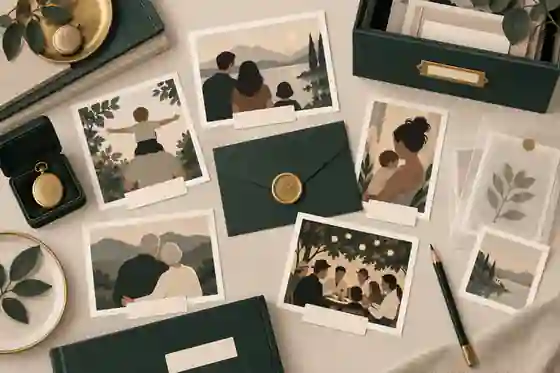
What should go in a family memory vault? Prompts, photos and legacy preservation belong together: the strongest vault holds the person’s voice, family stories, photographs, captions, documents, practical wishes, permissions, and a clear plan for who can view, add to, and preserve it over time. Think of it as a calm life history archive, not a box of random uploads.
A good vault answers three needs at once. It helps relatives remember the person as they were in ordinary life, gives future generations enough context to understand the family record, and keeps sensitive material protected. The best starting point is not perfection. It is one labelled photo, one recorded answer, one written story, and one agreed place where the family knows those memories will live.
Professional archivists make the same distinction at a larger scale. The Library of Congress explains personal digital archiving as an active process rather than a one-time upload, and the U.S. National Archives says family papers and photographs last longer when damage is prevented before it happens through careful handling and storage in its family archive preservation advice. A family memory vault should follow that same practical logic: gather, label, protect, share carefully, and revisit.
What should go in a family memory vault first?
Start with the material that would be hardest to recreate if it disappeared. Full names and dates matter, but the irreplaceable things are usually more human: how someone sounded when they laughed, what they cooked without a recipe, the story behind a migration, the nickname only one branch of the family used, or the photograph no one has captioned. If you are planning record your life story before its lost forever conversations, begin with short, specific prompts rather than a request for someone to summarise an entire life.
Every vault should include a simple identity foundation: full legal name, preferred name, maiden or former names, birth date, birth place, important residences, parents, siblings, partners, children, close friends, occupations, communities, faith or values if relevant, and key life chapters. This is not the heart of the vault, but it stops future relatives from guessing. It also helps connect stories to records when families later research ancestry, immigration, education, military service, or community life.
Then add a story layer. Ask about childhood homes, schools, friendships, first work, courtship, parenting, moves, hardships, celebrations, food, music, hobbies, faith, humour, lessons, and turning points. Competitor question lists are useful because they remind families to ask open questions, but a superior memory vault goes further by pairing each answer with context: who is speaking, when it was recorded, who else is mentioned, whether the story may be shared, and what supporting photo, letter, recipe, certificate, or object belongs with it.
For families building a memorial rather than a living archive, what to include on a memorial page is a useful companion decision. A memory vault can hold private background material, while the public or shared memorial can present the selected life story, photographs, tributes, and service details that feel appropriate for wider viewing.
Photos, captions and the stories behind them
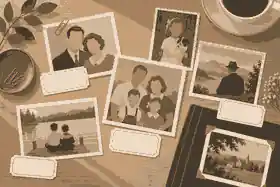
Photos should not enter the vault as silent files. A folder called “old photos” is almost impossible for the next generation to use. Each important image should have a caption that records who is shown, where it was taken, when it was probably taken, who supplied it, and what story it carries. If exact dates are unknown, use honest wording such as “about 1968” or “probably at Aunt June’s house”.
Digitise fragile photographs carefully. The National Archives warns in its digitising family papers and photographs guidance that scans help families view and share items without repeated handling, but originals should still be kept because digital files have preservation risks too. For storage, its family papers and photographs storage guidance recommends cool, dry, stable conditions and suitable folders, sleeves, and boxes rather than damp basements, hot attics, or damaging adhesives.
Include three kinds of images. First, choose clear portraits for identification. Second, add relationship photographs: family meals, weddings, workdays, holidays, houses, gardens, favourite places, and groups of friends. Third, add object photographs: medals, aprons, tools, instruments, letters, recipes, passports, handmade items, schoolbooks, and anything that unlocks a story. Families planning broader preserving family history work should treat these objects as prompts, not clutter.
Do not over-edit the archive. Keep an original scan or photograph, then create a display copy if you want cropping, colour correction, or repair. The National Archives’ photograph handling guidance stresses careful handling because oils, scratches, bending, and unsuitable enclosures can cause harm. In family terms, that means clean hands, minimal handling, no tape repairs, no forced flattening, and no writing across the image surface.
Voice, video and interview prompts
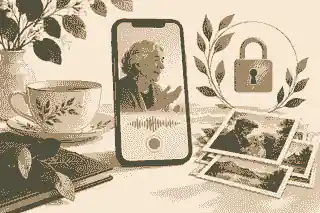
Voice is one of the most powerful things to include in a family memory vault because it preserves pace, accent, humour, hesitation, and warmth. A transcript can help people search the recording, but it cannot replace the recording itself. Use short sessions, ask permission clearly, and record in a quiet room with the phone close enough to capture speech. If someone dislikes cameras, audio may be more comfortable than video.
Good prompts are specific and gentle. Try: What did your childhood kitchen feel like? Who was the relative everyone listened to? What job changed you? What was a difficult season you came through? Which family story should not disappear? What did love look like in daily life? What song, saying, recipe, or object belongs to your story? What do you want younger relatives to understand about where they come from?
The best interviewers do less than they think. Ask one question, let silence work, and follow the tangent if it reveals something meaningful. If the person becomes tired, confused, distressed, or private, stop. The NHS explains that dementia is a group of symptoms that can affect memory, concentration, communication, mood, and daily tasks in its dementia symptoms information, so families should keep conversations short, familiar, and respectful where memory changes are present.
Some vaults benefit from a theme-based structure. A month might focus on childhood, another on work, another on recipes, another on love and friendship. Families can use online memorial site with photos and stories planning when they want selected recordings, captions, and photographs to sit together rather than being scattered across phones, emails, and social platforms.
Documents, dates and practical details
A family memory vault is not a substitute for legal, medical, financial, or estate planning, but it can hold a practical index that helps relatives know what exists and where to find it. Include copies or notes about birth, marriage, migration, military, education, employment, citizenship, and award records where appropriate. For current affairs, keep sensitive documents in a secure legal or administrative location, then use the memory vault to record that such documents exist and who should be contacted.
The U.S. National Institute on Aging recommends gathering important documents and wishes in advance in its affairs in order checklist. Australian, United Kingdom, and United States families will use different document names and agencies, but the principle is the same: do not hide critical information inside a sentimental archive where no one knows to look, and do not publish private identity information where it could be misused.
Useful practical entries include preferred name spellings, pronunciation notes, cultural or religious customs, funeral or memorial wishes if the person has chosen to share them, favourite readings or music, people to notify, and any explanation of family traditions. If the vault later supports a memorial, what information helps you start a memorial can keep the first draft manageable.
Privacy, consent and family access
Before adding recordings, photographs, letters, or social media screenshots, decide who is allowed to see them. Privacy laws differ across Australia, the United Kingdom, and the United States, and family expectations differ even more. The OAIC explains what counts as personal information in Australia, while GOV.UK summarises UK data protection rights and responsibilities. In the United States, privacy is more sector-based, so families should be especially cautious about health, financial, school, and identity details.
Consent should be plain. Say what you are recording, why, where it will be kept, who may see it, and whether any part might become public. Someone may be happy to share childhood stories but not medical history, conflict, adoption details, financial matters, or private grief. A vault should make room for boundaries: public, family-only, close relatives only, private until death, private indefinitely, or delete after review.
Where a memorial is involved, the choice between private versus public online memorials matters. Public sharing can help distant relatives and friends contribute, but private sharing protects sensitive stories and gives immediate family time to review material. The safest approach is to begin privately, invite trusted contributors, and publish only what the family has agreed to share.
Family collaboration needs structure. One person should not have to carry every story, and one person should not have unchecked power to publish everything. Use named roles: organiser, photo identifier, interviewer, fact checker, privacy reviewer, and backup keeper. If several relatives are contributing, inviting family and friends to contribute can turn the vault from a private task into a shared record without losing control.
Public figures show why structure helps. A well-shaped profile such as Steve Jobs can connect timeline, work, relationships, images, and remembrance into one understandable story. Families do not need celebrity-level detail, but they do need enough context for future readers to see more than disconnected facts.
Digital legacy, security and backups
A modern memory vault should include a digital legacy plan. The Australian eSafety Commissioner describes a digital legacy as what remains of a person online, including digital assets and presence, in its digital accounts after death guidance. For a family vault, that means noting which photo libraries, cloud drives, social media accounts, email accounts, websites, and devices contain memories, who can access them lawfully, and what the person wanted preserved or closed.
Security is part of remembrance. Use strong passphrases, trusted account recovery details, and careful sharing. The Australian Signals Directorate’s passphrase advice recommends longer, memorable phrases because they can be easier to use and harder to guess than short passwords. Do not put passwords in a shared memorial page. Instead, use a secure password manager or legal instruction process appropriate to your country.
Scams and impersonation risks are real after bereavement. The ACCC notes that scams can deceive people into giving away money or personal details in its scam protection information, and the FTC explains common warning signs in its phishing scam advice. A vault should avoid publishing addresses, full birth dates for living relatives, identity documents, signatures, school details for children, travel patterns, account numbers, or anything that could help someone impersonate a family member.
Backups should be deliberate. Keep at least one working copy and at least one independent backup. For valuable files, use a simple 3-2-1 mindset: three copies, two different storage types, one copy away from the home. The National Archives uses that approach in its digitising guidance, and families can adapt it with a computer, trusted cloud storage, and an external drive held by another relative. downloading memorial content is also sensible when a memorial becomes the family’s main shared record.
Copyright, permissions and cultural care
Families often assume they can upload anything they possess. Ownership of a physical photograph, letter, recording, or song is not always the same as copyright permission. The U.S. Copyright Office explains in Copyright Basics that copyright protects original works fixed in a tangible medium, which can include photographs, written works, audio, video, and other creative material. Laws differ by country, but the practical family rule is simple: if someone else created it, check before public use.
For private family access, risk is usually lower, but respect still matters. Ask before uploading a living person’s photograph, a child’s image, a private letter, or a recording that includes several people. Be especially careful with Indigenous, First Nations, Aboriginal, Torres Strait Islander, Māori, Native American, religious, military, adoption, and trauma-related material. Some stories belong to a group, not only to the person who happened to hold the file.
Separate “keep” from “publish”. A vault can preserve a sensitive letter privately without displaying it. A family can record a painful story and mark it closed. A person can ask that a message be shared only after death, or never shared at all. These boundaries are not obstacles to preservation; they are part of ethical preservation.
How to organise the vault so people can actually use it
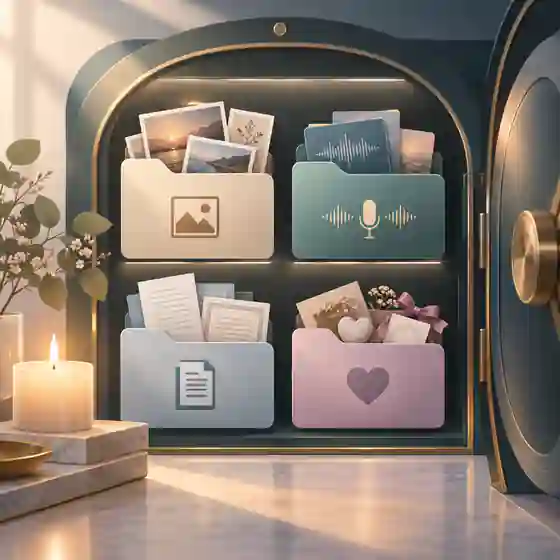
Use a structure that ordinary relatives can understand. A practical vault might have folders for Life Story, Photos, Voice Recordings, Videos, Documents, Recipes and Traditions, Places, Objects, Tributes, Private Notes, and Admin Index. Each file name should include the person, date or approximate date, topic, and version where helpful. “Dad_first_job_audio_2026-03-14” is better than “Recording 17”.
Every item needs enough metadata to survive memory loss. Metadata simply means information about the item: who, what, where, when, creator, source, rights, and notes. For photos, add names and context. For recordings, add the speaker, interviewer, date, place, topic, permission level, and a short summary. For documents, add what it is, whether it is a copy or original, and where the original is kept.
Do not wait to organise until the archive is “complete”. Completion is the wrong goal. A family memory vault is more like a garden than a filing cabinet: it grows, is pruned, and changes as people remember more. saving progress and returning later makes that emotionally easier, because families can begin with a small version and add more when they have the energy.
Examples help. Alan Rickman is remembered through craft, voice, relationships, and public work rather than only a name and date. A private family vault can do the same at household scale: one section for life events, one for creative or working life, one for relationships, one for humour, and one for the values people still feel.
Prompts to fill the vault without overwhelming anyone
Use prompts in small sets. Childhood prompts might ask: Where did you sleep? What did the street sound like? Who cooked? What did money feel like? Who made you laugh? Growing-up prompts might ask about school, friends, music, work, mistakes, and first independence. Relationship prompts can cover friendship, love, partnership, parenting, mentors, neighbours, and chosen family. Values prompts can ask what the person changed their mind about, what they are proud of, what they regret only if they want to discuss it, and what advice they would give without sounding like a sermon.
Photo prompts are often easier than direct questions. Place three photos on the table and ask: What happened just before this? Who is missing from this picture? What did that place mean to you? What should we write on the back so no one has to guess? Object prompts work the same way: Tell me about this watch, this recipe, this medal, this prayer book, this dress, this tool, this ticket, this album.
For grief-sensitive vaults, include tributes from others. A person’s own stories are central, but relatives and friends often hold different pieces of the life. Ask for one memory, one photograph, one phrase the person used, and one thing they taught. This is where digital memory preservation steps matter: screenshots, posts, messages, and digital photos should be saved with context before accounts are closed or devices are lost.
What to leave out or restrict
Not everything belongs in a shared vault. Restrict passwords, bank details, tax identifiers, full identity documents, medical records, private legal files, unresolved allegations, confidential workplace material, and information about living people who have not consented. Also restrict anything that would expose a vulnerable person, embarrass someone unnecessarily, or turn grief into spectacle.
Some items can be noted without being uploaded. Instead of storing a will, the vault might say, “The current will is held by the solicitor named in the family admin file.” Instead of uploading a passport scan, it might say, “Passport copies are in the secure estate folder.” This protects the family while still giving future organisers direction.
Think carefully about painful stories. If hardship, estrangement, addiction, war, abuse, discrimination, miscarriage, suicide, adoption, or family conflict appears in the record, preserve context and consent. Do not force a neat moral onto someone else’s pain. If a story is important but sensitive, mark it private, add a note about who may review it later, and avoid public display.
A simple family memory vault checklist
Use this order if you need a calm starting point. First, create the identity foundation: names, dates, places, relationships, and pronunciation notes. Second, record one short voice story with consent. Third, upload five captioned photographs. Fourth, add one object or recipe story. Fifth, add a privacy note for each item. Sixth, invite one trusted relative to check names and dates. Seventh, create a backup. Eighth, decide what belongs in a memorial, what remains family-only, and what should stay private.
Then build by theme: childhood, home, work, love, children, friendships, faith or values, holidays, food, places, music, losses, lessons, and hopes. Keep each session short. If the archive is for someone living, let them review what has been added. If it is for someone who has died, give the closest family members time before inviting wider contributions.
A complete vault does not need every document, every photograph, or every story. It needs enough carefully chosen material for a future relative to understand the person in context: the facts of the life, the texture of the life, the voices around the life, and the family’s boundaries. That is the difference between storage and legacy preservation.
When a public or family memorial is the next step, a profile such as Leonard Cohen shows how creative work, relationships, and memory can sit beside a life story without flattening the person into a timeline. Your family’s version can be quieter, more private, and just as meaningful.
If your family is ready to gather stories, photos, prompts and permissions in one calm place, Evaheld Memorials can help you begin with what should go in a family memory vault and shape it into a respectful record over time.
FAQs
What should go in a family memory vault? Prompts, photos and legacy preservation
A family memory vault should include identity details, stories, labelled photos, voice or video recordings, documents, captions, permissions, privacy notes and a backup plan. Start with what to include on a memorial page when deciding what belongs in the shared memorial layer, and use the Library of Congress personal digital archiving guidance for the preservation mindset.
How many photos should a family memory vault include?
Quality matters more than volume: choose clear portraits, relationship photos, places, objects and moments that carry context, then caption each one. Families planning preserving family history work should also follow the National Archives advice on digitising family papers and photographs.
Should we record audio or video for a memory vault?
Use audio when the person feels more relaxed, and video when facial expression, hands, objects or places add meaning. record your life story before its lost forever planning works best in short sessions, especially when NHS dementia symptoms information suggests memory or communication changes may affect the conversation.
What documents belong in a family memory vault?
Include copies or notes about key life records, military or migration history, awards, education, work and family milestones, but keep sensitive originals in secure legal or administrative storage. what information helps you start a memorial can keep the memorial draft separate from the National Institute on Aging affairs in order checklist.
How do we protect privacy in a family memory vault?
Set access levels before inviting contributors: public, family-only, close relatives only, private until later, or private indefinitely. private versus public online memorials is a useful decision point, and the OAIC explains what counts as personal information in Australia.
Can relatives add their own stories to the vault?
Yes, but give people clear prompts, contribution rules and a review process so the archive stays accurate and respectful. inviting family and friends to contribute works best alongside GOV.UK data protection awareness for living people’s personal details.
How should we back up a family memory vault?
Keep more than one copy, use more than one storage type, and make sure one trusted copy is away from the home or device most likely to fail. downloading memorial content supports that backup habit, while the National Archives family papers and photographs storage guidance explains why originals also need stable conditions.
What should not be uploaded to a family memory vault?
Avoid publishing passwords, identity documents, account numbers, full birth dates for living people, private health records, children’s details, or unresolved family allegations. digital memory preservation steps should sit beside ACCC scam protection information so remembrance does not create avoidable risk.
How do copyright rules affect photos, music and recordings?
Owning a copy of a photograph, song, letter or recording does not always mean you can publish it, so separate private keeping from public sharing. online memorial site with photos and stories planning should respect the U.S. Copyright Office Copyright Basics principles and local law.
Can we build the vault slowly?
Yes; a useful vault can begin with one story, five labelled photos and a clear privacy decision, then grow over months. saving progress and returning later is often healthier than trying to complete everything at once, especially when eSafety’s digital accounts after death guidance shows how much online material can need careful planning.