What is an interactive life narrative? Prompts, photos and legacy preservation
A practical guide to creating an interactive life narrative with prompts, photos, audio, privacy choices and preservation for families in Australia, the UK and the US.
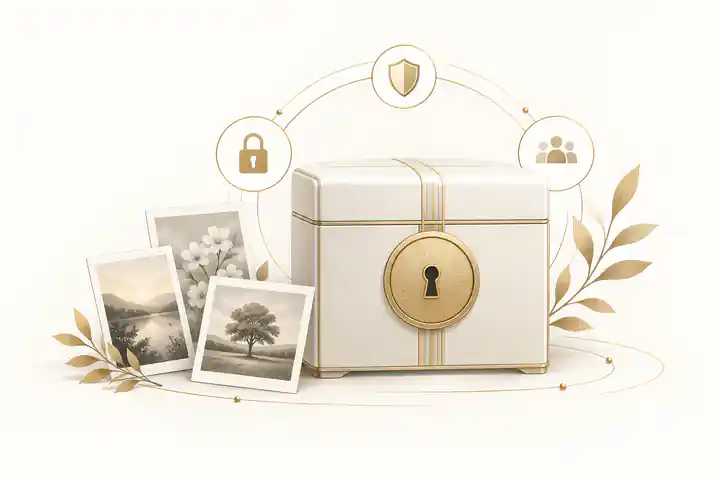
What is an interactive life narrative? Prompts, photos and legacy preservation means turning a person's memories into a living story that family can read, hear, see, add to and protect over time. An interactive life narrative combines guided prompts, photographs, audio or video, family context, privacy choices and long-term preservation so the story is not reduced to dates, documents or a short obituary.
The best version is not a perfect biography. It is a careful, consent-aware record of family stories, life history, photos, voice notes, objects, values and relationships, arranged so relatives can explore it, contribute to it and return to it later. For families planning a memorial, it can sit beside practical remembrance content, especially when record your life story before its lost forever feels more urgent than writing a formal tribute from scratch.
An interactive life narrative is more than a question list
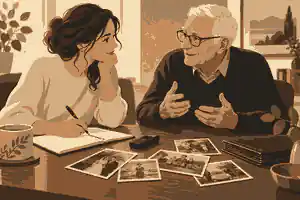
Many people begin with a list of questions for grandparents, parents or older relatives. That is useful, but it is only the first layer. An interactive life narrative goes further by connecting the answers to photographs, places, people, artefacts, chapters, permissions and later family contributions. Instead of asking once and leaving the recording on a phone, the family builds a structured memory record that can be searched, edited, shared and preserved.
Professional oral history practice gives families a useful model. The Oral History Association's best-practices guidance describes oral history work as preparation, interviewing, preservation and access. A family project does not need institutional formality, but those four stages are a strong framework: plan what matters, record respectfully, protect the files and decide who may see what.
The word interactive matters. A static life story is usually written by one person at one moment. An interactive life narrative can begin with one organiser, then invite siblings, cousins, friends, grandchildren, neighbours or colleagues to add missing details. One person may know the migration story, another may know the song from the wedding, another may have the photograph that explains a whole chapter. For broader family-history planning, family history preservation prompts can help organise those contributions without turning the process into an interrogation.
What an interactive life narrative should include
A strong narrative usually has six parts. First, it needs a simple life outline: names, dates, places, relationships, work, education, community, faith or values, and major turning points. Second, it needs stories in the person's own words, ideally through audio or video as well as written notes. Third, it needs photos and objects that unlock memory. Fourth, it needs context, including family names, captions, locations and the meaning behind keepsakes. Fifth, it needs privacy decisions. Sixth, it needs preservation planning so the finished record can survive changing phones, accounts and platforms.
The Library of Congress personal digital archiving guidance is useful here because it treats digital photographs, audio, video, email and personal records as materials that need deliberate care. A family narrative should not depend on one person's phone, one social media account or a folder called old stuff. It should have clear file names, backup copies, captions and a plan for access.
For physical items, the U.S. National Archives advice on storing family papers and photographs recommends cool, dry storage, suitable enclosures and avoiding damaging materials. That matters because an interactive narrative often begins with fragile originals: a handwritten recipe, a work certificate, a military photograph, a passport, a funeral card or a child's drawing kept for decades.
Digital organisation also matters after scanning. Families can use digital memories and social media guidance to decide which online posts, videos, messages and photographs should be saved before accounts are closed, lost or difficult to access.
Prompts that create better stories
The most useful prompts are specific, open and kind. Tell me about your life is too large for many people. What did the kitchen smell like when you were ten is easier. Good prompts give the speaker a doorway into memory, then leave room for the story to move.
Start with ordinary scenes before difficult material. Ask about a childhood home, a favourite meal, the route to school, the first job, the first room they rented, the music they played, the neighbour everyone knew, the best teacher, the worst haircut, the family saying that still makes people laugh, the day they met a partner, the work they were proud of, the move that changed everything, and the advice they no longer believe. Then use follow-up prompts: who else was there, what happened next, how did that feel, what do people misunderstand, what should we remember accurately?
StoryCorps suggests preparing a small set of questions rather than trying to cover a whole lifetime at once; its question-list advice recommends a focused handful of prompts and curiosity once the conversation begins. Its interview preparation guidance also highlights practical details such as bringing questions, giving time and attending to the interview partner rather than the microphone.
For a memorial context, the best prompts should help the family decide what belongs in an online memorial: the life story, photos, service details if relevant, tributes, recordings, favourite sayings, family milestones and details that make the person recognisable to those who loved them.
How photos, objects and places make the narrative interactive
Photos are not decoration. They are evidence, prompts and emotional anchors. Place five photographs on a table and ask: who is in this picture, who is missing, where was it taken, what happened before and after, why was this moment photographed, and what would someone outside the family not understand? A single image can open childhood, work, migration, courtship, illness, friendship or faith.
Objects work the same way. A ring, apron, camera, fishing rod, prayer book, union card, musical instrument, recipe tin, medal, tool or handwritten letter can become a chapter. The interactive part is the connection: the object is photographed, captioned, linked to the recording, placed in a timeline and opened for relatives to add what they know. Families creating an online memorial site with photos and stories should keep the image, caption and memory together so the context does not drift away from the file.
When digitising items, handle originals carefully. The National Archives family archive guidance stresses preventing damage as a core preservation principle. Take photographs in good light, avoid adhesive notes on originals, record the owner's name if known, and note uncertain details honestly rather than guessing.
Places are also prompts. A street, school, farm, factory, church, cemetery, club, kitchen, beach, train station or hospital may hold the structure of a life. If travel is possible and welcome, record a short walk-through. If it is not, use maps and photographs. Ask what has changed, what still looks the same and which place should be remembered even if it no longer exists.
Recording voice, video and written memories
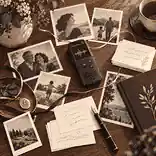
Audio is often the easiest format for an interactive life narrative. It captures voice, accent, silence, humour and emotion without asking the speaker to perform for a camera. Video can be powerful when hands, expressions, place or objects matter. Writing is useful for private reflection, spellings, dates and notes that someone does not want to say aloud.
Use the least intrusive method that still captures what matters. In a quiet room, a phone placed close to the speaker can be enough. Record a short test. Turn off notifications. Say the date, speaker's name, interviewer and topic at the beginning. Keep early sessions to a manageable length; many families get better results from 20 to 40 minutes than from one exhausting afternoon.
The Oral History Association ethics statement is clear that informed consent, transparency, respect and an opportunity to review matter. In a family setting, that means asking before recording, explaining who may hear it, offering to stop, and accepting that some memories are not for public sharing.
For older relatives or people living with dementia, adapt the format. The Alzheimer's Society communication guidance recommends calm surroundings, time to respond, short ideas and not speaking as though the person is absent. Its memory loss therapy guidance explains that reminiscence work may use prompts such as music, objects and photos, while also recognising that difficult memories may surface. The lesson for families is simple: memory work should support the person, not extract material from them.
Privacy, consent and family boundaries
An interactive life narrative can contain personal information about many people, not just the speaker. It may include names, addresses, health stories, adoption details, migration records, photographs of children, family conflict, grief, financial hardship or private messages. Privacy should be designed at the start, not repaired after sharing.
Australian readers should note that the OAIC guidance on photos and videos explains that images can be personal information when identity is clear or reasonably identifiable. The OAIC personal information guidance also notes that information can be personal information whether or not it is recorded in a material form. For families, the practical point is to treat identifiable photos, voice recordings and sensitive stories with care even when a private household project may not be regulated like an organisation.
For United Kingdom readers, the ICO guidance on valid consent explains that consent should be freely given, specific, informed and unambiguous. A family memorial is not usually a corporate data project, but the same ethical standard is useful: do not rely on silence, pressure or vague agreement when sharing someone's story online.
For United States readers, privacy law varies by state, and recording consent rules can differ. As a general family practice, tell people when recording starts, ask whether they agree, and avoid publishing identifiable details without permission. The Federal Trade Commission's online sharing advice also warns that photos, videos and messages can reach a larger audience than expected and may be saved or reshared.
Privacy settings should match the family's emotional reality. Some families want a public story; others need a private space while details are checked. Choosing private versus public online memorials is not only a technical decision. It affects who can see grief, who can contribute, whether search engines may find the page and how exposed close relatives may feel.
Editing without flattening the person's voice
Editing is not the same as polishing away personality. A good life narrative corrects spellings, removes duplication, checks dates and clarifies structure while preserving the person's rhythm. If someone speaks in fragments, you can add context around the excerpt rather than rewriting it into a voice they would not recognise.
Separate three layers: the original recording, a family transcript or summary, and the public or shared narrative. The original should be kept intact unless the speaker asks for a section to be removed. The transcript can identify names, mark uncertain words and add time stamps. The public narrative can select safe, meaningful excerpts and explain context.
When the story involves painful events, do not force resolution. A life can include grief, estrangement, migration trauma, illness, financial pressure or regret without turning those experiences into lessons. Give the speaker control where possible. Use neutral wording when facts are disputed. Mark private sections clearly. If another living person is significantly affected by a story, consider whether it should stay in a restricted family archive rather than a public memorial.
Moderation is part of editing. If relatives can add memories, someone should review contributions before publication, especially when grief is fresh or family history is complicated. moderating memorial comments helps protect the tone of the page while still allowing genuine tributes, corrections and small memories to be added over time.
Building the narrative structure
The most usable structure is usually chapter-based rather than strictly chronological. Chronology helps, but a life is not only a timeline. Consider chapters such as childhood and roots, home and place, school and early influences, work and purpose, love and partnership, children and family, friendships and community, hardship and resilience, faith and values, creativity and humour, favourite objects, later years, and messages for the future.
Within each chapter, combine different media. A childhood chapter might include one short audio clip, three photographs, a map, a caption about the house and two memories from siblings. A work chapter might include a certificate, a tool, a colleague's tribute and a short explanation of why the job mattered. A values chapter might include advice, favourite sayings and choices the person made when life was difficult.
Interactive design should reduce confusion. Avoid dumping every file into one gallery. Give each item a name, a date if known, a location if known and a short note about why it matters. Use plain headings. Make it easy for relatives to add details without overwriting the original story. If something is uncertain, say so: possibly 1968, believed to be in Manchester, or Aunty Jean thinks this was taken before the move.
For families using richer media, adding videos and music to memorials should be done with consent, copyright awareness and emotional restraint. A favourite song, short home video or voice message can be powerful, but the narrative should not become overwhelming or difficult to load for older relatives.
When relatives are ready to add their own details, how family and friends can be invited to contribute is useful because contribution access should be planned before memories, captions and corrections begin arriving from several households.
Preservation: how to make the story last
Preservation is a habit, not a one-time upload. After each interview, save the file immediately, rename it clearly and keep copies in more than one place. A useful naming pattern is person, topic, date and format: Jean-childhood-kitchen-2026-09-21-audio. Keep a simple index with names mentioned, topics, restrictions and follow-up questions.
Use formats that are easy to access. Keep original files when possible. Export copies for sharing if needed. Avoid editing the only copy. If a platform changes, an account closes or a relative loses access, the family should still have the core story, captions and media. That is why downloading memorial content matters as part of a longer preservation plan.
Backups should include both digital and human redundancy. At least two trusted people should know where the archive is and how access works. Record passwords and account instructions in a secure way, not in a public memorial. If the story will become part of a memorial after death, decide who can approve changes, who can invite contributors and what should never be made public.
United Kingdom, Australian and United States families share the same preservation problem: digital memories are fragile even when they feel permanent. Phones break, cloud accounts expire, platforms change and files without captions become hard to interpret. The answer is not fear; it is calm process. Label, back up, review and share thoughtfully.

How interactive narratives support grief and remembrance
An interactive life narrative can support grief because it gives relatives something specific to return to. It does not remove loss, and it should not be treated as therapy unless a qualified professional is involved. But it can help people remember more accurately, contribute when they are ready and see the fuller shape of a person's life beyond the final illness or funeral period.
Memorial profiles show how chaptered storytelling can preserve public memory as well as family feeling. The Evaheld Memorials profiles for Steve Jobs, Princess Diana and Alan Rickman each demonstrate a different narrative challenge: creative work, public service, personal relationships, images, milestones and tributes all need structure rather than a single paragraph.
For private families, the same principle applies on a smaller scale. One person's life may include work that shaped a community, a kitchen where everyone gathered, a difficult migration, a second marriage, a garden, a favourite joke and quiet acts of care no public record will ever show. The interactive narrative allows those details to sit together without forcing them into a newspaper-style notice.
Common mistakes to avoid
The first mistake is waiting for the perfect plan. A short, consented recording today is usually better than an elaborate project that never begins. The second mistake is asking too many questions at once. The third is treating photos as decoration rather than story prompts. The fourth is publishing sensitive material too quickly. The fifth is assuming a platform is permanent without keeping family-controlled backups.
Another mistake is making one person carry the whole project. A good organiser sets the structure, but the family can share the work: one person scans photos, one checks dates, one interviews, one labels files, one reviews privacy, one invites contributors. Where relatives disagree, use a conservative rule: private first, public later only if the closest decision-makers agree.
Do not confuse comprehensiveness with love. A life narrative does not need every document, every photo or every anecdote. It needs the material that helps people understand who the person was. Leave out anything that would embarrass, expose or distort them. Include enough ordinary detail that future readers can feel the texture of the life, not just the achievements.
A practical step-by-step plan
Begin with one speaker, one quiet session and one theme. Ask permission, record the date and start with an easy prompt. After the session, save the file, write a short summary, note any private sections and choose two or three photos that match the conversation. Then invite one trusted relative to add missing names or context.
In the next session, use a different prompt type: a place, an object, a person, a turning point or a value. Build slowly. After three sessions, create a simple chapter list. After five, review privacy settings and decide whether the story is for close family, invited contributors or a wider memorial audience.
If the narrative will support an Evaheld Memorials tribute, keep the first version modest: a short life history, selected photos, one or two recordings, a few captions, contributor access and clear privacy. Then widen it over time. Families who are ready to begin can create an interactive life narrative in a memorial space that can grow as stories, photos and legacy preservation decisions become clearer.
FAQs
What is an interactive life narrative? Prompts, photos and legacy preservation
An interactive life narrative is a structured, shared life story built from prompts, photos, recordings, captions, family context and privacy decisions. It works best when it connects voice, images and memories in one place, then allows trusted relatives to add details over time. Families often begin with record your life story before its lost forever, while the Oral History Association's best-practices guidance gives a strong ethical framework for recording and preserving spoken memories.
What prompts work best for a life narrative?
The best prompts are open, specific and gentle: ask about a place, photo, object, relationship, job, meal, journey, value or turning point rather than asking for an entire life story at once. family history preservation prompts can help families organise themes, and StoryCorps question-list advice supports starting with a small set of thoughtful questions.
How should photos be used in an interactive life narrative?
Use photos as memory anchors, not just decoration. Ask who is pictured, where the image was taken, what happened before and after, and why that moment matters. an online memorial site with photos and stories keeps images and captions together, while the U.S. National Archives advice on storing family papers and photographs helps families protect fragile originals.
Should we record audio, video or written answers?
Audio is often easiest, video is useful when expression or objects matter, and writing helps with dates, spellings and private reflections. Choose the format the person can sustain comfortably. adding videos and music to memorials should be done thoughtfully, and interview preparation guidance shows why practical preparation improves recorded conversations.
How do we handle consent before recording family stories?
Ask clearly before recording and explain who may hear the file, where it will be stored and whether any part may be shared publicly. Consent should stay specific because a person may agree to childhood stories but not health details or family conflict. private versus public online memorials helps families choose the right visibility level, and the ICO guidance on valid consent explains why clear, informed agreement matters.
What if the person has dementia or memory changes?
Keep sessions short, calm and familiar, use photos or objects as prompts, allow time to respond and stop if the person becomes tired or distressed. what belongs in an online memorial can be chosen gently from material already shared, while Alzheimer's Society communication guidance supports respectful conversation with people living with dementia.
How private should a family life narrative be?
Start with the narrowest sharing level that still helps the family, then widen access only if it continues to feel right. Avoid public sharing of addresses, medical details, children's information or disputed family stories. moderating memorial comments supports careful contribution review, and the OAIC guidance on photos and videos explains why identifiable images need care.
How do we preserve the finished narrative long term?
Keep the original files, make backup copies, use clear file names, write summaries and make sure more than one trusted person knows how access works. downloading memorial content should be part of the plan, and the Library of Congress personal digital archiving guidance explains why personal digital collections need deliberate preservation.
Can relatives add their own stories later?
Yes, and that is one of the strengths of an interactive narrative. Invite trusted contributors, give them clear prompts, review submissions and keep corrections transparent. how family and friends can be invited to contribute explains the memorial collaboration side, while the Oral History Association ethics statement reinforces respect, transparency and review.
What should we avoid putting in a public life narrative?
Avoid publishing private addresses, account details, medical specifics, unresolved disputes, stories about living people without permission, or photos that could expose someone who did not agree to be included. digital memories and social media guidance can help families sort online material carefully, and the Federal Trade Commission's online sharing advice is a useful reminder that online posts can travel beyond the intended audience.