How do I animate a photo of a deceased person? Ethical tools, memories and safety
A careful guide to animating a photo of a deceased person with consent, privacy, disclosure, family review and safer memorial sharing.
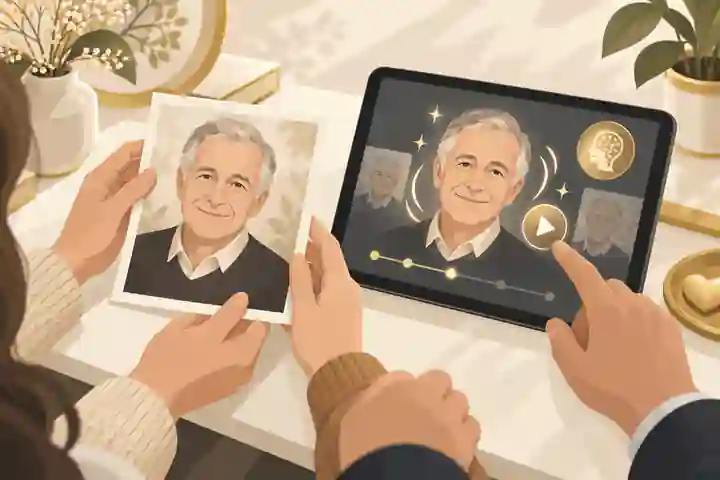
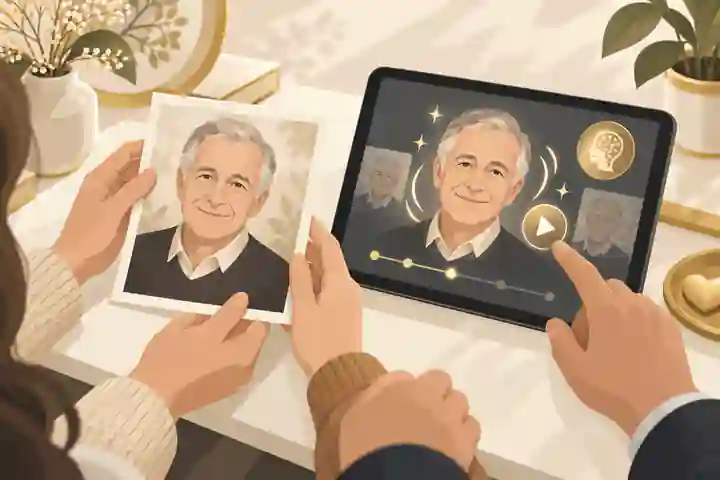
How do I animate a photo of a deceased person? Ethical tools, memories and safety begin with one careful choice: treat the animation as an AI-assisted memorial interpretation, not as real footage or a way to make the person speak again. If you decide to animate a photo of a deceased person, use a private, consent-aware workflow: choose one appropriate photograph, preserve the original, check family agreement, avoid fabricated speech, label the result clearly and share it only where it will support remembrance rather than shock or pressure grieving people.
AI memorials, photo restoration and voice tools now sit close together, which can make the decision feel confusing. A still portrait can be restored, colour-corrected or lightly animated without claiming to reproduce the person’s mind. A cloned voice, generated message or interactive avatar is a different ethical category because it may seem to speak for someone who cannot confirm, correct or refuse it. That difference should guide every practical step.
For families in Australia, the United Kingdom and the United States, the law is not identical, and the emotional questions are often more immediate than the legal ones. A family-only animation made from a photograph you are entitled to use is usually lower risk than a public post, commercial tribute, celebrity recreation or social video designed to go viral. Yet low risk is not the same as no risk. Privacy, copyright, family disagreement, cultural expectations and grief responses can all affect whether the animation is appropriate.
animate a photo of a deceased person: practical guidance
Most AI photo animation tools take a still image and generate short movement: blinking, breathing-like motion, a slight turn of the head or a gentle change of expression. Some services combine this with restoration, sharpening, colourisation, background clean-up, music, captions or video export. The safest memorial use is restrained movement based on the original photograph, with no invented speech and no dramatic acting.
The practical question is not only whether the tool can animate the image. It is whether the result still feels like a respectful memory. The existing Evaheld Memorials article on AI photo animation for a memorial: cost, consent and privacy explains why the real cost includes privacy, review, exports and preservation, not only credits or a subscription. A cheap clip with unclear data terms, hidden watermark limits or a distressing output may be worse value than a simpler still photograph.
Before using any tool, decide the purpose. Is the animation for a private anniversary viewing, a funeral slideshow, a digital memorial, a family archive or a public tribute? Purpose changes the standard. A private clip shown gently to close relatives can be meaningful. A public animation posted without warning may feel intrusive, especially soon after the death.
Consent, dignity and family authority
Consent is the central issue because the person in the photograph cannot now give informed permission. Where the person left clear wishes about photographs, technology, publicity or privacy, those wishes should carry great weight. Where no wishes are known, closest family or the person responsible for the memorial should act as a steward, not as an owner with unlimited rights.
The Australian privacy regulator’s guidance on commercially available AI products is written for organisations, but its practical cautions are useful for families: personal information entered into AI systems can create privacy obligations, outputs may still be personal information, and publicly available generative tools can carry complex risks. In the UK, the Information Commissioner’s Office groups AI guidance around data protection, transparency, explanations and biometric data in its artificial intelligence guidance. In the US, privacy and publicity laws vary by state, and copyright or digital replica questions may arise when realistic likeness, voice or commercial use is involved.
For a memorial, a useful consent test is simple: would the person probably have accepted this exact use, shown to this exact audience, with this exact disclosure? If the honest answer is no, unknown or contested, keep the result private or do not make it. If living people appear in the photograph, ask them before uploading or publishing. If a child appears, use extra caution and consider choosing another photograph.
Families who want one place to organise decisions before sharing can use an online memorial workspace to keep the original image, story, family notes and approval context together. That is different from scattering the animated file across social apps where future control may be harder.
Legal issues in Australia, the UK and the US
Copyright is separate from possession. Owning a printed photograph does not always mean owning the copyright in it. A professional studio, photographer, newspaper, agency or archive may hold rights. If you are animating a private family snapshot for private remembrance, risk is usually lower. If you are publishing widely, adding music, using the result commercially, or animating a public figure, get permission or legal advice.
The US Copyright Office’s report on digital replicas discusses realistic AI representations of a person’s voice or appearance and the legal-policy pressure created by unauthorised replicas. The US Federal Trade Commission has also highlighted the harms of AI-enabled voice cloning, especially fraud and impersonation. Those concerns explain why a short, labelled portrait animation should not be treated as the same thing as synthetic speech, endorsement or interactive impersonation.
In Australia, image misuse can also overlap with online safety concerns. The eSafety Commissioner’s information on image-based abuse is a reminder that consent, dignity and context matter intensely when images are altered or shared. Memorial images are normally not intimate abuse material, but the same broader principle applies: do not transform or distribute someone’s image in a way that humiliates, exploits or removes control from those affected.
In the UK, families should also separate memorial content from formal death administration. The GOV.UK process for what to do after a death deals with official tasks; it does not authorise families to publish every image, document or story online. In the US, state-by-state publicity rights and estate rules can matter for celebrities, performers and commercial uses. Across all three countries, the safer public position is to publish only what you can explain honestly: where the photograph came from, what AI changed, who approved it and why it belongs in the memorial.
Photo restoration is not the same as animation
Photo restoration usually aims to repair damage: scratches, fading, dust, contrast, torn edges or colour shifts. Animation adds new movement that did not exist in the original record. Voice synthesis adds new sound that may be interpreted as the person’s own words. Keep these categories separate in your family discussion because people may accept one and object strongly to another.
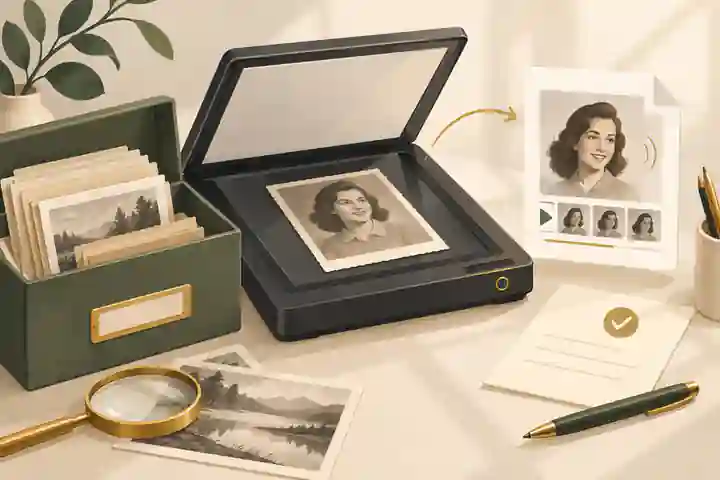
Start with preservation. The US National Archives advises that digitising originals can reduce handling, but that families should keep originals because digital files have their own preservation risks; its page on digitising family papers and photographs also recommends metadata and multiple backups. Evaheld Memorials’ digital memory preservation steps can help families keep original scans, edited versions and social-media memories organised before any AI-assisted copy is shared. Create a high-quality scan first, then work on a copy. Do not upload the only file you have to an AI service.
When you are deciding which media belongs in the tribute, the Evaheld Memorials guidance on adding videos and music thoughtfully can help place animation beside existing recordings, readings, songs and captions. Movement should support the person’s story; it should not become the centre of attention merely because it is technically impressive.
A practical step-by-step workflow
First, choose one image. Select a clear portrait with a natural expression, enough detail around the eyes and mouth, and no sensitive background details. Avoid photographs from hospital beds, private distress, intimate moments, disputed relationships or scenes where other people have not agreed to the use.
Second, preserve the original. Keep the print safely, save a high-resolution scan and make a separate working copy. Add a filename that identifies the person, approximate date, source and whether it is original, restored or animated. If you later use the file in a memorial, this record prevents the AI version from replacing the historical one.
Third, discuss approval before upload. Ask the closest family or appointed organiser whether animation feels appropriate, who should review the result and where it may be shown. Evaheld Memorials’ advice on private versus public online memorials is relevant because the same clip can feel acceptable in a closed family space and inappropriate in public search results.
Fourth, read the AI tool’s terms before uploading. Look for retention, deletion, model training, public galleries, export rights, watermarking, cancellation and support. If the terms are unclear, choose another tool or stay with restoration only. The European Commission’s ethics guidelines for trustworthy AI frame trustworthy systems around lawfulness, ethics and robustness, with requirements such as privacy, transparency, accountability and human oversight. Families can apply those ideas in plain language: do we understand what will happen to this portrait, and can we stop if the result feels wrong?
Fifth, generate privately and reject poor outputs. Do not accept distorted eyes, invented teeth, exaggerated smiles, flickering skin, false youthfulness or movement that changes the person’s apparent mood. A failed animation is not a failed memorial. Some photographs should remain still.
Sixth, label the result where it appears. A clear caption might say: “AI-assisted movement created from a 1974 family photograph; no original video exists.” The C2PA Content Credentials specification explains a technical approach to recording provenance and edits, but not every consumer tool preserves credentials through export. A written note beside the file is still important.
Seventh, review emotional impact. Show the clip privately first. Give people warning before playback. Do not autoplay sound. Let relatives opt out. The NHS guidance on grief after bereavement or loss notes that grief affects people in different ways and may not follow a neat order. Healthdirect’s Australian information on grief and loss makes the same practical point: support and pacing matter.
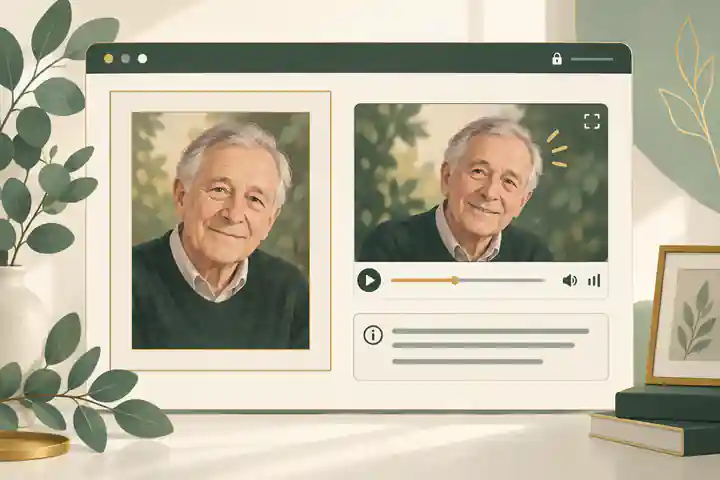
Eighth, place the animation within a fuller memorial. Include the original still, a caption, a short story and a note about the source. The Evaheld Memorials checklist for meaningful online memorial inclusions can help keep the page balanced so one AI element does not overwhelm names, dates, relationships, stories, service details and tributes.
Ninth, decide who controls future access. Someone should know where the original, restored image, animation, caption, permission notes and download are stored. Evaheld Memorials explains downloading online memorial content because long-term access depends on families retaining their own copies as well as using a platform.
When animation may help, and when it may harm
AI animation may help when it is subtle, private, carefully disclosed and chosen by people who knew the person well. It can be especially meaningful when no video exists, when relatives live far apart, or when a memorial service needs one brief visual moment beside photographs and stories. It may also help younger relatives understand that the person was once lively, expressive and part of ordinary family life.
It may harm when it is used too soon, shown without warning, shared publicly for reactions, used to simulate approval, or presented as if the person is still communicating. The academic discussion of digital afterlives warns that posthumous AI systems can create risks around grief, truthfulness, consent, dignity, cultural variation, commercialisation and replacement. Even a simple animation sits on the low-interactivity end of that spectrum, so it should be governed by restraint.
Public figures make the issue sharper. An animation connected with Stephen Hawking would need to avoid any suggestion that AI is recreating his communication, beliefs or consent. A memorial use involving Robin Williams should avoid reducing a complex public life to a shareable reaction clip. A technology-related memorial example such as Steve Jobs also raises questions about commercial persona, product endorsement and the distance between public image and private person.
These examples are not permission to animate public figures. They show why a family memorial and a celebrity simulation are ethically different. If you do not have a close relationship, clear rights and a respectful purpose, do not animate a deceased person’s image for public distribution.
Voice, speech and interactive avatars require stricter limits
A portrait that blinks does not make factual claims in the way a generated voice can. A synthetic message can seem to forgive, advise, endorse, joke, argue or give instructions. That is why many families draw a firm boundary: restoration may be acceptable, light animation may be considered, but voice cloning or chatbot-style interaction is not appropriate without explicit pre-death consent.
The NIST AI Risk Management Framework is aimed at organisations, but its govern, map, measure and manage structure translates well for families. Govern the project by naming one organiser. Map the risks by asking who could be hurt or misled. Measure by reviewing the output before sharing. Manage by removing the clip if disclosure, privacy or emotional impact is not right.
Do not use AI to make the deceased person resolve a dispute, speak to a child as if alive, endorse a product, approve a relationship, comment on politics, deliver a new farewell or say something they never said. If a voice recording exists, preserve it as the real recording. If no recording exists, a written family caption is usually more truthful than a generated voice.
How to share an animated memorial safely
Use a private-first approach. Share with one or two trusted reviewers before a wider circle. Place the animation beside the original still, not instead of it. Keep the caption visible wherever the clip appears. Avoid autoplay. Avoid surprise reveals at funerals. If the clip will be part of a service, tell close family beforehand and make sure the celebrant or organiser knows what it is.
For collaborative memorials, decide whether other relatives can upload media, whether contributions are moderated and whether the page remains private until the family is ready. Evaheld Memorials’ FAQ on whether a memorial can stay private until it is ready to share is directly relevant to AI media because families often need a quiet review period before anything public appears.
If several relatives are helping, give them roles rather than shared passwords. One person may manage files, another may check captions, and another may review emotional tone. The Evaheld Memorials answer on how to invite relatives and friends to help build the memorial supports that collaborative approach without making the memorial uncontrolled.
Common mistakes to avoid
Do not upload a photograph before reading the tool’s deletion and training terms. Do not animate every available image. Do not publish the first output simply because it moved you. Do not remove the original context. Do not use a public tool for sensitive portraits if the family would be uncomfortable with wider processing. Do not add copyrighted music casually. Do not present AI movement as documentary footage. Do not assume that every relative will find the result comforting.
Be especially careful with recent deaths, sudden deaths, suicide, family estrangement, abuse histories, children, public figures, cultural restrictions around images of the deceased and photographs involving medical care. In these contexts, still images, written tributes, audio that the person actually recorded, or a private memorial page may be kinder than animation.
Moderation matters after publication too. If guests can comment on or respond to the animation, the family may need to review messages before they appear. Evaheld Memorials’ guidance on moderating memorial comments helps prevent a sensitive media choice from becoming a source of arguments, speculation or unwanted attention.
A respectful decision checklist
- Can you explain why animation adds meaning to this memorial?
- Do you have a suitable original photograph and a preserved scan?
- Is there any known wish from the person who died?
- Have the closest affected family members agreed?
- Are living people cropped out or asked for permission?
- Have you checked copyright, music and publication rights?
- Does the AI service explain retention, deletion and training clearly?
- Is the animation subtle, accurate and free from invented speech?
- Will every viewer see a clear AI disclosure?
- Can the family remove the clip later without losing the memorial?
If several answers are uncertain, pause. A memorial does not become less loving because one technology is declined. The most respectful choice may be a restored still, a written memory, a genuine recording, a photo gallery or a private page where relatives can contribute at their own pace.
For families who decide that a carefully labelled animation belongs within a wider tribute, Evaheld Memorials can help keep the image, context, family memories and permissions together. You can begin with animate a photo of a deceased person decisions inside a calm memorial space rather than treating the animation as a standalone social clip.
FAQs
How do I animate a photo of a deceased person? Ethical tools, memories and safety
Start with one suitable photograph, preserve the original, get close-family agreement, use a private AI workflow, reject distorted outputs and label the result clearly as AI-assisted. Keep the animation within a broader memorial context such as an online memorial workspace, and apply privacy caution similar to the OAIC guidance on commercial AI products.
Is it legal to animate an old family photograph?
It may be lawful for private family use, but copyright, privacy, publicity rights and platform terms can still matter, especially if the image was taken by a professional or shared publicly. The Evaheld Memorials article on AI photo animation for a memorial: cost, consent and privacy explains the practical checks, while the US Copyright Office report on digital replicas shows why realistic AI likenesses deserve legal caution.
Should I use voice cloning for a deceased loved one?
Usually no, unless the person gave clear pre-death consent and the family can disclose the synthetic nature of the voice without ambiguity. A safer memorial choice is often written context, genuine recordings or adding videos and music thoughtfully, especially because the FTC has warned about voice cloning misuse.
How should I label an AI memorial animation?
Use direct wording beside the media, such as “AI-assisted movement created from a 1974 family photograph; no original video exists.” This fits well with meaningful online memorial inclusions and reflects the transparency purpose behind the C2PA Content Credentials specification.
What if a relative finds the animation distressing?
Pause sharing, remove autoplay, offer the still image instead and do not pressure anyone to watch. Families can keep the memorial private until it is ready to share, and the NHS guidance on grief after bereavement explains why grief responses can differ sharply.
What is the safest photo to animate?
Choose a clear, respectful portrait with a natural expression, minimal background detail and no unapproved living people. Preserve a scan first, then place the result within digital memory preservation steps, following archival principles like the National Archives advice on digitising family papers and photographs.
Can I post the animation on social media?
You can, but private-first sharing is usually safer because social posts can spread beyond the intended audience and lose context. Compare private versus public online memorials before posting, and consider the dignity and consent concerns reflected in eSafety’s information on image-based abuse.
How do I stop an AI clip from replacing the real photograph?
Keep the original still image visible, store a preservation scan, label the animation as derivative and retain notes about the tool and date created. Evaheld Memorials’ advice on downloading online memorial content helps families maintain copies, while the NIST AI Risk Management Framework supports documenting and managing AI-related risk.
Who should approve an AI animation before publication?
The person responsible for the memorial should consult the closest affected family members and anyone living who appears in the image. A collaborative process, such as the ability to invite relatives and friends to help build the memorial, aligns with the human oversight and accountability themes in the European trustworthy AI guidelines.
How do I handle comments after sharing an AI memorial animation?
Set a clear tone, moderate comments, remove speculation and keep the focus on the person’s life rather than the technology. Evaheld Memorials’ guidance on moderating memorial comments can help, and Healthdirect grief and loss information is a useful reminder that people respond to bereavement differently.