How much does AI photo animation for a memorial cost?
A practical guide to AI memorial photo-animation costs, consent, privacy, quality, disclosure, copyright, family review and preservation.
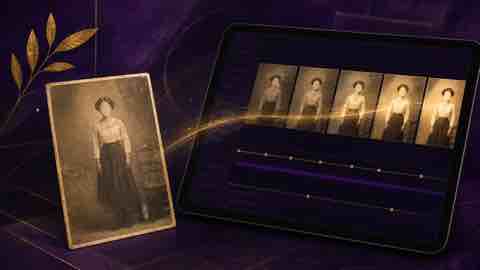
AI photo animation for a memorial can cost nothing for a limited test, a modest one-off amount for a short self-made clip, or substantially more for editor-assisted and bespoke work. The meaningful price is the complete cost of producing a respectful, usable result: credits or subscription, restoration, revisions, music rights, export quality, privacy safeguards and the time needed for family review.
There is no universal tariff because services use different credit systems, duration limits and renewal terms. A sensible family budget begins with one photograph and one clearly defined purpose. Test the result privately, record consent, export a clean copy and expand only if the animation genuinely helps the memorial. This guide explains the cost structure, ethical limits, privacy questions and practical checks that matter before payment.
How much AI photo animation for a memorial costs in practice
For planning, think in four bands rather than expecting a single market price. A free or very low-cost test may animate one face with a watermark, short duration or restricted download. A small do-it-yourself project may require a month of access or a bundle of credits. An editor-assisted piece adds human restoration, selection, timing and revisions. A bespoke tribute can include several photographs, licensed music, captions, narration, colour work and delivery in multiple formats. These are budgeting categories, not guaranteed quotes; check the live terms on the day you purchase.
Keep the AI fee separate from the wider memorial budget. The guide to online memorial cost factors helps distinguish platform costs from optional creative work. A £10 animation that cannot be exported, has unclear data rights or distresses relatives is poor value. A restrained result with transparent terms and a preservation copy may be worth more even when its sticker price is higher.
What you are actually paying for
Most automated tools charge for processing rather than artistic judgement. One credit may produce a few seconds from one image, but reprocessing after an unsatisfactory blink, mouth movement or camera motion may consume another credit. Some services bundle restoration, colourisation, face enhancement or higher-resolution export; others charge separately. Watermark removal, commercial-use permission, longer duration and priority rendering may sit behind a higher tier.
Human assistance changes the calculation. An editor may repair scratches, isolate the subject, test several motion styles, reject implausible outputs, add captions and prepare a consistent sequence. Ask for a written scope: number of source images, number of attempts, included revisions, final duration, resolution, music licensing and delivery date. This prevents a low headline price becoming an open-ended project.
Build a complete cost estimate before buying credits
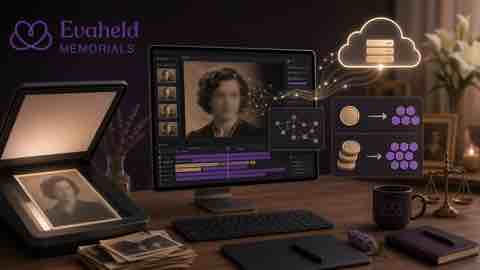
Use a simple formula: source preparation plus generation attempts plus editing plus audio plus export plus preservation. Estimate the number of photographs, then allow for failed or rejected attempts. A single portrait may need cropping, dust removal and tonal correction before animation. If three family members must approve the result, include time for a private review round rather than publishing the first acceptable render.
Write down the maximum spend before testing. Start with one representative photograph, preferably sharp, front-facing and not crowded by other faces. Do not buy a large annual plan merely because the per-credit price appears lower. Confirm whether unused credits expire, whether cancellation removes access to past work and whether downloaded files remain usable after the account closes.
Consent should be settled before cost
A technically convincing animation is not automatically an appropriate memorial. Consider any known wishes of the person who died, the views of the closest family, the original context of the photograph and whether living people also appear. Where views differ, a still image may be the more respectful choice. Consent is not a box to tick after production; it shapes whether the work should be made, who may see it and how it is described.
The Office of the Australian Information Commissioner’s guidance on commercial AI products recommends due diligence, transparency and caution when personal information is entered into generative systems. Families are not always covered by organisational privacy duties, but the practical questions remain valuable. Record who supplied the image, who approved animation and any limits on sharing.
For broader memorial decisions, compare private and public online memorial choices. A private family viewing has a different risk profile from an openly searchable video. Do not infer permission from the fact that an old photograph was previously posted on social media.

Privacy and data use can change the real price
Uploading a portrait may disclose biometric, family and contextual information. Read the privacy notice and terms before upload. Ask whether files train models, how long inputs and outputs are retained, where processing occurs, whether subcontractors receive them, how deletion works and whether a public gallery is enabled by default. A free tool may be costly if the family gives up control it expected to retain.
The UK Information Commissioner’s Office explains that organisations using AI with personal data must consider lawfulness, fairness and meaningful explanations for AI-assisted decisions. Although a memorial animation is not usually an automated eligibility decision, the principles of transparency and understandable information are useful. Prefer services that state what happens to uploads in plain language.
Limit the source file to what the task requires. Crop out unrelated living people where appropriate, remove location metadata from the sharing copy and keep the high-quality master offline. Use a unique password and multi-factor authentication. The Australian Cyber Security Centre’s multi-factor authentication advice explains why a second factor reduces reliance on a password alone.
Avoid making the person appear to say or endorse something
Subtle movement and fabricated speech are not ethically equivalent. A blink or slight head turn can still feel uncanny, but synthetic speech may falsely imply words, beliefs or consent. Do not generate a new statement in the person’s voice unless there is an exceptionally clear, documented basis and the audience is told exactly what is synthetic. For most memorials, captions written by the family are safer and more honest.
The US Federal Trade Commission has warned about harms enabled by harmful voice cloning, including impersonation and fraud. The US Copyright Office’s report on digital replicas discusses unauthorised realistic representations of individuals and the need for effective protection. Laws vary by jurisdiction, so obtain legal advice for commercial, disputed or high-profile uses.
Disclosure protects trust
Label the output as an AI-assisted animation based on a named photograph. Keep the wording calm and factual: for example, “AI-assisted movement created from a 1968 family portrait; no original video exists.” Place the disclosure with the media, not in a remote policy page. Do not present invented movement as documentary footage.
The C2PA content provenance specification describes a technical approach for recording origin and edits in digital media. Consumer tools may not preserve provenance credentials through every export, so families should also keep the original, the edited still, the final animation and a short production note together.
Quality depends more on source choice than aggressive enhancement
Choose a photograph with a clear face, natural expression and enough detail around eyes and mouth. Extreme angles, hands across the face, strong blur and group scenes make errors more likely. Restore only what can be supported by the source. Over-sharpened eyes, invented teeth and plastic skin may make a loved one less recognisable rather than more vivid.
The US National Archives offers practical guidance on digitising family records, including planning and handling originals carefully. The Library of Congress explains basic scanning choices in its personal digital archiving guidance. Make a preservation scan before alteration, then animate a derivative.
When deciding how the clip fits with other media, see adding videos and music thoughtfully. Movement should support a coherent account of the person’s life rather than become a novelty that dominates the page.
Review emotional impact privately
Grief responses differ. One relative may find a subtle animation comforting while another experiences it as intrusive or destabilising. Show the clip privately, provide a clear description before playback and make viewing optional. Avoid autoplay. Give people time to respond and be willing not to publish it.
The UK National Health Service provides information about grief, bereavement and loss, including when additional support may be helpful. An animation is a creative memorial choice, not treatment. If the process is intensifying distress, pause and seek support rather than treating completion as an obligation.
Ownership, copyright and music rights
Possessing a print does not always mean owning copyright in the photograph. Check who created it, whether a studio or photographer holds rights and whether the intended use falls within a licence or legal exception. Do the same for music. A streaming subscription does not normally grant permission to place a commercial recording under a memorial video.
The Australian Attorney-General’s Department overview of copyright explains the distinction between copyright and other intellectual property. For a family memorial, original music, properly licensed music or silence may be simpler than relying on a popular song. Keep evidence of permission with the project files.
Choose a service using risk as well as price
Compare export resolution, watermark policy, credit expiry, cancellation, deletion, model training, moderation, customer support and the ability to keep work private. Test how the service handles failure: distorted features, extra teeth, eye direction, flicker or movement outside the original frame. A responsible workflow makes rejection easy and does not pressure users to share every result.
NIST’s Generative AI Profile organises risk work around governance, mapping, measurement and management. A family project can apply that logic simply: define the purpose, identify who could be affected, test outputs, document decisions and remove anything that fails the agreed standard.
Decide who controls an online memorial over time before buying a tool. The administrator should know where the original files, receipts, permissions and exports are stored.
A careful production workflow
- Define why animation adds meaning to this specific memorial.
- Check known wishes, family agreement and rights in the source image.
- Create a high-quality preservation scan and a separate working copy.
- Compare live prices, credits, privacy, training and deletion terms.
- Set a maximum budget and test one photograph privately.
- Reject anatomical errors, invented detail and exaggerated motion.
- Add a direct AI-assistance disclosure and an accurate caption.
- Review privately with close family and make playback optional.
- Export the final file in a common format and retain production notes.
- Store the original, working file and export in independent backups.
For long-term control, follow digital memory preservation steps and retain more than the social-media copy. CISA’s backup guidance recommends regular protected copies. Check that the exported animation opens after the subscription ends.
How to place the animation in an online memorial
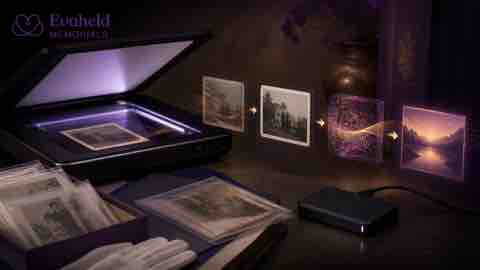
Use the clip beside the original still and caption, not as a replacement for the historical record. Explain the date and context of the source photograph, what processing occurred and who approved publication. Keep the file short enough to load reliably and provide captions for any spoken or musical content. Never autoplay sound.
Evaheld’s online memorial workspace can bring photographs, stories and family contributions together. If the memorial changes later, document updating a memorial over time so the disclosure and original image are not separated from the clip.
Examples of context, not templates to imitate
Public profiles can demonstrate why the source and subject matter. An animation associated with Stephen Hawking would require particular care not to fabricate speech or flatten the role of his communication technology. Work involving Robin Williams should not turn a complex public life into an endlessly circulating reaction clip. A portrait of Marilyn Monroe raises questions about image ownership, commercial reuse and the distance between a public persona and a person. These examples support caution; they are not permission to animate any image.
Common mistakes that waste money
Plan delivery, accessibility and future access
Before commissioning several clips, decide where the family will actually watch them. A portrait-oriented export may suit a phone but sit awkwardly in a landscape memorial gallery. A very high-resolution file may be slow to load without adding visible detail. Ask for a short test export in the intended dimensions, then check it on a phone, tablet and desktop over an ordinary connection. Captions should explain the source photograph and the AI alteration; any narration should also have a transcript. People who prefer not to view animation should still be able to see the original still and read its story.
Curate the sequence before paying to animate every available portrait. The online memorial inclusion checklist can help the family identify which moments add genuine context. One or two carefully chosen clips usually communicate more clearly than a gallery of repetitive movements. Where a group photograph includes living people, seek their views or select a different source rather than relying on aggressive cropping that changes the historical scene.
Delivery is not complete until the family controls a usable export. Follow the guidance on downloading online memorial content and record the filename, format, resolution, creation date, service used and disclosure wording. Store that note with the original and final file. If the service later closes, a retained export and production record reduce uncertainty; the article explaining what happens if a memorial site shuts down sets out the wider continuity questions.
Review the animation after six or twelve months. Confirm that the disclosure remains visible, the file still plays and access matches the family’s decision. Technology and feelings can change. A clip that was appropriate for a private first anniversary may not be suitable for permanent public distribution. Preserve the option to remove the animation without losing the original photograph, caption or written tribute.
Buying a long subscription before testing one photograph is a common error. So is paying repeatedly to fix a source image that is unsuitable. Other mistakes include accepting the first output, overlooking cancellation terms, using copyrighted music, publishing without family review, hiding the AI disclosure and deleting the original after export.
Do not confuse more movement with more meaning. A restrained blink may be enough; some photographs should remain still. Do not use the deceased person to deliver a new message, endorse a product or resolve a family dispute. Do not upload intimate or sensitive photographs to a service whose retention and training terms you cannot understand.
Final buying checklist
- Purpose and audience written down
- Known wishes and family consent considered
- Rights in the photograph and music checked
- One preservation scan made before editing
- Complete price, credits and renewal understood
- Training, retention and deletion terms reviewed
- One private test completed before a larger purchase
- Errors and emotional impact reviewed by people, not just software
- AI assistance disclosed beside the result
- Clean export and independent backup confirmed
The best answer to how much an animation should cost is the smallest responsible budget that produces a respectful result the family genuinely wants to keep. Begin with one image, one purpose and one review round. If it passes, create the memorial context around it; if it does not, preserve the still photograph and its story instead. To start planning, use AI photo animation for a memorial as one carefully labelled element within a fuller remembrance, never as a substitute for the person’s recorded life.
FAQs about AI photo animation for a memorial
How much does AI photo animation for a memorial cost?
Costs range from limited free tests to paid credits, subscriptions and bespoke editing, so calculate the complete project rather than one render. Compare online memorial cost factors and use the OAIC AI privacy guidance before purchase.
What should an AI memorial animation budget include?
Allow for restoration, failed attempts, editing, revisions, music rights, export and storage. The guide to adding videos and music thoughtfully covers placement, while Attorney-General’s Department explains copyright basics.
Do I need family consent to animate a photograph?
Consider known wishes, the source, living people shown and the views of close family before proceeding. Compare private and public online memorial choices and the ICO explanation guidance.
Is it appropriate to make a deceased person speak?
Usually avoid fabricated speech because it can falsely imply words or endorsement. Document the decision in who controls an online memorial over time and review the FTC warning on harmful voice cloning.
How should AI animation be disclosed?
State beside the clip that movement was created with AI from a still photograph, and retain the original. Use digital memory preservation steps and the C2PA provenance specification.
Which photograph works best for animation?
Choose a clear, front-facing portrait with natural expression and limited obstruction, then animate a derivative rather than the master. Evaheld’s online memorial workspace provides context, and the US National Archives explains careful digitisation.
Can an AI memorial animation remain private?
Privacy depends on the animation service and memorial settings, so disable public galleries and review access. See updating a memorial over time and the Australian Cyber Security Centre’s multi-factor authentication advice.
How can I protect the original photograph?
Make a preservation scan, animate a working copy and keep independent backups. Follow digital memory preservation steps and the Library of Congress scanning guidance.
What should I do if the animation feels upsetting?
Stop, keep viewing optional and return to the still photograph if that is more appropriate. The guide to adding videos and music thoughtfully supports restraint, while the NHS grief guidance explains support options.
How should I preserve the finished animation?
Export a common file format and store it with the original, disclosure and permission notes. Use updating a memorial over time to retain context, and follow CISA backup guidance.