How do I build a visual life history online? Prompts, photos and legacy preservation
A practical guide to building a visual life history online with prompts, photos, recordings, privacy choices, backups and legacy preservation.
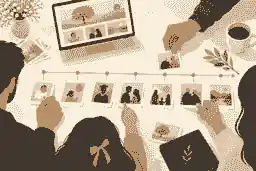
How do I build a visual life history online? Prompts, photos and legacy preservation begin with one clear aim: gather the person’s life history in small, accurate chapters, connect each chapter to photos, audio, video or documents, and preserve the result in a private or shareable digital space that family can keep improving over time. To build a visual life history online, start with the verified basics, then use prompts, photos and recordings to turn facts into a structured family story that can be understood by relatives in Australia, the United Kingdom and the United States.
A strong visual life history is not a scrapbook uploaded in a hurry. It is a thoughtful record of family stories, photos, places, relationships, work, values, voice, ordinary routines and turning points. The best results usually come from short sessions, specific questions, clear permissions, careful labeling and a preservation plan that does not depend on one phone, one account or one person’s memory. If you are also creating a memorial, the same material can help shape creating an online memorial site with photos and stories without forcing your family to finish every detail at once.
Oral history practice supports this approach. The National Library of Australia oral history collection describes recorded interviews as a way to preserve voices, personal stories, cultural traditions and social history; a family life history works on a smaller scale, but the principle is the same. A date of birth can usually be checked later. The sound of someone describing a childhood kitchen, a first job or a family saying may be impossible to recover if nobody asks in time.
build a visual life history online: practical guidance
A visual life history is a multimedia biography built around evidence and memory. It usually includes a short life summary, a timeline, family relationships, places lived, education, work, service, migration, community roles, faith or values, favorite music, recipes, handwriting, home videos, voice recordings, photo captions and selected tributes from relatives. It can be created during a person’s lifetime, after a death, or gradually across both periods if the family has consent and appropriate access.
The word visual matters. A good online history lets people see the life, not just read about it. Photographs should not sit as decoration. Each image should answer a question: who is here, when was it taken, where were they, what was happening just before and after, and why does this moment still matter? This is where family history preservation prompts become useful. They turn a folder of unnamed images into a narrative that younger relatives can understand.
Professional preservation guidance also emphasizes order, description and backups. The Library of Congress personal archiving guidance encourages people to plan for personal digital collections rather than relying on scattered devices. The U.S. National Archives family archive advice makes the same practical point for family papers and photographs: preventing damage and keeping materials organized is part of preserving them for the next generation.
Begin with a simple life-history map
Before uploading anything, sketch the person’s life in chapters. Keep the first version simple: early years, family home, school, friendships, work, love and partnership, children or chosen family, community, hard seasons, joys, values, later life and legacy. If a chapter does not fit the person, remove it. If an important chapter is missing, add it. The goal is not to force a template over a human life, but to stop the project becoming an unsearchable pile of files.
For each chapter, write three kinds of notes. First, record verified facts: names, dates, places and relationships. Second, add memory cues: smells, sayings, habits, music, meals, tools, pets, rooms, uniforms, cars, holiday rituals or neighborhood details. Third, list possible media: photos, letters, documents, audio, video, scanned certificates, newspaper cuttings or screenshots. Families often find that meaningful online memorial inclusions and life-history inclusions overlap, because both are trying to show the person clearly rather than reduce them to a formal notice.
Do not begin with the largest possible question. “Tell me your life story” can make even a confident person freeze. Better prompts are concrete: “What did your street sound like when you were young?”, “Who always sat at the kitchen table?”, “What did your first wage feel like?”, “Which photograph needs a caption before everyone forgets?”, “What did you learn the hard way?”, and “Which story should the family keep telling after us?”
A U.S. survey reported by YouGov on preserving conversations with loved ones found that many Americans regret not recording or documenting conversations with someone close who has died. Treat that as a practical warning, not a reason to rush. A short, consented recording made this week is usually more valuable than a perfect plan postponed for months.
Use photos as prompts, not just illustrations
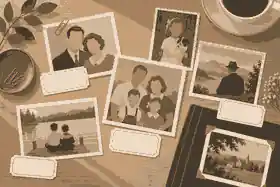
Photos are often the fastest route into memory because they remove pressure from the speaker. Instead of asking for a polished answer, place three to five images on a table and ask what each one brings back. Ask who took it, who is missing, what happened afterward, what the clothes or setting tell you, and whether the person in the image would have liked it shared widely.
For printed photographs, avoid writing on the front, using adhesive tape or forcing fragile albums flat on a scanner. Photograph or scan in good light, keep original order when it tells a story, and record the source of each image. For born-digital photos, preserve the original file when possible, make a working copy for cropping or retouching, and keep filenames useful. “Mum_1968_school_formal_backyard.jpg” will help future relatives more than “IMG_3928.jpg”. Families sorting large collections may also need digital memory preservation steps so phones, social accounts and cloud folders do not become separate islands.
Captions should be factual and human. A strong caption might say, “Mara with her brother Joseph outside their first rented flat in Manchester, 1973, the year she began nursing.” A weak caption says only “old photo.” When you do not know a detail, mark it as uncertain instead of guessing. “Possibly 1973” is more trustworthy than a confident error.
Record voice, video and the stories behind objects
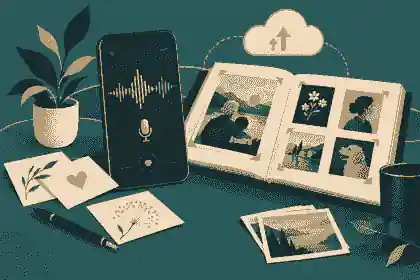
Audio is often the easiest format for older relatives because it captures voice without asking anyone to perform for a camera. Video is useful when hands, facial expression, movement or objects matter. Written notes help with spellings and dates, but they cannot preserve a laugh, pause or accent. If you are adding richer media to a tribute, adding videos and music thoughtfully can help you decide what belongs online and what should stay private.
Keep sessions short. Twenty to forty minutes is enough for many people, especially if grief, illness, fatigue or memory change is present. Start with a warm-up question, test the recording, say the date and speaker’s name at the beginning, and place the phone close enough to capture clear sound. Turn off televisions and notifications. If the person wanders into a story you did not expect, follow the tangent unless it becomes distressing. Tangents often reveal the material a formal questionnaire misses.
If dementia or cognitive change is part of the situation, slow down and make the project gentler. Dementia Australia communication guidance recommends calm speech, short sentences, time to respond and reduced background noise. Healthdirect dementia information is a useful Australian starting point for understanding symptoms and support, while families in the UK should seek clinical guidance through local NHS pathways if memory changes are concerning.
Some people cannot or do not want to answer detailed prompts. A visual life history can still honor them by using photos, favorite music, objects, letters, recipes, certificates and memories from trusted relatives. The NHS grief and bereavement guidance notes that grief affects people differently and can change concentration and energy; the same awareness should shape the pace of a life-history project after a death.
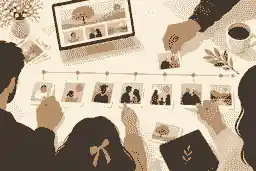
Build the online structure before inviting everyone in
Do the first pass quietly. Add the person’s name, dates, a short biography, three to ten strong images, and a few chapter headings before inviting relatives. This gives contributors something to respond to and reduces duplicate work. It also helps the main organizer set tone, privacy and accuracy standards early.
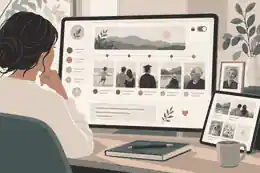
Useful online sections include a short introduction, timeline, photo gallery, audio or video memories, family tree notes, places map, written stories, guest tributes, and a private notes area for uncertain facts. If the platform supports collaboration, decide who can view, who can contribute and who can approve changes. Evaheld Memorials families often use trusted contributor access when one person should not carry the whole archive alone.
Privacy should be decided before uploads, not after. A public version may be appropriate for a memorial or community figure. A private version may be better for living relatives, children, sensitive family stories, medical details, adoption history, trauma, migration documents or images of people who did not consent. Australian families should be aware that the OAIC personal information guidance treats information about an identified or reasonably identifiable person as personal information. UK families should consider the ICO data sharing guidance when sharing personal information beyond the household. In the United States, privacy and recording rules vary by state, so the Reporters Committee recording law guide is a useful reminder to check consent rules before recording calls or conversations.
Public and private choices are not only technical. They are emotional. Some relatives may be comforted by an open tribute, while others may need time. If the life history is connected to a memorial, private versus public online memorials can help families think through visibility, search, sharing and moderation before a link is sent widely.
Prompts that create a richer life history
Use prompts in groups rather than as a long interrogation. One or two questions per session is enough. The best prompts invite a scene, not a yes-or-no answer.
For childhood and place, ask: “What did home look like from the front door?”, “Who were the neighbors everyone knew?”, “What did an ordinary school morning feel like?”, “Which adult made you feel safe?”, and “What was normal then that would surprise us now?”
For family and relationships, ask: “Who held the family together?”, “How did you meet the person you loved?”, “What did your parents teach without saying it directly?”, “Which family tradition should continue?”, and “What do younger relatives misunderstand about that time?”
For work and purpose, ask: “What was your first paid job?”, “Who taught you how to work?”, “Which achievement mattered even if nobody noticed?”, “What did you do because the family needed it?”, and “What would you have tried if circumstances were different?”
For resilience, ask carefully: “What was a difficult season you are willing to talk about?”, “Who helped you through it?”, “What did you learn that you still use?”, and “Is any part of this story private?” Hard stories should never be mined for drama. If someone declines, thank them and move on.
For values and legacy, ask: “What sentence would you leave for the family?”, “Which mistake taught you the most?”, “What do you hope we protect?”, “Which photo best shows who you were?”, and “What should we do with these stories when you are no longer here?” These prompts also support record your life story before its lost forever work because they focus on voice, consent and practical preservation rather than performance.
Organize the life history so future relatives can use it
A beautiful online tribute can still fail as an archive if nobody can find anything. Use consistent filenames, short summaries and tags. A practical folder system might include 01_Basics, 02_Photos, 03_Audio, 04_Video, 05_Documents, 06_Transcripts, 07_Private, and 08_Public_Memorial. Inside each folder, use dates and names. Keep a simple index with file name, people shown, date, place, source, permissions and notes.
Transcription is helpful, but it does not need to be perfect immediately. Start with summaries: “Interview with Dad, 12 May 2026, about childhood in Leeds, apprenticeship, first car and meeting Mum.” Later, add a transcript and correct names. If a story contains sensitive details, mark the access level clearly. “Family only” and “not for public memorial” are useful labels.
Backups are non-negotiable. Use at least two storage locations and do not rely only on a phone. The Australian Cyber Security Centre passphrase advice is relevant because family archives often sit behind shared cloud accounts; long, memorable passphrases and controlled access are better than one weak password passed around in messages.
Copyright also matters. Owning a printed photograph is not always the same as owning copyright in the image. The UK copyright overview and the U.S. Copyright Office explanation of copyright both distinguish protected creative work from mere possession of a copy. For family use, risk is often low, but public posting, commercial images, professional portraits, music and newspaper scans deserve care. When in doubt, use family-created material, ask permission, credit sources where appropriate and avoid uploading content that someone else clearly owns.
How Australia, the United Kingdom and the United States differ
The core method is the same across Australia, the United Kingdom and the United States: get consent, record gently, label carefully, protect private information, back up files and share thoughtfully. The differences are mainly legal and cultural. In Australia, privacy language often focuses on personal information and reasonable identification. In the United Kingdom, families are more likely to encounter UK GDPR language if organizations, care settings or community groups handle personal data. In the United States, recording consent and publicity rights can vary by state, so do not assume one national rule covers every call, interview or public tribute.
Terminology differs too. Australian and UK families may say “memorial service,” “funeral notice” or “tribute,” while U.S. families may say “celebration of life,” “obituary” or “memorial website” more often. Use the words your family uses. A life history should sound like the person and their community, not like a form imported from somewhere else.
Examples of visual life history done well
Public figures show why one format is never enough. A visual history of Steve Jobs needs product launches, family context, photographs, places, collaborators and the design ideas people still discuss. A life history of Princess Diana depends on public service, family roles, images, media context and the memories people attach to particular moments. A tribute to Olivia Newton-John naturally brings music, film, advocacy, photographs and voice into the story. Most families are not building a public archive of that scale, but the lesson is useful: a life becomes clearer when images, chapters, relationships and remembered moments support one another.
For a private family, the equivalent might be a nurse’s uniform beside a recording about night shifts, a wedding photograph beside the story of how the couple met, a recipe card beside a voice note about Sunday lunch, and a scanned migration document beside a map and a grandchild’s tribute. That is what makes a visual life history online feel alive without becoming overwhelming.
Common mistakes to avoid
The first mistake is trying to finish everything in one weekend. Life history is better built in layers. Start with verified basics, then add photos, captions, recordings and contributions as the family is ready.
The second mistake is treating every story as public. Some details belong only to close relatives. Some belong to the speaker alone. If a person records something but later asks that it not be shared, respect that boundary.
The third mistake is uploading without context. A photo without names, dates or places may become another mystery for the next generation. Add captions while people who know the details can still help.
The fourth mistake is letting technology drive the project. Use the simplest tool that the family will actually maintain. If a relative can answer a phone but hates video calls, record audio. If photos unlock better memories than direct questions, begin with photos. If grief is fresh, use save your progress and return later habits instead of forcing a complete biography on a difficult day.
The fifth mistake is forgetting that other people may want to contribute. A visual history becomes stronger when siblings, cousins, friends and colleagues add memories from different angles. In a memorial setting, tributes and condolence tools can help gather those smaller stories without making one person responsible for remembering everything.
A practical checklist for building the page
First, gather essentials: full name, dates, key places, immediate family, and any cultural or religious preferences. If you are using the material for a memorial, information that helps you start a memorial is a useful way to separate required facts from details that can come later.
Second, choose the first ten images. Include different life stages, not ten versions of the same event. Third, record one short audio session with permission. Fourth, write captions for every image and a summary for every recording. Fifth, decide what is public, private, family-only or uncertain. Sixth, invite two or three trusted contributors rather than the whole extended family at once. Seventh, back up everything. Eighth, review the tone. The page should feel accurate, warm and specific, not exaggerated or generic.
Finally, set a rhythm for updates. Add one chapter each week, or one photo group each month. If the page supports ongoing contributions, check new material before publishing. A visual life history is not weaker because it grows gradually. It is often stronger because memories surface at a human pace.
How Evaheld Memorials can fit into the process
Evaheld Memorials is most useful when families want one calm place for the person’s story, photographs, tributes and future contributions. You can begin with a modest first version, keep sensitive material private, invite trusted relatives, and shape the record over time. The best use of any platform is not to upload everything indiscriminately. It is to choose what tells the truth kindly, label it well and protect it for the people who will need it later.
If your family is ready to gather stories, photos and legacy preservation in one place, you can build a visual life history online with a structure that supports memory, privacy and thoughtful sharing.
FAQs
How do I build a visual life history online? Prompts, photos and legacy preservation
Start with verified essentials, then add photos, captions, short recordings and chapter prompts in stages. A calm first version can sit alongside creating an online memorial site with photos and stories, while the Library of Congress personal archiving guidance supports keeping digital memories organized beyond one device.
What photos should I choose first for a visual life history?
Choose images that show different life stages, relationships, places and roles rather than many similar portraits. Use family history preservation prompts to write useful captions, and follow the U.S. National Archives family archive advice by handling original papers and photographs carefully.
How many prompts should I ask in one session?
One or two thoughtful prompts are usually enough, especially with older relatives or anyone who tires easily. The approach used in record your life story before its lost forever aligns with the National Library of Australia oral history collection, where voice, context and lived experience matter more than rushing through a list.
Can I include audio and video in a family life history?
Yes, if you have consent and the material helps the story. Use adding videos and music thoughtfully to decide what belongs online, and adapt sessions for memory change using Dementia Australia communication guidance.
What should stay private in a visual life history?
Medical details, family conflict, financial information, children’s information, traumatic stories and private recordings may need restricted access. private versus public online memorials can help families decide visibility, and the OAIC personal information guidance explains why identifiable information deserves care.
How do UK families handle privacy when sharing family stories?
UK families should think carefully before sharing personal information outside the household, especially through clubs, schools, care settings or community groups. trusted contributor access can limit who helps edit, while the ICO data sharing guidance is useful when information is being shared more formally.
Do I need permission to record someone’s voice?
Ask clearly before recording and explain who may hear it, where it will be stored and whether it may become public. If several relatives will help, trusted contributor access can keep the process transparent, and the Reporters Committee recording law guide reminds U.S. families that recording consent laws vary by state.
Can I use professional portraits, music or newspaper clippings?
Sometimes, but do not assume owning a copy means you own the rights to publish it. digital memory preservation steps help organize source notes, and the UK copyright overview explains why creative works may still be protected.
How do I keep the project manageable while grieving?
Reduce the work to one small task: choose three photos, write one caption or record one short memory. save your progress and return later habits protect your energy, and the NHS grief and bereavement guidance recognizes that grief can affect concentration and daily functioning.
Why is recording a life history worth doing now?
Memories, voices and photo context can disappear even when documents remain. tributes and condolence tools let others add what one person may not know, and YouGov on preserving conversations with loved ones shows why families often wish they had documented more while they could.