What are file limits for digital tributes? Pricing, privacy and platform safety
A practical family guide to image and video upload limits, formats, compression, privacy, backups, exports and long-term digital tribute access.

File limits for digital tributes usually apply per upload, by media type, or to the total storage included with a memorial plan. Before choosing a service, check the permitted image and video sizes, accepted formats, total storage, export options, privacy controls and what happens if you stop paying. Evaheld Memorials currently accepts images up to 50 MB and videos up to 200 MB in its memorial media workflow, but a smaller, well-prepared sharing copy will normally load faster for family and friends.
This article explains how to plan a digital tribute library without sacrificing the quality of irreplaceable originals. It distinguishes an archival master from a web-ready copy, shows how to estimate storage, and gives families a practical checklist for uploads, permissions, backups and long-term access. Limits and plan terms can change, so confirm the current Evaheld Memorials plans and any third-party service terms before a large upload.
What file limits for digital tributes actually control
A “file limit” can describe several different controls. A per-file limit is the largest single upload a platform accepts. A type limit decides whether the service accepts JPEG, PNG, MP4, MOV, MP3 or another format. A storage allowance caps the combined size of the memorial library. Some platforms also limit the number of items, the duration of a video, the resolution displayed, or the number of contributors who may upload. These controls affect different decisions, so a headline promise such as “unlimited memories” is not enough on its own.
Ask whether the original file is preserved or converted after upload. Conversion may produce a smaller web copy, strip metadata, reduce resolution or change the audio track. That can be useful for fast viewing, but it should not become the family’s only copy. The Library of Congress personal digital archiving guidance emphasises organisation, suitable formats and active care over time. Treat the online tribute as a sharing layer and keep an independent family archive.
Evaheld Memorials upload limits and plan access
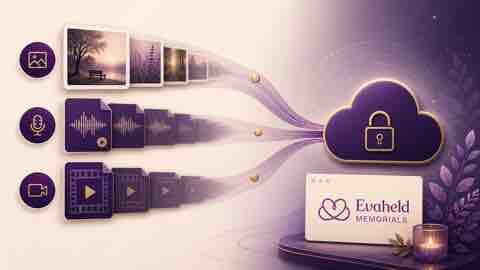
In the current Evaheld Memorials media workflow, images may be up to 50 MB and videos up to 200 MB. Those are upload ceilings, not recommended targets. A phone photograph often needs far less than 50 MB for clear display, while a long high-resolution video can exceed 200 MB quickly. Paid Evaheld Memorials plans add photo, video and voice uploads, contributor access and privacy controls; the free memorial focuses on the public memorial page, written condolences and memories. Review the live plan comparison rather than assuming every media feature is included in every plan.
The practical question is not “How large can this file be?” but “What is the smallest sharing copy that still honours the memory?” Keep a high-quality master elsewhere, then create a derivative for the memorial. Families deciding what media belongs on the page can use the online memorial inclusion checklist to select material that adds meaning rather than uploading every duplicate.
Estimate storage before uploading
Start with an inventory. Record each folder, media type, item count and combined size. A family might have 600 edited photographs at 2 MB each, twelve short videos at 80 MB each and twenty audio memories at 10 MB each. That sharing set is roughly 2.36 GB before thumbnails or platform conversion. The same collection could be many times larger if it contains RAW photographs, lossless audio or 4K masters. Inventorying first prevents repeated failed uploads and reveals duplicates that should be resolved privately.
The US National Archives personal digital memories guidance recommends descriptive file names and an inventory stored with important papers. Use a simple naming pattern such as year-event-person-sequence, without putting sensitive details into public filenames. Keep a small spreadsheet recording the master location, sharing-copy location, permissions and caption. This makes later migration or export much easier.
Choose formats for viewing and preservation
Web viewing and long-term preservation have different priorities. JPEG is widely supported and efficient for photographic sharing copies; PNG works well for graphics and screenshots; MP4 with a common video codec is broadly practical; and MP3 or AAC is convenient for spoken audio. Preservation masters may be larger and less convenient. The Library of Congress scanning guidance recommends retaining a TIFF master and using a JPEG working copy, explaining the difference between lossless and lossy compression.
Do not convert an original repeatedly. Each lossy re-save can discard information. Create one archival master, one edited preservation copy if needed, and one web-sharing derivative. Retain embedded dates and useful metadata in the master, but review location data and other private metadata before public sharing. The National Archives file-format tables illustrate why open, documented formats and lossless options matter for permanent records, even though a family archive does not need to follow government transfer specifications.
Prepare photographs without making them look poor
For a sharing copy, crop unnecessary borders, correct orientation, choose the colour space commonly used on the web and resize to the largest display size the page actually needs. Apply moderate JPEG compression once and inspect faces, handwriting and fine detail at normal viewing size. Never overwrite the only scan. If a photograph is physically fragile, handle the original carefully and make a preservation scan before experimenting.
The Library of Congress care guidance for photographs recommends careful handling, protective enclosures and suitable storage conditions for physical originals. Digitisation improves access but does not make the original disposable. Keep the story attached to the image: names, approximate date, place, occasion and who supplied it. A clear caption can be more valuable to future family members than a marginal increase in resolution.

Prepare video and audio for reliable playback
Video size depends on duration, resolution, frame rate, codec and bitrate. Trimming empty footage often saves more space than aggressive compression. For memorial sharing, preserve the meaningful sequence, speech and music, but remove long setup sections. Export a common MP4 sharing copy and play it from beginning to end before upload. Check lip-sync, orientation, captions and audio level on both a phone and a computer. Keep the source footage and project file separately.
For spoken memories, remove only distracting noise and long silence; excessive processing can make a familiar voice sound artificial. Save a high-quality master and a compatible sharing copy. The Library of Congress audio format preferences demonstrate that preservation decisions consider quality, metadata and format sustainability, not size alone. For practical placement and permissions inside a memorial, see adding videos and music to memorials.
Control privacy before inviting contributors
Media can reveal more than the uploader intends: children’s identities, home interiors, addresses, health details, religious practice, relationship information or precise location metadata. Decide whether the memorial is public, private or invitation-only before collecting contributions. Tell contributors who can view their upload, whether an administrator approves it, and whether they may withdraw it later. Consent should be specific enough that people understand the audience and purpose.
The Office of the Australian Information Commissioner’s online privacy information helps users consider what they share and with whom. Families can also compare private and public online memorial choices. Evaheld’s paid plans provide a private memorial option and moderation controls, but family governance still matters: nominate an administrator, agree on contribution standards and respond respectfully to removal requests.
Understand ownership, access and exports
Before uploading irreplaceable media, ask who owns the uploaded copy, what licence the service receives, whether administrators can export originals, and what happens after account closure, inactivity or a missed payment. “Lifetime” may describe the life of a service rather than the life of a family. Record the account owner and a second trusted contact. Avoid placing every credential in the same document as the archive itself.
The UK National Archives advises active management of digital records through selection, organisation and preservation planning in its digital preservation guidance. Within Evaheld, families should periodically use the available save or removal controls and maintain an outside copy. The article on downloading online memorial content explains the questions to ask before a service changes or closes, while what happens if a memorial site shuts down covers continuity planning.
Use backups that do not depend on one platform
A memorial page is not a complete backup strategy. Keep at least two copies on different storage media, with one copy in another physical location or a reputable cloud account. Check that files open, rather than assuming a successful copy means a usable copy. Replace failing drives, review cloud access and migrate files as formats and devices change. Document who is responsible for these checks.
The US Cybersecurity and Infrastructure Security Agency backup guidance recommends regular backups and protection against threats that can affect primary data. The Library of Congress similarly describes organisation, redundancy and regular migration as core preservation measures in its preserving photographs resource. These principles apply whether a tribute contains ten photographs or thousands of mixed-media files.
Compare pricing without being distracted by headline storage
Compare the full cost over the period your family expects to use the memorial. A free tier can be appropriate for a simple page of written memories, while media uploads, private access, contributor management and physical memorial products may sit in paid plans. Check whether the price is a subscription or one-time payment, whether storage renews, and whether export incurs an extra charge. Ask whether uploaded video is included or merely embedded from another service with separate privacy terms.
Evaheld Memorials lists free and one-time-payment options rather than asking families to infer the model. Its plan catalogue describes written condolences on the free memorial and media uploads from the Shared Tribute level upward. Review online memorial cost factors alongside the current plans. A lower price is not better if it prevents export, compresses the only copy or leaves the family without clear administration rights.
Protect accounts and contributor access
Use a unique password, enable multi-factor authentication where offered, and avoid sharing one administrator login among many relatives. Give people only the access they need. Remove access when a contributor no longer helps manage the memorial. Be cautious with unexpected messages asking an administrator to “verify” an account or re-upload files. Store recovery information securely and review it after a phone-number or email change.
The UK National Cyber Security Centre recommends strong, unique account protection and explains practical steps in its online security guidance. The Australian Cyber Security Centre’s multi-factor authentication guidance explains why a second factor reduces reliance on a password alone. Security is part of memorial stewardship because unauthorised access can expose private family media or allow unwanted changes.
Document who controls an online memorial over time, including who may approve uploads, change visibility and request an export. The separate explanation of what Evaheld Memorials is and how it works can help a second administrator understand the workflow before an urgent handover is required.
A step-by-step upload workflow
- Agree on the memorial’s audience, administrator and contribution rules.
- Inventory files and remove true duplicates without deleting uncertain originals.
- Keep archival masters in a separate, backed-up location.
- Create web-ready copies in common formats.
- Check current per-file, type and plan limits.
- Review captions, permissions and embedded location data.
- Upload a small test set and inspect it on phone and desktop.
- Invite contributors only after privacy and moderation settings are ready.
- Record what was uploaded and where the masters live.
- Schedule a six- or twelve-month export and access review.
For each batch, verify the displayed order and captions before adding more. A smaller curated collection is easier to review and more meaningful than a large undifferentiated dump. If a file fails, note its format and size, create a fresh derivative from the master, and try again; do not repeatedly re-compress the failed derivative.
Common mistakes to avoid
Do not upload the only copy of an irreplaceable file. Do not assume that “unlimited” means unrestricted originals, permanent retention or free export. Do not publish images of living people without considering their wishes. Do not use public filenames containing sensitive information. Do not enlarge a small scan and mistake bigger dimensions for restored detail. Do not delete a master after a web copy appears to work. Do not let one person become the only administrator without documenting succession.
Also avoid chasing maximum resolution when the source cannot support it. The goal is faithful access, not inflated files. Keep edits reversible, use descriptive captions and separate fact from family recollection where uncertainty matters. For families building the whole page together, the online memorial creation process provides a wider planning sequence. Consider how long online memorials last when setting the family’s review timetable.
Use recognisable examples without copying someone else’s memorial
Published profiles can help a family think about balance without becoming a template to imitate. A musician’s memorial, such as Aretha Franklin, may suggest the importance of performance recordings and carefully identified photographs. A profile such as Steve Jobs may prompt a family to connect life events, work and public milestones without uploading every available file. A widely photographed public figure such as Princess Diana illustrates why selection, source context and respectful captions matter. These profiles are examples of presentation only; a private family memorial should be shaped by the person’s own relationships, wishes and available records.
How Evaheld helps organise a digital tribute
Evaheld Memorials brings the memorial page, written tributes and—on eligible plans—photo, video and voice contributions into a family-managed space. Contributors can be invited, submissions can be reviewed, and private memorial settings can limit access. The platform is a practical sharing and collaboration layer; families should still retain preservation masters and backups under their own control.
Start by choosing the audience and the small set of memories that best tells the person’s story. Prepare compatible sharing copies, add useful captions, and keep a private inventory. You can then create, complete, store, update and share the memorial while retaining a separate archive. To begin with the current options, compare Evaheld’s file limits for digital tributes in the context of the plan and media workflow rather than treating a single number as the whole decision.
Final checklist for digital tribute files
Review the memorial as a family record, not just a gallery
Before calling the upload complete, ask someone who was not involved in preparing the files to use the memorial. Can they identify the people in each photograph? Do the dates and captions make sense? Can they hear every spoken memory without turning the volume unusually high? Does a video begin at the meaningful moment, and can it be understood without private background knowledge? This review often finds missing names, uncertain dates and unexplained relationships that no storage calculation will reveal. Record uncertainty honestly rather than turning a family recollection into an unsupported fact.
Then test the practical failure cases. Sign out and confirm that a private item is not publicly visible. Use the invitation flow with a trusted relative. Open the page over a mobile connection and check whether the largest media loads acceptably. Download a sample and compare it with the intended sharing copy. Confirm that the second administrator knows how to recover access. Finally, place the archive inventory and review date where the responsible family members can find them. These checks convert a collection of successful uploads into a managed family record. File limits matter, but clear context, consent, access and recoverability determine whether the tribute remains useful over time.
- One accountable memorial administrator and one backup contact
- Current plan, media-type and per-file limits checked
- Exactly one preservation master retained for each selected item
- Web-ready copies tested before upload
- Captions, names, dates and permissions reviewed
- Public or private audience confirmed
- Contributor moderation settings configured
- Independent backups stored in more than one location
- Export and account-recovery process documented
- Next access, integrity and migration review scheduled
A thoughtful digital tribute is not measured by gigabytes. It is measured by whether the right people can safely find, understand and preserve the memories that matter.
FAQs about file limits for digital tributes
What are file limits for digital tributes? Pricing, privacy and platform safety
Limits may apply per file, media type, total storage, item count or video duration. Check the current Evaheld Memorials plans and preserve separate masters; the Library of Congress explains why ongoing personal digital archiving matters.
How large can an image be on Evaheld Memorials?
The current memorial media workflow accepts images up to 50 MB, although a smaller web-ready copy usually loads faster. Keep the master outside the platform and use what to include in an online memorial to curate the gallery; the US National Archives recommends inventories and descriptive filenames.
How large can a video be on Evaheld Memorials?
The current workflow accepts videos up to 200 MB. Trim empty footage and export a compatible sharing copy while retaining the source. See adding videos and music to memorials and the Library of Congress audio preferences for broader format considerations.
Should I compress photographs before uploading them?
Usually yes for sharing, but never overwrite the only master. Make one derivative and inspect important detail after compression. Evaheld’s memorial workflow explanation describes the platform, while the Library of Congress scanning guidance distinguishes TIFF masters from JPEG working copies.
Which file formats are best for a digital tribute?
Common sharing formats such as JPEG, PNG, MP4 and MP3 are practical, but the best choice depends on the source and platform. Review download online memorial content before committing, and consult the National Archives format tables for preservation-oriented context.
Can other family members upload files?
Eligible Evaheld plans support contributor invitations and administrator moderation. Set permissions before inviting people and explain the audience. Compare private vs public online memorials, and use the OAIC online privacy information when considering personal information.
What happens to files if a memorial platform closes?
Terms differ, so keep independent backups and test export options before relying on a service. What happens if a memorial site shuts down covers continuity questions, while the UK National Archives explains active digital preservation.
Is a digital tribute a backup of my family archive?
No. It is primarily a sharing and collaboration layer. Keep multiple independent copies and check them periodically. Evaheld’s memorial-content download guidance supports export planning, and CISA recommends regular protected backups.
How do I protect a private memorial account?
Use a unique password, multi-factor authentication where available, and separate contributor accounts. Review who controls an online memorial and the NCSC online security guidance.
Are media uploads included in every Evaheld plan?
No. The free plan centres on a public page and written contributions; current paid plans add media and collaboration features. Check cost of online memorials and the Australian Cyber Security Centre’s multi-factor authentication guidance before configuring long-term family access.