How do I create an AI-assisted legacy vault? Ethical tools, memories and safety
A practical, ethical guide to creating an AI-assisted legacy vault for memories, photos, voice, consent, privacy, family review and memorial sharing.
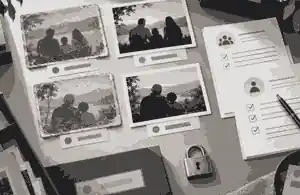
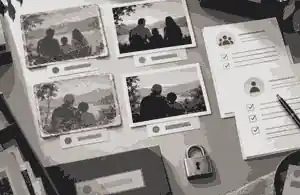
How do I create an AI-assisted legacy vault? Ethical tools, memories and safety starts with a simple rule: collect the original memories first, use AI only to organise, restore or caption them, and keep human consent, privacy and family review in charge of every output. To create an ai-assisted legacy vault well, treat it as a governed memory archive rather than a machine-made version of a person: originals stay preserved, AI changes are labelled, sensitive files are protected, and the family decides what belongs in a public memorial.
An AI-assisted legacy vault is not the same thing as a will, probate file, medical record store or financial password list. For Evaheld Memorials readers, it is best understood as the memory layer around a person’s life: photographs, voice notes, written stories, scanned letters, captions, tributes, funeral media, permissions and decisions about what may be shared. Some families also maintain private estate or account-access records elsewhere. Keep those private records separate from the memorial story so a public or shared tribute never exposes passwords, identity documents, banking details, health information or disputed family material.
The most responsible workflow is low-drama and practical. Begin with a folder of source material, then create a second working folder for AI-assisted copies. Use AI to sort image sets, improve legibility, draft captions, suggest interview prompts, transcribe audio, restore damaged photographs or prepare a calm memorial outline. Do not use AI to invent new memories, fabricate speech, simulate consent, impersonate the person or pressure grieving relatives into viewing synthetic media. The aim is ethical tools, memories and safety in one process: useful technology, authentic human judgement and a clear record of what changed.
create an ai-assisted legacy vault: practical guidance
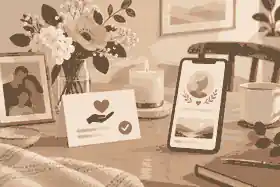
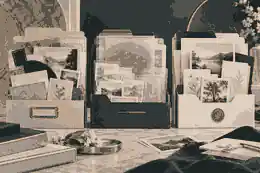
A useful vault has four layers. The first is the untouched source archive: original scans, phone videos, handwritten notes, audio files, certificates that are appropriate to keep, and a simple index showing where each item came from. The second is the working layer: cropped images, transcription drafts, restored copies, edited audio snippets and AI-assisted summaries. The third is the decision layer: consent notes, family approvals, takedown preferences, copyright information, disclosure wording and privacy settings. The fourth is the remembrance layer: the selected stories, images, tributes and media that may later appear in an online memorial, funeral slideshow, printed keepsake or family history collection.
This structure keeps the archive honest. If an AI tool improves a faded portrait, the original still exists. If a transcript gets a name wrong, the audio remains available. If a generated caption sounds too confident, the family can check it against the source. The U.S. National Archives’ preservation guidance by media type is a useful reminder that audio, video, photographs and digital files each need their own handling choices. The Library of Congress also gives practical advice on care and storage of photographs, which matters before any restoration or scanning work begins.
For family-facing memorial work, Evaheld Memorials already has connected planning material on digital memory preservation steps, especially when photos, social media exports and phone files are scattered across relatives. If the project includes movement, music or recordings, the family should also think about adding videos and music thoughtfully, because richer media can be deeply meaningful but also more private, more emotional and more legally complex.
Use AI as an assistant, not an author of the life
The safest AI uses are supportive rather than substitutive. AI can help rename files, cluster duplicate photos, suggest chronological groupings, transcribe interviews, repair scratches, draft neutral captions and identify places where a human should add context. It can also help families see gaps: no childhood image, no recording of the person’s voice, no explanation of a military medal, no caption for a group photograph. Those prompts are useful because they send the family back to human memory.
The higher-risk uses are those that make the person appear to act, think or speak in new ways. A restored photograph is one kind of alteration; a generated voice saying words the person never recorded is another. A caption drafted from verified notes is one thing; a chatbot claiming to answer as the deceased is something much heavier. The Springer article on digital ghosts describes posthumous AI systems as ethically different when they simulate communicative presence, especially where consent, data sources, disclosure, audience, governance and behavioural agency are weakly controlled. That is the line families should keep in view.
NIST’s AI Risk Management Framework is written for organisations, but its plain logic works for families too: govern the process, map who may be affected, measure whether outputs are accurate and respectful, then manage the risks before sharing. In a legacy vault, that means checking whether a tool stores uploads, whether outputs can be corrected, whether relatives may object, whether sensitive people appear in images, and whether a disclosure note travels with every AI-assisted file.
If a family wants AI help drafting a public memorial, keep it grounded in source material. The finished memorial should still be reviewed through private and public online memorial choices, because public visibility, search indexing and guest access are separate decisions from preservation.
Consent, dignity and the right to say no
Consent is not solved by one uploader clicking a box. The person who died may have expressed views about privacy, photographs, social media, public attention, religious practice, medical information or family conflict. Living people in the archive also have rights and feelings. A group video may include children. A hospital photo may expose health details. A voice note may contain another person in the background. A scanned letter may reveal a private relationship. An ethical vault distinguishes what can be preserved from what should be shared.
The Australian Office of the Australian Information Commissioner’s commercial AI product privacy guidance warns that personal information entered into AI systems can create privacy and security risks, and it recommends due diligence, transparency and caution with sensitive information. A private family may not be acting as a regulated business, but the practical lesson still holds: do not upload intimate material into tools unless you understand retention, training, deletion and access.
For UK readers, the Information Commissioner’s Office explains how AI and data protection connect through lawfulness, fairness, transparency and risk to individuals. For US readers, rules differ by state and by context, and digital asset access can depend on platform terms, estate documents and state law. The Uniform Law Commission’s Revised Uniform Fiduciary Access to Digital Assets Act is a key US model for fiduciary access, but families should not assume every account can be accessed without planning.
Family disagreement is not a technical problem. It is a signal to slow down. If a sibling does not want an AI-restored portrait shared publicly, try a private review first. If relatives disagree about synthetic voice, choose captions or a human-read tribute instead. If a person had a public profile, use even more restraint. Memorial examples such as Stephen Hawking, Robin Williams and Steve Jobs show how public lives can be remembered through story, context and contribution without pretending a new AI output is the person themselves.
Photo restoration, animation and provenance
Photo restoration can be one of the most helpful AI uses in a legacy vault when it is done conservatively. Repair tears, reduce dust, improve contrast and make a copy easier to view. Avoid changing facial structure, inventing missing features, modernising clothing or making the person look unlike themselves. Keep the original scan beside the restored version, with a short note such as: “AI-assisted restoration from original family print; scratches reduced; no colour source available.”
Families considering motion should be even more careful. A blink, smile or head turn may feel comforting to one person and unsettling to another. Before paying for AI memorials, photo restoration and voice work, define the purpose: funeral slideshow, private family viewing, public memorial, printed keepsake or archive only. The Evaheld Memorials article on AI photo animation for a memorial explains why cost, consent, privacy, quality, disclosure and export control all matter before choosing a tool.
The C2PA content provenance specification gives a technical framework for recording the source and history of media. Many consumer tools still strip or fail to preserve provenance data, so families should keep their own plain-language production note. Include the original filename, date scanned, tool used, human editor, changes made, approval status and disclosure wording. This note is not bureaucratic clutter; it protects trust when the file is copied, downloaded, printed or shared years later.
Copyright needs a place in the vault too. The U.S. Copyright Office’s Copyright and Artificial Intelligence work covers digital replicas, copyrightability and AI training issues. For everyday families, the practical question is simpler: who took the photograph, who owns the file, what music is being used, and is the memorial public or private? A studio portrait, a professional wedding video or a commercial song may carry rights that differ from a family snapshot.
Voice, video and the limits of simulation
Voice is emotionally powerful because it can feel immediate. It is also one of the easiest places to cross a line. Preserving a genuine voicemail, interview or speech is usually different from cloning a voice to say new words. If a person recorded a message before death with clear instructions for later use, that can belong in the vault with consent notes and access limits. If no such permission exists, treat synthetic voice as exceptional, not normal.
The U.S. Federal Trade Commission has warned about AI-enabled voice cloning risks, including impersonation and deception. In memorial contexts, the risk is not only fraud. It is also emotional authority: a generated voice can sound as though the person approves, forgives, blesses, apologises or instructs when they did no such thing. A caption written by the family is usually safer than a synthetic voice speaking for the dead.
When genuine recordings exist, store them with context. Name the speaker, approximate date, source device, whether anyone else can be heard, whether the recording may be public and whether transcription is allowed. If a transcript is created by AI, mark it as a draft until reviewed by a human. Correct names, places, dialect, jokes and unclear words. If the audio is painful or raw, make playback optional and avoid autoplay. This is where how family and friends can help build the memorial matters: shared contribution should not mean uncontrolled upload.
Privacy settings and access roles
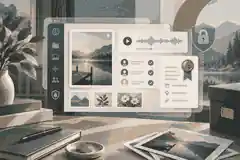
A legacy vault should have access roles, not one shared password. At minimum, name a primary organiser, a backup organiser, contributors who may suggest files, reviewers who approve sensitive material and viewers who may see only the finished memorial layer. The wider question of who controls an online memorial over time should be settled early, before captions, AI-restored images or guest contributions begin circulating. For private estate records, use a separate password manager or legal planning process. Do not store passwords in a public memorial draft.
Apple’s Legacy Contact and Google’s Inactive Account Manager are examples of account-level tools that can help families plan access before a crisis. They do not replace legal advice, and they do not automatically give relatives rights to republish everything found in an account. They are part of a wider access plan: who can retrieve files, who can make decisions, who can say no, and what should remain private.
Privacy settings should be chosen before the first public link is shared. A family may keep a memorial private while reviewing AI-restored images, checking captions and inviting close relatives. The Evaheld Memorials guidance on how long the memorial can stay private before you share it is especially relevant where AI-assisted material needs additional review.
International readers should note the differences. Australia has privacy law centred on the Privacy Act and Australian Privacy Principles for regulated organisations, with strong regulator guidance on AI caution. The United Kingdom applies UK GDPR and Data Protection Act principles to personal data and AI systems. The United States has a more sectoral and state-based landscape, with fiduciary access, publicity rights, consumer protection, health privacy and platform terms all potentially relevant. None of these jurisdictions gives families a free pass to expose living people’s private information because the purpose is remembrance.
Grief safety and emotional pacing
An AI-assisted vault should support grief, not intensify it. The American Psychological Association’s grief guidance recognises that grief can affect people differently, and the National Institute of Mental Health’s material on coping with traumatic events is a useful reminder that intense distress may need support beyond a digital project. A memorial archive is not therapy, and an AI tool should never be marketed inside the family as a way to bring someone back.
Set emotional pacing rules. Do not surprise relatives with animated footage. Do not autoplay voice. Do not ask a grieving person to approve ten restored portraits in one sitting. Start with still images and written context, then offer richer media as optional. Where a person died recently, consider a waiting period before synthetic motion or voice. Where the death was traumatic, be especially careful with footage, news material, final messages and medical scenes.
It can help to create three review categories: ready to share, private family only, and archive only. “Archive only” is not a failure. Some memories deserve preservation without public display. Some files may become appropriate later, and some may never belong online. If the family wants tributes from others, how tributes and condolences can be received on a memorial gives a more careful path than opening every part of the vault to everyone at once.
A practical build process for families
Start with a written purpose statement. For example: “This vault will preserve photographs, voice recordings, written memories and selected AI-assisted copies for a family memorial. It will not contain passwords, bank records, medical files or unreviewed private messages.” That one paragraph prevents drift. It also helps relatives understand that the project is not an all-purpose document dump.
Next, gather source material. Ask each contributor to send files with basic notes: who is in the image, approximate date, location, who supplied it and whether public sharing is allowed. Store originals in read-only form. Create working copies before restoration, captioning or transcription. Use AI on copies, not the master archive. Keep decisions in a simple spreadsheet or document: filename, status, consent, AI use, approved wording, privacy level and export location. Families who need a clean starting checklist can begin with what information you need to start creating a memorial before any AI tool is opened.
Then review in rounds. Round one checks identity and accuracy. Round two checks emotional appropriateness. Round three checks privacy, copyright and disclosure. Round four selects what belongs in the memorial layer. If a memorial will be shared online, link the finished public story to a smaller set of approved materials rather than exposing the entire vault. The article on downloading online memorial content is relevant because a responsible vault also needs export and backup habits, not just a polished first publication.
When the public memorial is ready, keep the CTA human and modest. If your family wants a calm public remembrance layer beside the private archive, you can create an ai-assisted legacy vault by preserving the source files, using AI transparently and shaping the final memorial with family review.
FAQs
How do I create an AI-assisted legacy vault? Ethical tools, memories and safety
Start by preserving originals, then use AI only on working copies for sorting, captioning, transcription or careful restoration. Keep the process private until reviewed, label AI-assisted files clearly, and use digital memory preservation steps alongside practical risk guidance such as the NIST AI Risk Management Framework.
What should not go into an AI-assisted legacy vault?
Do not place passwords, bank details, identity documents, private medical records or disputed intimate messages in a memorial-facing vault. Keep sensitive account access separate, and use private and public online memorial choices while checking privacy expectations against guidance such as the OAIC commercial AI product privacy guidance.
Can AI restore old family photos for a memorial?
Yes, AI can help restore damaged or faded photos when the original is preserved and the restored copy is labelled. For memorial use, compare AI photo animation for a memorial with archival handling advice such as the Library of Congress page on care and storage of photographs.
Should I use AI to recreate a loved one’s voice?
Usually, avoid synthetic voice unless the person clearly consented before death and the family agrees on strict limits. Genuine recordings can be preserved with context, but cloned speech should be treated cautiously; adding videos and music thoughtfully is safer when read beside the FTC’s warning on AI-enabled voice cloning risks.
How do I label AI-assisted memorial content?
Use a direct note beside the file, such as “AI-assisted restoration from original family photograph; no original video exists.” Keep that note with the memorial and source archive, following downloading online memorial content practices and provenance standards such as the C2PA content provenance specification.
Who should control the vault after it is created?
Name a primary organiser, a backup organiser and reviewers for sensitive files rather than sharing one password. The question of who controls an online memorial over time should sit beside account-level planning tools such as Apple’s Legacy Contact.
Can family and friends contribute to the vault?
Yes, but contributors should send files with names, dates, context and sharing permissions rather than uploading everything unsorted. Use how family and friends can help build the memorial while planning long-term account access with tools such as Google’s Inactive Account Manager.
How private should the vault be before sharing?
Keep it private while the family checks accuracy, consent, captions and emotional impact. Once approved, share only the remembrance layer; how long the memorial can stay private before you share it should be considered alongside the ICO’s AI and data protection principles.
Can an AI-assisted vault include tributes from other people?
Yes, tributes can enrich the memorial layer, but they should be moderated and separated from source records. Use how tributes and condolences can be received on a memorial while remembering that grief responses vary, as explained in the APA’s grief guidance.
What is the safest first step?
The safest first step is to list the basic information, source files and people who may approve sharing before using any AI tool. Start with what information you need to start creating a memorial, then use the National Archives’ preservation guidance by media type to organise originals carefully.