How do I host a funeral on Zoom? Planning, etiquette and remote guests
A practical, compassionate guide to hosting a Zoom funeral with privacy settings, etiquette, remote guest inclusion, recording consent and AU/UK/US planning differences.
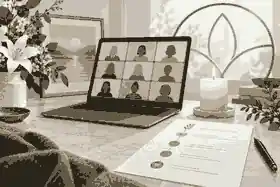
How do I host a funeral on Zoom? Planning, etiquette and remote guests starts with one calm decision: appoint a host who can manage the meeting so close family can be present emotionally, not technically. To host a funeral on zoom well, schedule a private Zoom meeting, secure it with a passcode and Waiting Room, rehearse the audio, send clear joining instructions, and give remote guests a simple role in the service.
A Zoom funeral can be fully online, hybrid with some people in a chapel or home, or a watch-only livestream from an in-person service. The best choice depends on whether remote guests should speak, read, pray, play music, share memories, or simply attend quietly. A Zoom Meeting usually works best for an intimate memorial because people can see each other and selected speakers can participate; a livestream is better when the remote audience is large and mostly watching. Zoom memorials and livestreams both work best when privacy, timing, and guest expectations are settled before invitations go out.
host a funeral on zoom: practical guidance
Before choosing settings, decide what kind of gathering you are really hosting. A fully online funeral or memorial has every participant joining by video or phone. A hybrid funeral has an in-person gathering with remote guests joining through Zoom. A livestream funeral is normally one-way: remote viewers watch the service but do not speak. These distinctions matter because they shape equipment, privacy, etiquette, timing, and expectations.
If the service includes eulogies, readings, prayers, open sharing, or a slideshow, Zoom gives you useful control. If the family only wants distant guests to observe a chapel service, a venue livestream may be simpler. For a mixed gathering, Evaheld Memorials guidance on funeral details and livestream options can help keep the meeting link, time, venue, and updates in one place instead of scattered through text messages.
Families in Australia, the United Kingdom, and the United States should also remember that the funeral itself is still governed by local arrangements. In the United States, the FTC Funeral Rule gives consumers rights around price information and itemized funeral choices. In Australia, the ACCC funeral services guidance explains that funeral products and services are covered by consumer law. In the United Kingdom, GOV.UK after-death guidance covers official steps such as registering a death and arranging practical matters.
Choose the Zoom account and meeting type
Use one account that the host controls, not a link borrowed from several people. Confirm the plan length, participant limit, recording options, and whether dial-in is available for older relatives or people with weak internet. Zoom Meetings are usually more humane than webinars for family funerals because attendees can see each other, speak when invited, and feel part of the room. A webinar can be useful for very large public services, but it adds production work and can feel distant.
Avoid using a personal meeting room unless the host understands the privacy implications. Schedule a fresh meeting with a clear title, the correct date, and the correct time zone. Zoom explains that its security and privacy settings include options such as passwords, waiting rooms, locking a meeting, and removing a participant. Those features are not cold or suspicious in a funeral context. They protect a vulnerable moment.
If you are still deciding whether Zoom is enough or whether the family needs a broader remembrance space, Evaheld Memorials has a practical funeral livestream checklist that sits closer to equipment, rehearsal, and platform planning.
Set the privacy controls before sending invitations
The safest simple setup is a scheduled Zoom Meeting with a passcode, Waiting Room, muted entry, host-only screen sharing, and no join-before-host. Zoom’s Waiting Room instructions explain that the host can admit participants one by one or hold everyone until the service is ready. That lets you admit known guests, pause unexpected names, and keep the start of the service orderly.
Zoom also notes that meetings can require a security option such as a passcode or Waiting Room, and its user-level security settings describe how account-level choices affect meeting protection. For a funeral, do not post the meeting link publicly. Put it in a private email, text, memorial page, or invitation, and ask guests not to forward it without checking with the family.
Use host-only screen sharing unless a specific person is sharing a slideshow. Keep chat either off, host-only, or clearly moderated. Zoom’s participant management controls include muting, locking the meeting, enabling the Waiting Room during a meeting, and suspending participant activities if needed. You may never need the emergency controls, but the host should know where they are.
Privacy is not only a Zoom setting. It is also a family boundary. A public social post can turn a small memorial into an open event. If the family wants a smaller invited audience, decisions about choosing a private or public memorial should be made before the link is shared.
Assign roles so the family is not carrying everything
A calm Zoom funeral usually has at least three roles: the family lead, the Zoom host, and a service leader or officiant. The family lead approves the tone, guest list, speakers, music, and whether there will be a recording. The Zoom host manages the meeting. The service leader keeps the ceremony moving.
If possible, the Zoom host should not be the person most overwhelmed by the death. Choose someone steady, practical, and willing to log in early. Add a co-host as backup. If the host’s internet drops, the co-host can keep admitting guests, muting microphones, spotlighting speakers, and helping remote mourners. Zoom’s help on join-before-host settings is a useful reminder that meeting access needs deliberate configuration; for a funeral, supervision is usually better than letting the room open by itself.
For hybrid services, appoint someone in the physical room and someone online. The in-room person watches camera placement, microphone position, power, and the order of speakers. The online person watches the participant list, chat, audio quality, and remote speakers. One person cannot easily do both while grieving.
Build a simple order of service
The structure should feel clear without becoming rigid. A 45- to 75-minute Zoom memorial is often enough, especially when guests are joining across time zones. A simple order might include opening music, welcome, a short acknowledgement of remote guests, a reading or prayer, two or three eulogies, a photo slideshow, one or two invited memories, a closing reflection, and optional informal time.
Ask speakers in advance. Do not rely on spontaneous sharing unless the group is small and the host is comfortable managing it. Tell each speaker how long they have and whether they need to be on camera. If someone is anxious, they can send their words to the host as a backup. Evaheld Memorials offers step-by-step eulogy help for families who need structure, examples, and delivery support before speaking on screen.
Keep the ceremony human. A funeral on Zoom does not need to look like a broadcast. It needs audible voices, a respectful pace, and a way for people to feel included. Remote guests may appreciate a simple line near the beginning: “We especially welcome those joining from other cities and countries.” That one sentence prevents online attendees from feeling like an afterthought.
Prepare the technology without overproducing it
Audio matters more than image quality. If remote guests cannot hear the eulogy, the service becomes frustrating even if the camera is sharp. Test with someone outside the building, not just with people in the same room. Ask whether normal speech is clear, whether music overwhelms voices, and whether the camera shows the speaker without making the space feel intrusive.
For a fully online service, a laptop, stable internet, and quiet room may be enough. For a hybrid service, use a tripod or stable laptop stand, an external microphone if available, a power cable, and a backup phone. If the venue has a sound system, ask whether Zoom can receive a direct audio feed. If not, place the microphone near the lectern or speaker area rather than at the back of the room.
If you are sharing video or music, rehearse the actual file on the actual device. Screen sharing a slideshow with sound can behave differently from playing it privately. Keep a local copy of the slideshow, a cloud copy, and a simple fallback: if the video fails, the host can read a few lines and continue. A memorial is not ruined by a missed transition; it is strained when nobody knows who should act next.
Families often want music, voice recordings, or video clips to remain part of the remembrance after the call ends. Evaheld Memorials guidance on adding videos and music thoughtfully helps separate what belongs in the live service from what should be preserved on a memorial page.
Send invitations that reduce anxiety
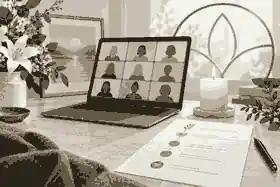
A good invitation answers the practical questions before guests have to ask. Include the person’s name, date, start time, time zone, Zoom link, passcode if separate, dial-in option if available, expected length, whether cameras are welcome, whether guests will be muted, whether there is a recording, and what to do if they cannot connect. For international families, list two or three time zones in words, not only numbers.
Send the invitation early enough for people to test Zoom. One to two weeks is ideal when the service date allows it, but many funerals are arranged faster. If timing is short, include a five-minute test option with the host or a younger relative. Older guests may need help installing Zoom, finding the mute button, or joining by phone.
In Australia, Services Australia’s death of a loved one guidance reminds families that there are many administrative tasks after a death, including who to tell and what help may be available. In the United States, USA.gov’s death of a loved one page links to death certificates, agencies to notify, and survivor benefits. Clear funeral invitations reduce one small piece of that burden.
A memorial page can also give guests one stable place to check the latest details. If the link changes or the service time moves, you update one page and resend one message. Evaheld Memorials explains share a digital memorial link decisions for families who want to send details respectfully without losing control of privacy.
Explain etiquette for remote guests
Remote guests usually want to do the right thing; they just need a little guidance. Tell them to join five to ten minutes early, use their real name, stay muted unless invited to speak, choose a quiet place, and keep the camera on or off depending on comfort. If there is a dress code for the in-person service, share it with remote guests too. If the service is informal, say so.
Etiquette also applies to the host. Admit people gently, mute accidental noise quickly, and avoid correcting guests in a way that embarrasses them. If someone forgets they are unmuted, a quiet mute from the host is kinder than a public interruption. If open sharing is planned, explain how it will work: raised hands, a prepared list, or messages sent to the host.
Grief can affect concentration, energy, and social confidence. The Healthdirect grief and loss information notes that people experience grief differently and may have trouble concentrating or coping with everyday tasks. That is why a short etiquette note is not overformal. It helps people participate without using emotional energy on guesswork.
For more detailed hosting and attendee behavior, keep the tone practical and compassionate: name what guests should do, explain whether they may speak, and remove uncertainty before the service begins.
Handle recording with consent and restraint
Recording can be a gift for people in hospital, overseas, working shifts, or grieving too heavily to attend live. It can also feel invasive if guests are surprised. Decide before the service whether to record, what will be recorded, who can access it, how long it will be kept, and whether it may be shared beyond invited guests.
Zoom’s recording consent information explains that participants are asked to consent when joining a recorded meeting or when a host starts recording. Do not rely only on the platform prompt. Mention recording in the invitation and in the opening words. If someone does not consent, offer an alternative such as joining without video, attending by phone, or receiving a written copy of the eulogy later.
In the United Kingdom, data protection expectations are especially important when organizations record or publish personal data. For a family service, the practical principle is still simple: be transparent, limit access, and do not post the recording publicly unless the family and speakers have agreed. In Australia and the United States, state, territory, and state-level privacy or recording rules can vary, so conservative consent is the safest family practice.
Make remote guests part of the remembrance
The most common weakness in Zoom funerals is treating remote guests as spectators. Give them one or two meaningful ways to participate. They might light a candle at the same time, send a written memory before the service, read a short passage, appear on screen for a prepared tribute, or add messages afterward. Keep participation optional. Some people show care by attending quietly.
After the service, direct guests to a calm place for memories and condolences. Evaheld Memorials explains tributes and condolence tools, including the difference between public tributes and private messages. That matters when people want to support the family without turning every personal note into public content.
Examples from public memorials can help families think about tone without copying anyone else’s life story. The Evaheld Memorials profiles for Steve Jobs, Princess Diana, and Alan Rickman show how a memorial can hold a timeline, life story, photographs, and tributes in a more lasting form than a single live event.
Moderate chat, tributes, and open sharing
Open chat can be comforting in a small group and distracting in a large one. Decide whether chat should be disabled, open to everyone, or limited to messages to the host. If the family wants written memories, consider collecting them before or after the service instead of during eulogies. This helps people listen fully and gives the family time to review messages.
If open sharing is included, set boundaries. Invite people to speak for one or two minutes. Let the host call names from a prepared list. Keep a final line ready: “We are grateful for every memory; we will continue collecting written tributes after the service.” That avoids an abrupt ending if many people want to speak.
Public memorial contributions also need care. Evaheld Memorials guidance on moderating memorial comments explains why review settings protect families from accidental oversharing, painful details, or messages that do not belong in a shared space.
Plan for accessibility, older guests, and time zones
Accessibility is not a special extra. It is part of hospitality. Offer a dial-in number if available. Send the link in a format people can tap on a phone. Avoid last-minute platform changes. Use speakers’ full names in the order of service so remote guests can follow along. If captions are available and appropriate, turn them on or tell guests how to enable them.
For guests in different countries, write the time like this: “Saturday 10:00 am Sydney / Friday 8:00 pm New York / Saturday 1:00 am London.” If the service is not at a friendly time for everyone, record the eulogies or prepare a written summary for those who cannot attend. International families should also remember that public holidays, daylight saving changes, and local time zones can make a simple numeric time misleading.
Ask one relative to check on anyone who may struggle with the technology. A private test call can make the difference between an older guest attending peacefully and missing the service entirely. Remote guests should not have to feel embarrassed because they need practical help.
Use a rehearsal that respects grief
A rehearsal does not need to be a full performance. Twenty minutes is enough to test the link, host controls, microphones, slideshow, speaker order, recording prompt, and backup device. Ask every speaker to say one or two sentences aloud. Confirm their display name, camera position, and whether they know when to unmute.
Keep the rehearsal factual. People may become emotional when they hear music or see photographs. That is normal. The goal is not to drain feeling from the service; it is to remove avoidable confusion so the actual funeral has room for feeling.
Prepare a printed run sheet for the host. Include start time, welcome line, speaker names, music cues, slideshow cue, chat setting, recording setting, backup phone number, and the final action: end meeting for all. A printed copy helps when grief, nerves, or a frozen screen interrupts concentration.
Know what to do on the day
The host should log in 30 minutes early. Test sound and video. Check the Waiting Room, passcode, screen sharing, chat, and recording setting. Open the slideshow. Keep the invitation message nearby so it can be resent to a guest who has lost it. Have a co-host join from a second device or location.
Admit guests 10 to 15 minutes early if the service is larger. Use muted entry. Greet people briefly but do not make the opening feel like a casual meeting. Once the service begins, remind guests of the basic etiquette: muted microphones, optional cameras, recording status, and how remote speakers will be invited.
If something goes wrong, keep the correction simple. If audio fails, pause and switch to the backup microphone or phone. If a slideshow fails, continue with the next spoken piece. If an uninvited participant enters, remove them and lock the meeting. If a speaker cannot unmute, the host can read their prepared words or invite them later. The service should not be held hostage by one technical moment.
After the Zoom funeral
End the meeting for all so the room does not linger unsupervised. Save the recording only if the family has agreed. Confirm where the file is stored, who can download it, and whether it should be edited before sharing. Send a short thank-you note to speakers and remote guests, especially anyone who joined late at night or from overseas.
Then decide what should remain. A Zoom call is one moment; a memorial can hold the longer story. You might add the eulogy, selected photographs, the order of service, music notes, and written tributes. Evaheld Memorials guidance on what to include in a memorial page can help families choose lasting content without turning the page into an archive of everything.
If several relatives will help after the service, Evaheld Memorials answers whether families can invite relatives and friends to help build the memorial. That kind of shared contribution is often easier after the funeral, when people have heard the stories and want to add their own.

Common mistakes to avoid
Do not publish the Zoom link on open social media. Do not make the closest mourner manage all the technology. Do not skip the audio test. Do not surprise guests with recording. Do not invite open sharing without time limits. Do not assume remote guests know whether they should speak, dress formally, keep cameras on, or write in chat.
Do not overproduce the service either. Too many videos, transitions, and speakers can make the gathering feel strained. A clear welcome, audible eulogies, a small set of photographs, and a respectful closing are enough. The point is not to prove technical skill. The point is to let people gather, remember, and leave with less loneliness than they arrived with.
If you want one sentence to guide every choice, use this: make it easy for people to arrive, listen, contribute, and respect the family’s boundaries. That is the standard that matters when you host a funeral on zoom for people who cannot stand together in the same room.
For families who want the Zoom service, memories, photos, and guest contributions to sit beside a lasting tribute, you can host a funeral on zoom with a private memorial setup that supports careful sharing before and after the service.
FAQs
How do I host a funeral on Zoom? Planning, etiquette and remote guests
Host it by scheduling a private Zoom Meeting, enabling a passcode and Waiting Room, appointing a host and co-host, rehearsing audio, sending clear guest instructions, and giving remote guests a respectful way to participate. Keep service details in one place with funeral details and livestream options, and use Zoom’s Waiting Room instructions to manage entry calmly.
Should a funeral on Zoom be a meeting, webinar, or livestream?
Use a Zoom Meeting when remote guests should speak, appear on camera, or take part in shared remembrance; use a webinar or livestream when most people only need to watch. A technical plan starts with the funeral livestream checklist, while Zoom’s security and privacy settings explain the controls available during the event.
What Zoom privacy settings matter most for a funeral?
The most important settings are a passcode, Waiting Room, muted entry, host-only screen sharing, and disabling unsupervised access. Families deciding who should receive the link can pair choosing a private or public memorial with Zoom’s user-level security settings before sending invitations.
How do we include remote guests without making the service chaotic?
Invite remote guests into planned moments: a short reading, a prepared memory, a candle lighting, or written tributes after the service. For ongoing participation, tributes and condolence tools can continue the connection, and Zoom’s participant management controls help the host keep the live service orderly.
Should we record a Zoom funeral?
Record only if the family agrees and guests are told in advance, because a funeral recording can feel deeply personal. If the family wants to preserve music, readings, or video afterwards, adding videos and music thoughtfully can help, and Zoom’s recording consent information explains the platform prompt participants may see.
What should the Zoom funeral invitation say?
Include the date, time, time zone, link, passcode, dial-in option, expected length, camera and mute etiquette, recording notice, and a contact for technical help. When the same link will be shared through a memorial, share a digital memorial link planning helps keep details controlled, while GOV.UK after-death guidance is useful for UK readers handling official steps alongside service invitations.
How can we prevent background noise and interruptions?
Mute guests on entry, assign a co-host, keep screen sharing host-only, and lock the meeting after most guests have arrived. Families can also use moderating memorial comments principles for written messages, while Zoom’s join-before-host settings show why supervised access is usually best.
What should speakers prepare for a Zoom memorial?
Speakers should prepare a short written tribute, test their microphone, keep a backup copy, and know when they will be invited to unmute. Families who need help shaping remarks can use step-by-step eulogy help, and the Healthdirect grief and loss information explains why concentration and emotions may feel harder than usual.
Can a Zoom funeral work for Australian, UK, and US relatives at the same time?
Yes, but the invitation should list several time zones, offer a recording or written tribute for people who cannot attend live, and avoid country-specific shorthand. The family can keep the lasting tribute clear with what to include in a memorial page, while USA.gov’s death of a loved one page helps US relatives understand parallel administrative tasks.
What should happen after the Zoom funeral ends?
End the meeting for all, save any approved recording securely, thank speakers, and invite relatives to add memories when they are ready. If several people will help preserve the tribute, invite relatives and friends to help build the memorial, and Australian readers can also consult Services Australia’s death of a loved one guidance for official next steps.