How do I restore old photos for funerals? Ethical tools, memories and safety
A practical, ethical guide to restoring old funeral photos with AI safety, consent, privacy, family review, preservation and memorial use across Australia, the UK and the US.
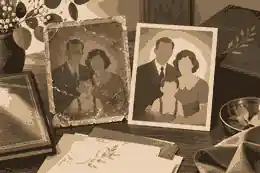
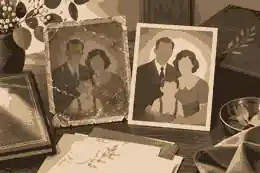
How do I restore old photos for funerals? Ethical tools, memories and safety begin with one simple rule: restore the photograph so it can be seen and understood, but do not change the person into someone the family would not recognise. For most families, the safest approach is to keep the original scan, make a clearly labelled restored copy, ask close relatives before using AI memorials or animation, and choose only the images that support the funeral service, printed order of service, slideshow, voice memories or online tribute with dignity.
To restore old photos for funerals well, start before any software opens. Place printed photographs on a clean, dry surface, handle them by the edges and avoid forcing albums apart. The Library of Congress photograph care advice explains why older prints and negatives are chemically fragile, while the US National Archives family archives guidance is a useful reminder that family materials need order, context and gentle handling. If a photograph is torn, mouldy, stuck to glass or clearly brittle, take a phone photograph in good light first and consider a professional conservator before scanning or cleaning the original.
A practical funeral workflow has five stages: gather, digitise, restore, review and preserve. Gathering means asking relatives for albums, framed photographs, wallet prints, funeral booklets, social media images and camera files. Digitising means scanning or photographing each item before edits begin. Restoration means correcting fading, dust, scratches, colour cast, contrast and small tears without inventing major detail. Review means asking the right family members whether the restored image still feels truthful. Preservation means keeping the untouched original file beside the restored version, captions, permissions and the final use. Evaheld Memorials’ digital memories and social media guidance can help families keep this work from becoming scattered across phones and messages.
restore old photos for funerals: practical guidance
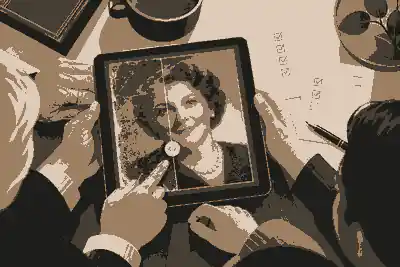
Ethical photo restoration is not the same as making an image look new. For a funeral, the purpose is remembrance, not perfection. A careful edit may remove a crease across someone’s face, lift shadows, sharpen a soft scan or balance faded colour. A risky edit changes body shape, age, expression, clothing, ethnicity, disability, skin texture, hairstyle, cultural dress or the setting in ways the person did not choose. If an edit would surprise the person being remembered, or make a relative say, “that is not really them”, it should not be used publicly.
The most reliable rule is to separate repair from invention. Repair makes the existing photograph more visible. Invention creates new information that was not in the photograph. AI tools can be helpful for dust removal, face recovery and colourisation, but they can also add false teeth, smooth lived-in features, alter eye direction, invent jewellery or make someone appear younger than they were. The NIST AI Risk Management Framework is written for organisations, but its ideas of mapping risks, measuring them, managing them and governing them translate well for families: identify what could go wrong, decide who should approve the result, and document what has been changed.
For recently bereaved families, ethics also include timing. A restored portrait may be comforting to one person and unsettling to another. A funeral slideshow often includes guests of different ages, beliefs and relationships to the deceased. If there is any doubt, use the most natural restoration in the service and keep more experimental AI versions private until relatives have had time to respond. Families considering movement, voice or more advanced photo restoration can compare the consent, privacy and cost questions in AI photo animation for a memorial before deciding what belongs in public.
Scanning and file preparation
For printed photos, a flatbed scanner usually gives the most stable result. Scan important prints at a high enough resolution for both print and screen, save a master copy in a high-quality format, then make smaller copies for sharing. Do not crop the only file too tightly; borders, handwritten notes, studio marks and background objects can carry family history. The National Archives format guidance explains why formats matter over time, and the Library of Congress personal digital archiving guidance supports a simple plan: identify important files, decide where they will live, and keep more than one copy.
For phone scanning, place the photograph near a window or soft lamp, avoid direct glare, hold the phone parallel to the print and capture the whole image. If the original is framed behind glass, photograph it from a slight angle to avoid reflections, then correct perspective later. For slides or negatives, use a proper scanner or professional digitisation service where possible. Funeral deadlines are real, but rushing a fragile item can cause permanent loss. If the choice is between a quick phone photograph today and damaging a unique print, take the quick photograph and leave the original alone.
Use plain file names that a future relative can understand: 1974-mary-and-james-wedding-original-scan.jpg, 1974-mary-and-james-wedding-restored-for-funeral.jpg, and 1974-mary-and-james-wedding-print-copy.jpg. Add notes about who identified the people in the image and whether the colour, date or location is uncertain. These notes matter when the image later becomes part of a memorial page, family archive or printed keepsake. Evaheld Memorials’ file limits for digital tributes can help families think about upload sizes, compressed sharing copies, backups and long-term access before the service.
Choosing the right photo for a funeral
The best funeral photo is not always the sharpest or most formal image. Choose a photograph that feels recognisable, kind and true to the life being honoured. A passport-style portrait may suit a service booklet, while a candid family image may work better in a slideshow. If the person disliked formal portraits, a relaxed image may feel more respectful. If they were private, use a photograph they would have accepted being shown to a room of relatives, friends, colleagues and neighbours.
Think about placement. A printed order of service usually needs one clear portrait with space for text. A slideshow can hold a wider range of life chapters: childhood, early adulthood, work, family, friendships, hobbies, travel, community, later years and small everyday moments. A memory table can include restored copies while the original remains protected. A digital memorial can hold a broader selection over time, especially when different relatives contribute photographs after the funeral. Evaheld’s what to include in a memorial page guidance helps families decide which photos, stories, service details and tributes belong together.
Public memorial examples also show how a life can be represented through a sequence of images rather than a single “perfect” portrait. An artist, humanitarian or public figure such as Audrey Hepburn may be remembered through images of work, service, family and personal style. A technology figure such as Steve Jobs raises a different question: which images show public achievement, and which show the human being behind the stage? A public figure such as Princess Diana reminds families that public affection and private dignity can sit together only when images are chosen with restraint.
Consent, privacy and jurisdiction differences
Photographs often contain living people, children, private homes, hospital rooms, religious events, uniforms, addresses, school badges, cultural objects and health information. Before publishing a restored image, ask whether anyone living is clearly identifiable and whether the image reveals something sensitive. The OAIC photos and videos guidance notes that identifiable photos and videos can be personal information in Australia. The UK and EU treat personal data differently from the US, and the legal position after death is not identical across jurisdictions. In the United States, privacy, publicity rights and funeral rules vary by state; the USAGov death administration guidance is a useful starting point for official tasks, not a substitute for state-specific advice.
For Australian readers, funeral administration is state and territory based, and Services Australia notes that families may need to notify agencies and register the death with the relevant births, deaths and marriages registry. The Services Australia after-death guidance also reminds families to find the will and important documents. For UK readers, the GOV.UK after-death guidance explains registration, Tell Us Once and funeral arrangements. For US readers, death certificates, funeral arrangements and estate steps are usually handled through state and local processes, with federal agencies involved for benefits, Social Security, Medicare or veterans’ matters.
Consent is not only legal. It is relational. If one sibling wants a heavily restored portrait and another finds it upsetting, the answer is not to treat grief as a vote. Use the lower-risk version publicly and keep the experimental version private. If a photograph includes a former partner, estranged relative, child, foster child, medical setting or culturally sensitive ceremony, ask before sharing. Evaheld Memorials’ private and public online memorials article can help families decide when a restored image belongs behind family-only access rather than in a public tribute.
AI tools, disclosure and voice
AI restoration tools are strongest when used as assistants, not decision-makers. They can remove dust, reduce blur, improve contrast and recover some facial detail. They are weakest when they fill in missing features, create new expressions, animate eyes or generate a voice from fragments. The OAIC guidance on commercial AI products urges caution with personal and sensitive information in generative AI tools. Families should read tool terms before uploading irreplaceable portraits, especially if the tool may use uploads for model training, retain files indefinitely or make deletion difficult.
Disclosure should be calm and specific. You do not need to make a funeral programme sound technical, but families should not present an AI-restored, colourised or animated image as untouched historical evidence. A simple caption can say: “Restored from a family photograph, 2026” or “Colour restored from the original black-and-white portrait.” For media authenticity, the C2PA content credentials specification shows how provenance can be attached to digital media, while the US Copyright Office artificial intelligence work is a reminder that human authorship, source rights and AI-generated elements can raise separate copyright questions.
Voice deserves extra care. Restoring an existing voice recording so it is clearer is different from creating a synthetic voice that appears to speak new words. If the person recorded a message during life and clearly intended it to be used, that may be a meaningful part of the service. If the family is considering new AI-generated speech, the threshold should be much higher: clear consent during life, limited use, family review and no suggestion that the person is literally speaking from beyond death. Evaheld’s video and music memorial options can help families place real recordings, favourite songs and home videos in context without making the memorial feel artificial.
Colourisation, animation and deepfake boundaries
Colourisation can be beautiful when it is labelled and restrained. It can also distort history. A black-and-white wartime portrait, migration photograph or early studio image may carry dignity precisely because of its original form. Colourise only when it helps family members connect with the person, not because every image needs modernising. Keep the original black-and-white version beside the colourised copy. If hair, eye colour, uniform, medals, cultural dress or religious clothing are uncertain, state the uncertainty or leave the image uncoloured.
Animation is more sensitive than still restoration because it implies movement, expression and presence. A subtle blink or soft camera movement may be acceptable for a private family remembrance. Public funeral use should be cautious, especially where children, traumatic death, recent grief or divided family views are involved. Deepfake-style material that makes the deceased appear to say, endorse or perform something new should normally be avoided unless the person gave explicit pre-death consent and the family has a serious, limited purpose.
The European Commission’s Ethics Guidelines for Trustworthy AI emphasise human agency, technical robustness, privacy, transparency, fairness, societal wellbeing and accountability. Those principles translate into a family checklist: keep humans in charge, test the output, protect privacy, disclose synthetic changes, consider who may be harmed, and make someone responsible for final approval. Accessibility also matters. If a restored photo is used in a memorial video, the W3C transcript guidance can help families provide a text version of spoken memories so people who cannot hear or process the audio still understand the tribute.
A family review checklist before the service
Before a restored photo appears at a funeral, ask these questions in order. Is the original scan preserved? Is the edited version clearly separate? Does the image still look like the person? Were any major details invented? Has a close relative checked the result? Are living people in the image comfortable with its use? Does the image reveal private medical, financial, legal or family information? Is the file large enough for print and small enough for online sharing? Is there a caption, date or note explaining what was changed? Is there a backup outside the funeral slideshow laptop?
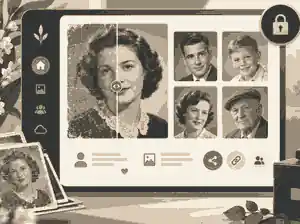
If the image will sit inside a memorial page, also decide who can upload more photos, who can approve them, and whether the page should stay private until the family is ready. Evaheld Memorials explains what Evaheld creates from one AI prompt, but families should still treat AI-assisted memorial creation as a starting draft, not the final authority on a person’s life. The best memorials are reviewed by people who knew the person in different settings: family, friends, colleagues, neighbours and community members.
After the funeral, do not let the restored files disappear into a slideshow folder. Save the original scan, restored master, print copy, web copy, captions, permissions and service version together. Evaheld’s how to download memorial content guidance can help families keep a backup of photos, tributes and messages beyond any one platform. Where relatives want to keep contributing memories, inviting family and friends to help build the memorial can turn one restored funeral portrait into a broader, carefully reviewed family record.
What to avoid
Avoid uploading private family photos into tools that do not explain retention, deletion or training. Avoid restoring only the face while leaving a visibly damaged background if the contrast will look unnatural. Avoid over-smoothing age, illness or disability; those details may be part of the person’s real story. Avoid fake eye contact, fake smiles and invented glamour. Avoid using AI to place someone at an event they never attended. Avoid turning a deceased person into a chatbot or synthetic speaker because a tool makes it possible. Avoid sharing before the closest family have seen the result.
Also avoid treating one “hero image” as the whole memorial. A funeral can include a clear portrait, but a life is usually better represented through chapters: early years, relationships, work, service, humour, places, routines and the small gestures people miss. If guests will be able to contribute messages, set expectations gently. Evaheld’s tributes and condolence tools can help families receive memories while keeping the memorial respectful and moderated.
How Evaheld Memorials fits into photo restoration
Evaheld Memorials is not a substitute for a conservator, a funeral director, legal advice or family consent. Its role is to give families a structured place for the restored images, written memories, videos, voice memories, service details and tributes that they choose to preserve. That distinction matters. Photo restoration prepares material; a memorial gives selected material context. AI can assist with organisation and drafting, but the family remains responsible for truth, privacy, tone and final approval.
When you are ready to bring selected restored photographs, captions, stories and family contributions into one respectful place, Evaheld Memorials can help you restore old photos for funerals as part of a broader remembrance that stays editable, reviewable and centred on the person being honoured.
FAQs
How do I restore old photos for funerals? Ethical tools, memories and safety
Start with a high-quality scan or clear phone photograph, keep the original untouched, repair only what improves visibility, label any AI-assisted changes, and ask close relatives before public use. Evaheld Memorials’ digital memories and social media guidance helps families organise files before publishing, while the Library of Congress photograph care advice explains why fragile originals need careful handling.
Is it acceptable to use AI to restore a funeral photograph?
Yes, if AI is used to repair visibility rather than invent identity, and if the family understands what changed. For cost, privacy and consent questions, AI photo animation for a memorial gives a practical memorial-specific framework, and the NIST AI Risk Management Framework supports the idea of identifying and managing risks before release.
Should I colourise a black-and-white funeral photo?
Colourisation can be appropriate when it is clearly labelled, reviewed by family and not presented as the original historical image. Evaheld Memorials’ what to include in a memorial page guidance can help decide where a colourised copy belongs, and the US National Archives family archives guidance supports keeping family context with preserved materials.
Can I use a restored image in an order of service or funeral slideshow?
Yes, provided the file is clear enough for print or screen, the family has reviewed it, and the image does not expose private information. Evaheld Memorials’ file limits for digital tributes explains upload and sharing considerations, while the National Archives format guidance explains why file formats matter over time.
What privacy issues should I check before sharing restored photos?
Check whether living people are identifiable, whether children appear, whether the setting reveals sensitive information, and whether relatives are comfortable with public sharing. Evaheld Memorials’ private and public online memorials can help families choose access settings, and the OAIC photos and videos guidance explains how identifiable images can raise privacy issues in Australia.
How do I keep original and restored funeral photos organised?
Use separate folders for original scans, restored masters, print copies, web copies, captions and permissions, then keep more than one backup. Evaheld Memorials’ how to download memorial content helps families think about later access, and the Library of Congress personal digital archiving guidance supports active management of important personal files.
Should I disclose that a funeral photo was AI-restored?
Yes, especially if the image was colourised, repaired extensively, animated or used publicly. Evaheld Memorials’ what Evaheld creates from one AI prompt explains AI-assisted memorial creation, and the C2PA content credentials specification shows how digital provenance can be recorded.
Can I add a restored photo to a memorial video with voice or music?
Yes, if the voice, music and images are used with care, permission and clear family agreement. Evaheld Memorials’ video and music memorial options can help families place media respectfully, and the W3C transcript guidance explains how transcripts make audio and video memories more accessible.
Who should approve restored photographs before a memorial page goes live?
The organiser should ask the closest appropriate relatives and, where possible, someone who knew the person in the life stage shown. Evaheld Memorials’ inviting family and friends to help build the memorial explains collaborative contribution, while the Ethics Guidelines for Trustworthy AI reinforce transparency, accountability and human oversight.
What should I do after the funeral with restored photo files?
Keep the original scan, restored version, captions, permissions and final funeral-use copy together, then back them up and decide what should remain private. Evaheld Memorials’ tributes and condolence tools can help continue memory collection after the service, while the Services Australia after-death guidance reminds Australian families to keep important documents and administration in order.